
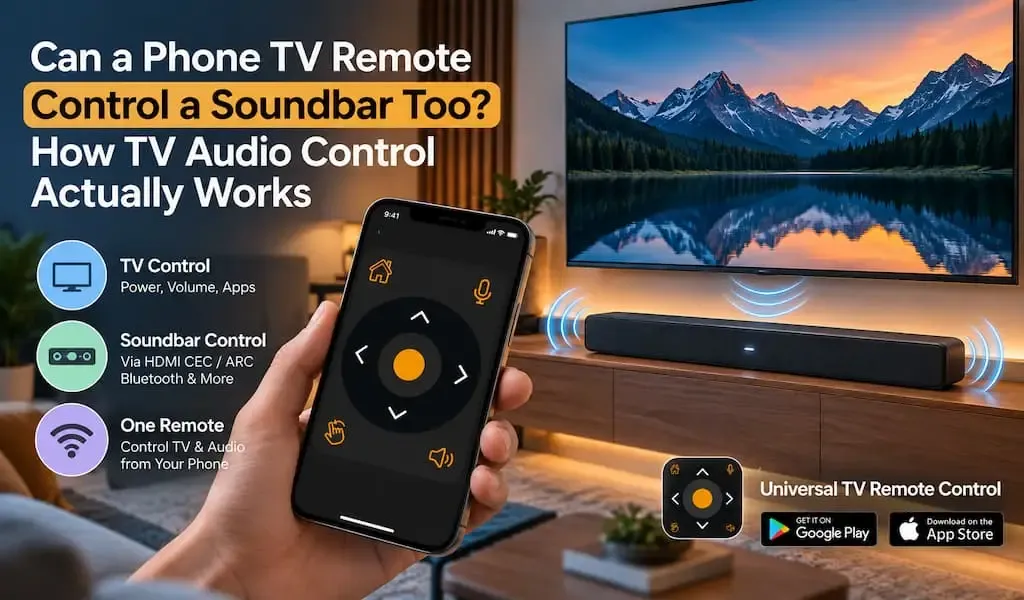
Yes, a phone can control a soundbar in some TV setups, but the result depends on how the television and soundbar are connected.
If your TV uses HDMI ARC, HDMI eARC, HDMI CEC, Bluetooth, optical audio, or another supported connection, the TV may be able to pass volume commands to the soundbar. In those situations, a phone TV remote can sometimes control the audio system through the television rather than communicating with the soundbar directly.
That distinction is important because a TV remote app is not automatically a universal soundbar remote.
The phone, TV, and soundbar have to support a compatible control path.
For anyone replacing a traditional remote with a smartphone, this raises a practical question: Can one phone control both the TV and the soundbar, or will you still need two remotes?
The answer depends mainly on the audio connection and the control technology used by your equipment.
Yes, a phone TV remote can control a soundbar when the TV passes volume commands through a supported connection
A phone TV remote can control a soundbar when the television and soundbar support a control method that allows volume commands to travel between them.
In a typical setup, the phone communicates with the TV through the remote app. The TV then handles the audio command and sends the appropriate instruction to the soundbar.
The process can look like this:
Phone → TV remote app → TV → soundbar
That is different from:
Phone → soundbar
The distinction explains why volume control may work even when the remote app does not have a dedicated soundbar control screen.
For example, if your soundbar is connected to the TV through HDMI ARC or eARC and HDMI CEC is enabled, the television can often coordinate volume and power commands with the soundbar.
This creates a much simpler experience because the TV becomes the central control point.
Yes, HDMI CEC is often the key technology behind TV and soundbar control
HDMI CEC is often responsible for allowing compatible devices connected through HDMI to exchange control commands.
CEC stands for Consumer Electronics Control. It is not the same thing as HDMI ARC or eARC.
ARC and eARC primarily describe how audio travels from the TV to compatible audio equipment. CEC provides a control channel that can allow compatible devices to respond to commands.
That means a setup can use:
HDMI ARC or eARC for audio
HDMI CEC for control
When both are supported and enabled, pressing volume up or volume down on a compatible TV remote can change the soundbar volume rather than the TV speakers.
A phone remote app can potentially take advantage of the same arrangement when it can control the TV's volume functions.
This is why two TVs with apparently similar soundbars can behave differently. Their HDMI settings, TV software and CEC implementations may not be identical.
Yes, HDMI ARC and eARC can make the TV the control center for your soundbar
HDMI ARC and eARC can simplify a home entertainment setup because the TV can send audio to the soundbar through the HDMI connection.
ARC means Audio Return Channel. eARC is the newer Enhanced Audio Return Channel.
The important point for remote control is that these technologies are primarily about audio transport, while CEC is responsible for compatible device control.
A common setup looks like this:
Phone controls TV
↓
TV changes volume
↓
HDMI CEC passes the command
↓
Soundbar adjusts its volume
This can make the phone feel like a complete TV and soundbar remote even though the phone is not necessarily communicating directly with the soundbar.
For users, that is a useful distinction because it tells you where to troubleshoot when volume control stops working.
If the TV itself responds to the phone but the soundbar does not change volume, the problem may be between the TV and audio system rather than between the phone and TV.
Yes, Bluetooth can connect a soundbar to a TV, but remote control depends on the equipment
Bluetooth can connect a compatible soundbar to a television, but Bluetooth audio connection does not automatically mean that every remote function will work through the phone.
Bluetooth can be used primarily as an audio connection.
The TV sends sound to the soundbar, while the phone controls the TV through another connection such as WiFi.
In this arrangement, the phone may still control volume through the TV if the television supports the necessary audio control behavior.
However, Bluetooth does not guarantee universal control of soundbar functions such as input selection, sound modes, equalizer settings or advanced audio features.
This is why it is important to separate audio connection from remote control connection.
A soundbar can be connected to a TV through Bluetooth while the phone controls the TV through WiFi.
Those are two separate communication paths.
No, an optical cable does not provide the same control capabilities as HDMI CEC
An optical connection can send digital audio from the TV to a soundbar, but it does not provide the same device control capabilities as HDMI CEC.
This is one of the most important differences between optical and HDMI based setups.
With optical audio, the TV can send sound to the soundbar, but volume control may need to be handled differently.
Depending on the TV and soundbar, the TV remote may not be able to adjust the soundbar volume through the optical connection in the same integrated way that HDMI CEC can.
That means a phone TV remote might successfully control the TV while the soundbar continues responding only to its own remote.
If your setup uses optical audio and you want a single remote experience, check whether your particular TV and soundbar provide another supported control method.
Yes, a phone remote can still be useful even when it does not directly control every soundbar feature
A phone TV remote does not need to replace every button on a soundbar remote to be useful.
For everyday TV watching, the most frequently used audio commands are usually volume up, volume down and mute.
If those functions are available through the TV, controlling them from a phone can remove the need to keep reaching for the soundbar remote.
This becomes particularly useful when the TV remote has already been replaced by a smartphone.
A capable phone remote can provide D Pad navigation, volume control, voice control and keyboard input in one interface.
Universal TV Remote Control is designed around this broader TV control experience. It supports more than 700 TV brands and is available in more than 100 countries, giving users a single remote application across a wide range of television environments.
Its D Pad navigation is useful for moving through TV menus, while voice control can make searching easier and keyboard support can simplify text entry.
The important qualification is that soundbar functionality still depends on the TV and audio setup.
A universal TV remote app should not be treated as proof that every soundbar model can be controlled directly.
Yes, the easiest setup is usually TV control through HDMI CEC and ARC or eARC
The simplest integrated arrangement is generally a compatible TV connected to a compatible soundbar through HDMI ARC or eARC, with HDMI CEC enabled.
In that setup:
- The phone connects to the TV through the supported remote method.
- The TV receives volume or power commands.
- HDMI CEC communicates supported control commands to the soundbar.
- The soundbar responds to the command.
The result is a single control chain instead of separate controls for every device.
If you are setting up a new home entertainment system, checking HDMI CEC compatibility can therefore be just as important as checking whether the TV supports smartphone remote control.
For more information about TV compatibility with a universal remote app, see How Do You Know if Your TV Is Compatible With a Universal Remote App?.
Yes, the soundbar connection determines what your phone can control
The connection between your TV and soundbar is one of the biggest factors determining whether a phone remote can control the audio system.
Here is the practical difference:
| Soundbar connection | Audio from TV | Integrated control potential |
|---|---|---|
| HDMI ARC | Yes | High when CEC is supported |
| HDMI eARC | Yes | High when CEC is supported |
| Bluetooth | Yes | Depends on TV and soundbar |
| Optical | Yes | More limited for integrated control |
| Analog audio | Yes | Usually limited remote integration |
This does not mean HDMI automatically makes every soundbar controllable.
The TV, soundbar and their software all need to support the appropriate functions.
It simply means HDMI CEC gives compatible equipment a control path that other audio connections may not provide.
No, a universal TV remote app does not automatically become a dedicated soundbar remote
A universal TV remote app should not be confused with a dedicated soundbar control application.
A dedicated soundbar app may expose advanced functions such as:
- Equalizer settings
- Surround modes
- Bass adjustment
- Treble adjustment
- Input selection
- Firmware settings
- Room calibration
A TV remote app may instead focus on controlling the television and the basic functions that the TV can pass to connected equipment.
For everyday viewing, that distinction may not matter.
If you simply want to adjust volume or mute the sound, TV based control may be enough.
If you want to change advanced soundbar settings, the manufacturer's remote or dedicated application may still be necessary.
That is why a balanced comparison is more useful than claiming that one remote can replace every control system.
Yes, a phone can reduce the number of remotes you need
A phone can reduce remote clutter when the TV and connected audio equipment support compatible control standards.
Instead of keeping a TV remote and soundbar remote beside the sofa, you may be able to handle everyday TV navigation and audio adjustments from one smartphone.
This is particularly useful in homes with multiple entertainment devices.
A phone also offers capabilities that a traditional remote cannot easily provide, including a full keyboard, voice input and a software interface that can be updated over time.
Universal TV Remote Control has more than 130 million downloads and supports more than 700 TV brands. Its broader compatibility is useful for households where different TVs may use different manufacturers or platforms.
That does not make every connected soundbar automatically compatible. It does make a smartphone based remote a broader control platform than a single purpose physical remote.
Yes, you should check the TV and soundbar connection before blaming the remote app
If your phone controls the TV but the soundbar does not respond, start with the connection between the TV and soundbar.
Check whether:
- The soundbar is connected through HDMI ARC or eARC.
- HDMI CEC is enabled on the TV.
- The soundbar supports HDMI CEC.
- The soundbar is connected to the correct HDMI port.
- The TV is configured to use the external audio system.
- The soundbar firmware is current.
- The TV volume control is configured for the external speaker.
If the phone cannot control the TV at all, the problem belongs to a different part of the chain.
For example, WiFi discovery, network isolation, permissions or compatibility may prevent the phone from communicating with the television.
That is different from a situation where the TV responds normally but the soundbar does not.
Understanding that difference can save a lot of unnecessary troubleshooting.
For broader information about how remote apps communicate with TVs, see What Is mDNS and Why Does It Matter for Smart TV Remote Apps?.
Yes, a phone TV remote can control soundbar volume in the right setup
A phone TV remote can control a soundbar when the TV and soundbar provide a compatible control path, with HDMI CEC often playing an important role in HDMI ARC and eARC setups.
The key is to understand where the command is actually going.
Your phone may be controlling the TV.
The TV may then be controlling the soundbar.
That is why the same remote app can behave differently across two homes even when both users have smart TVs.
The television model, soundbar, connection type and enabled control standards all matter.
For everyday use, a broader universal remote app can be useful because it brings TV navigation, volume control, voice control and keyboard input into one smartphone interface. Universal TV Remote Control supports more than 700 TV brands, making it a broader option for households with different television brands and setups.
The important takeaway is simple: your phone does not necessarily need to control the soundbar directly. If the TV and soundbar can communicate correctly, the TV can act as the bridge between your phone and your audio system.
FAQs
Can a phone TV remote control soundbar volume?
Yes, a phone TV remote can control soundbar volume when the TV supports the required control functions and the soundbar is connected through a compatible setup such as HDMI ARC or eARC with HDMI CEC.
Can HDMI ARC control a soundbar from a TV remote?
Yes, HDMI ARC can carry audio from the TV to the soundbar, while HDMI CEC can provide compatible device control. Both the TV and soundbar need to support the required functions.
Can a phone control a soundbar connected by optical cable?
It depends on the equipment. Optical audio can carry sound from the TV to the soundbar, but it does not provide the same CEC control channel available through HDMI. Some setups therefore require the soundbar's own remote.
Why does my phone control the TV but not the soundbar?
The phone may be communicating correctly with the TV while the TV and soundbar lack a compatible control path. Check the audio connection, HDMI CEC settings and whether the soundbar supports control through the TV.
Does Universal TV Remote Control directly control every soundbar?
No universal TV remote app should be assumed to directly control every soundbar. Universal TV Remote Control focuses on broad TV compatibility and smartphone based TV control, while soundbar functions depend on the specific TV, soundbar and connection used.