
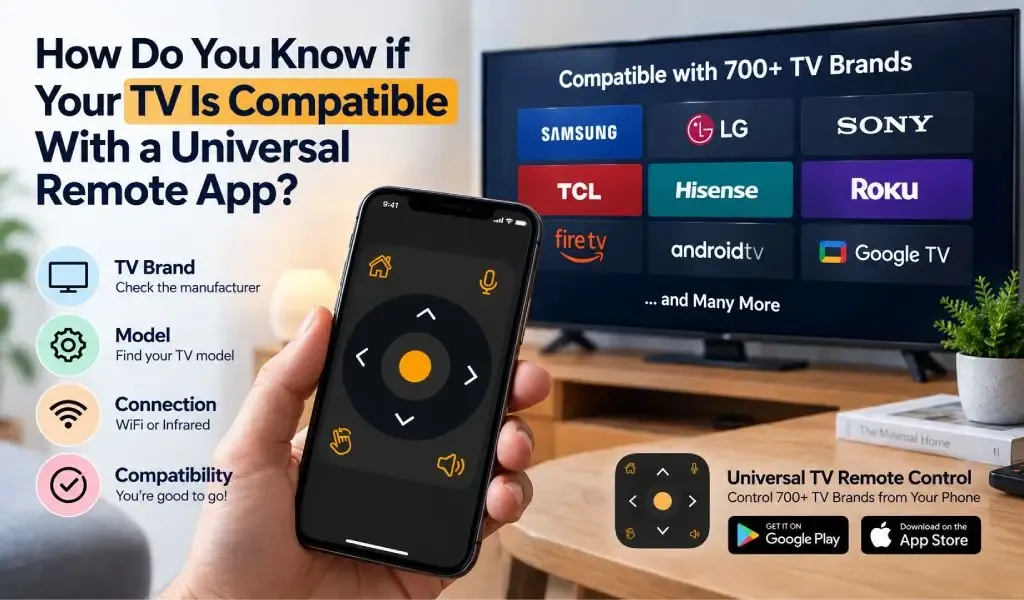
You can usually tell if your TV is compatible with a universal remote app by checking its brand, model, connection method, and whether the TV supports remote control through WiFi, infrared, or another supported technology.
The important part is that compatibility is not determined by the TV brand alone. A smart TV may support phone based control while another television from the same manufacturer may use different software or communication requirements.
This matters when choosing a universal remote app because the goal is not simply to find an application that lists your TV brand. The app needs a communication method that your particular TV and phone can actually use.
Universal TV Remote Control is designed for broad compatibility, supporting more than 700 TV brands and serving users in more than 100 countries. With more than 130M+ downloads, D Pad navigation, voice control, keyboard support and a user friendly interface, it is built around a wide range of TV control scenarios.
Your TV is likely compatible if its brand and control technology are supported
Your TV is likely compatible when its manufacturer, model or control technology is supported by the remote application.
Start with the simplest check: identify the TV brand.
You can normally find the brand name on the front or back of the television, on the original remote, or inside the TV settings.
Common smart TV brands include Samsung, LG, Sony, TCL, Hisense, Philips, Panasonic and many others. However, the brand name is only the first part of the compatibility check.
A universal remote app may support a particular brand across many models while some older or specialized models may have different requirements.
That is why a good compatibility check should consider four things:
- Your TV brand
- Your TV model
- Your TV operating system
- The communication method available between the phone and TV
This approach gives you a much more accurate answer than simply searching for your TV brand in an app store.
Your TV model matters because one brand can use different technologies
Your TV model matters because manufacturers release televisions with different operating systems, hardware and remote control technologies.
A brand can have older non smart televisions, newer smart TVs, Android TV models, Google TV models and other platform variations.
Two televisions carrying the same brand logo may therefore behave differently when controlled from a phone.
The model number is usually printed on a label on the back of the TV. You can also often find it under Settings, About, Device Information or Support.
If an app asks you to select a model, having this information available can make the setup process much easier.
For universal remote applications, model information is especially useful when automatic discovery does not immediately identify the correct television.
Your TV needs a supported communication method for phone control
Your TV needs a communication method that allows the phone to send remote commands.
This is where many compatibility questions become confusing.
A universal remote app does not communicate with every TV in exactly the same way. Depending on the TV and phone, control may involve WiFi or infrared.
WiFi control works when your TV supports network based remote control
WiFi control works when the compatible TV and phone can communicate through a suitable local network connection.
For many modern smart TVs, this is the most practical method.
The phone and TV generally need to be connected to the same local network so that the app can discover and communicate with the television.
The important point is that internet access and local network access are not the same thing.
Your TV does not necessarily need internet access for every remote control scenario. What matters is whether the phone and television can establish the required local communication path.
If you want to understand the difference between online access and actual remote communication, our guide Can You Control a TV From a Web Browser? What Online TV Remotes Can Actually Do explains why simply opening a website does not automatically turn a browser into a TV remote.
Infrared control works when the phone has suitable IR hardware
Infrared control works by sending an IR signal directly from the phone toward the television.
This is similar to how a traditional infrared remote works.
The major limitation is the phone.
Not every modern smartphone contains an infrared transmitter. If your TV requires infrared control and your phone does not have the necessary hardware, installing a remote app cannot create an IR transmitter that the phone physically does not have.
This is why compatibility involves both devices rather than the television alone.
If you are unsure whether your setup should use WiFi or infrared, understanding the difference between IR and WiFi TV remote control can help you identify the appropriate method.
Your smart TV is easier to check because it usually has network features
Your smart TV is generally easier to evaluate for app based control because it already includes networking and software designed for connected devices.
Look for features such as:
- WiFi connectivity
- Smart TV applications
- Network settings
- Device connection settings
- Remote control settings
- Mobile device control
- Screen sharing or casting
- Bluetooth connectivity
These features do not automatically guarantee compatibility with every universal remote app.
They simply indicate that the television has technologies that may support phone based control.
The app still needs to support the particular TV platform and communication method.
Your TV is not automatically incompatible just because it is old
An older TV is not automatically incompatible, but its control options may be more limited.
A traditional television that does not have WiFi cannot normally be controlled through a WiFi based smart TV remote connection.
However, infrared can provide another possibility when the phone has an IR transmitter and the app supports the television's IR commands.
This is an important distinction.
A TV being old does not necessarily mean it cannot be controlled from a phone. It means you need to determine which communication method the TV uses and whether your phone can provide it.
Your phone is part of the compatibility check too
Your phone is part of the compatibility equation because different smartphones provide different hardware and operating system capabilities.
For WiFi based control, the phone needs suitable network access and the remote app needs the necessary permissions.
For infrared control, the phone needs an actual infrared transmitter.
For some smart TV platforms, the phone may also need permission to discover devices on the local network.
This means that two people with the same TV can have different experiences if their smartphones have different hardware or software capabilities.
A universal remote app therefore needs to work across a broad range of phone configurations as well as television brands.
You can check compatibility without guessing by following four steps
You can check compatibility accurately by identifying your TV, checking its connectivity and matching it with the app's supported technology.
Step 1: Find your TV brand and model
Find the manufacturer and exact model number.
The model number is more useful than the brand alone because it gives you a specific reference point for compatibility.
Step 2: Check whether the TV is smart
Open the TV settings and look for network, WiFi or smart platform features.
If the television connects to your home network, it may support a network based remote method.
If it does not have smart features, investigate whether infrared control is available.
Step 3: Check your phone's remote control capabilities
Check whether your phone can communicate with the television using the required method.
For WiFi, check your local network connection.
For infrared, check whether your particular phone includes an IR transmitter.
Do not assume that an app can provide infrared functionality if the phone lacks the required hardware.
Step 4: Test the connection using the remote app
Once you have identified the TV and phone capabilities, install the compatible remote application and follow its pairing process.
The app may ask you to select a TV brand, search for nearby devices or confirm a pairing request on the television.
If the TV is detected and responds to commands, your setup is compatible.
If it is not detected, that does not automatically mean the TV is unsupported. Network configuration, permissions and discovery settings can also affect the connection.
For those situations, our article Why Does My TV Remote App Say No TV Found? covers the separate discovery problem in more detail.
Your TV being detected is a stronger compatibility signal than the brand name
Successful device discovery is one of the strongest practical signs that the TV and phone can work together.
A brand appearing in an app's compatibility list is useful, but actual detection provides more specific evidence.
Once the app finds your television, the next test is whether the TV responds to basic commands such as navigation, volume or other supported controls.
If basic commands work, the communication path is functioning.
Some advanced controls may still vary between models because television manufacturers do not expose exactly the same functions on every device.
This is normal for universal remote technology.
Universal TV Remote Control is designed for broad TV compatibility
Universal TV Remote Control is designed to support a broad range of television brands rather than limiting users to one manufacturer's ecosystem.
The app supports more than 700 TV brands and is available in more than 100 countries. It has also passed 130M+ downloads.
That broad coverage is useful for households where different rooms use different TV brands.
Instead of choosing an entirely different remote experience for every manufacturer, users can use one universal remote application across compatible televisions.
The app also includes D Pad navigation, voice control and keyboard support. These features are particularly useful on smart TVs where entering text and navigating applications can be more demanding with a traditional remote.
Its user friendly interface is designed to keep everyday controls accessible, while customer support provides another layer of help when users encounter different TV and device configurations.
The important qualification is that broad compatibility does not mean every television exposes exactly the same controls. The specific TV model, phone and communication method still determine what is possible.
A universal remote app is compatible when the TV, phone and connection method all match
The most reliable way to determine compatibility is to look at the complete setup rather than asking only whether your TV brand is supported.
Your TV brand identifies the manufacturer.
Your model identifies the specific television.
Your TV operating system determines part of its software environment.
Your phone determines what hardware and operating system capabilities are available.
Your network or infrared connection determines how commands reach the television.
When these pieces line up with the remote application's supported technology, you have a compatible setup.
This is also why a universal remote application with broad brand coverage can be useful. Universal TV Remote Control supports more than 700 TV brands, giving users a much wider starting point than an application designed for one television manufacturer.
Frequently Asked Questions
How do I know if my TV works with a universal remote app?
Check your TV brand and model, then determine whether it supports a compatible control method such as WiFi or infrared. You can then test the television using the remote app's pairing or discovery process.
Can I use a universal remote app on any smart TV?
Not necessarily. A smart TV needs to support a communication method and platform that the remote application can use. Compatibility can vary between models from the same manufacturer.
Does my phone need an IR blaster to control a TV?
Only when infrared control is required for your particular setup. WiFi based smart TV control does not require an IR transmitter, while infrared control does require suitable phone hardware.
Can two TVs from the same brand have different compatibility?
Yes. Different models can use different operating systems, communication technologies and supported remote commands. The TV brand alone is therefore not always enough to determine compatibility.
Does Universal TV Remote Control support many TV brands?
Yes. Universal TV Remote Control supports more than 700 TV brands and is available in more than 100 countries. The app also provides D Pad navigation, voice control and keyboard support for compatible setups.