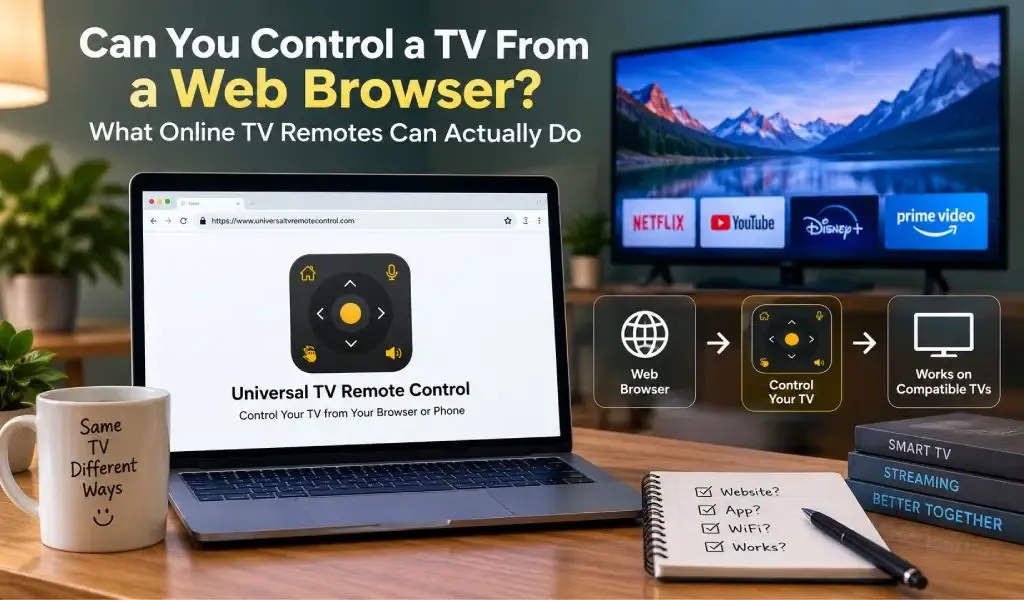
Yes, you can control some TVs from a web browser, but a normal website cannot automatically control every smart TV. Browser based TV control depends on whether the television or its connected platform provides a compatible control interface.
That distinction matters because searches such as TV remote website, TV remote online, and universal remote online can describe several very different things. Some websites simply provide information or links to a remote app. Some platforms support genuine browser based control. Others require a dedicated mobile application because the phone needs to discover and communicate with the TV through a supported network or device protocol.
For most modern smart TVs, a dedicated remote app remains the more practical approach. Google, Samsung and Apple all provide documented phone based TV control through their own apps or built in features. Google TV, for example, lets compatible phones control Google TV and Android TV devices, while Samsung uses SmartThings for supported Samsung TVs.
So, can a browser replace your physical remote? Sometimes, but only when the TV and control system support it.
You can control some TVs from a web browser, but compatibility determines whether it works
A browser can control a TV when the television, connected device, or remote service exposes a control interface that the browser can access.
This is the important technical limitation.
Opening Chrome, Edge, Safari or another browser does not automatically give the webpage permission to communicate with your television. A webpage can display buttons that look exactly like a remote, but those buttons need an actual communication path to send commands.
That path could involve a compatible network service, a device specific web interface, or another system designed to accept remote commands.
For most consumers, this means that “TV remote website” does not automatically mean “universal remote that works from any browser.”
A website can be the starting point for finding a remote solution without being the technology that actually sends commands to the TV.
This distinction is particularly important when evaluating websites that claim to offer a free online TV remote.
A browser based TV remote works only when the TV provides a compatible control interface
A browser based TV remote works only when the target TV or connected platform exposes a control method that the browser can use.
Traditional websites are designed primarily to display and exchange web content. They are not automatically granted access to nearby televisions, local network devices, infrared transmitters, or proprietary TV control protocols.
That is why mainstream TV manufacturers generally provide dedicated applications.
Google documents the Google TV app as a way to control compatible Google TV and Android TV devices. The available controls include media playback, volume, power and text entry.
Samsung provides TV control through SmartThings, where supported users can access an on screen remote with controls for volume, channels, Home, Back, Guide and navigation.
Apple provides the Apple TV Remote through supported iPhone, iPad and Apple Watch devices.
These examples show why a dedicated control application is often more capable than a generic webpage.
The application is built around the communication requirements of the TV platform rather than simply displaying virtual buttons.
A TV remote website is different from a dedicated TV remote app
A TV remote website and a TV remote app can serve the same user goal, but they do not necessarily perform the same technical job.
A website is useful for:
- Finding a compatible remote
- Checking TV brand compatibility
- Understanding connection requirements
- Reading setup instructions
- Learning about supported features
- Accessing official app download links
- Getting customer support
A dedicated remote app can provide:
- TV discovery
- Device pairing
- Local network communication
- D Pad navigation
- Volume and channel control
- Keyboard input
- Voice control
- Additional TV specific commands
This difference explains why someone can find a TV remote online but still need to install an application before actually controlling the television.
For a deeper explanation of this distinction, see Universal TV Remote Control Website vs Remote App: What Is the Difference?.
The website helps users understand and access the solution. The app provides the actual control experience.
A phone remote app can communicate with a smart TV more directly than a browser
A dedicated phone remote app can use mobile operating system capabilities and supported network communication that a standard webpage cannot necessarily reproduce.
Google's documented setup is a good example. A compatible Android phone can open the Google TV app, select a nearby TV and complete pairing using a code displayed on the TV. Google also states that Wi Fi based connection requires the phone and Android TV to be on the same network.
Samsung follows a similar model for supported SmartThings connections. Samsung's instructions require the phone and TV to be connected to the same Wi Fi network for the initial connection, along with the appropriate account and app setup.
This creates a communication path that looks roughly like:
Phone → Wi Fi network → TV
A normal website does not automatically gain access to this path simply because the website is open in a browser.
That is one of the biggest reasons dedicated remote apps remain useful.
Wi Fi is often more important than internet access for smart TV control
Wi Fi and internet access are not the same thing when you are controlling a smart TV.
A phone and TV can communicate across a local Wi Fi network even though the remote command itself does not need to travel through the public internet.
Google specifically instructs users to put the phone and compatible Android TV on the same Wi Fi network when using its virtual remote. Apple also instructs users to check that the iPhone or iPad and compatible Apple TV or smart TV are on the same Wi Fi network when troubleshooting the Apple TV Remote.
The difference can be visualized as:
Phone → Home router → TV
rather than:
Phone → Internet → TV
This is why a TV can have internet access for Netflix or YouTube while a remote app still cannot find it.
The TV may be online, but the phone and TV may not be able to communicate directly.
Network isolation, guest networks, VPN routing and other configuration issues can affect discovery as well.
If you want to understand one of the technologies involved in local device discovery, see What Is mDNS and Why Does It Matter for Smart TV Remote Apps?.
A browser cannot replace infrared hardware that your phone does not have
A web browser cannot turn a phone without infrared hardware into an infrared remote.
Traditional TV remotes often use infrared signals. The remote contains an infrared transmitter that sends commands directly toward the TV.
A website can display an infrared remote interface, but the webpage still needs hardware capable of producing the required infrared signal.
Most modern smartphones do not include an infrared transmitter.
Therefore, if a TV remote solution depends on infrared, opening the remote interface in a browser does not solve the hardware limitation.
Network based remote control is different because compatible smartphones already contain Wi Fi hardware and can communicate with supported smart TVs through a local network.
This is another reason modern smart TV remote solutions often focus on network communication rather than relying exclusively on infrared.
A browser based remote is limited by what the TV allows
A browser based remote cannot provide controls that the TV does not expose to the browser or connected service.
Even when a TV supports some form of online control, available functions can vary.
One system may support volume and navigation. Another may provide power, input selection and application controls. A manufacturer platform may provide additional features through its dedicated app.
Samsung, for example, notes that the available SmartThings remote options vary depending on the device.
Google also provides a defined set of controls through its Google TV app, including media playback, volume, power and text entry on supported devices.
This means a remote should be evaluated by its actual compatibility and functionality rather than by whether it simply contains a virtual remote interface.
A page showing a Power button does not necessarily mean the browser can send a Power command to your particular TV.
A free online TV remote is not necessarily a remote that works through the internet
“Online TV remote” does not necessarily mean that you can control your TV from anywhere through the internet.
The word online can refer simply to where you found the remote.
For example, you might search for:
free TV remote online
You find a website.
The website directs you to an app.
You install the app.
The app connects your phone to your TV over your home network.
The entire discovery process happened online, but the actual TV control happened locally.
There are exceptions. Samsung documents SmartThings functionality that can allow supported TVs to be controlled remotely over the internet after the appropriate setup.
So there are two different concepts:
Online discovery: finding or downloading the remote through the internet.
Internet based control: sending commands through an internet connected service.
They should not be treated as the same thing.
For a deeper explanation of this distinction, see TV Remote Control Online Free: What Actually Works and What Does Not?.
A dedicated app is usually more practical for regular TV control
A dedicated remote app is usually more practical than a browser when you want to control a TV regularly.
A browser is convenient because there is nothing to install on the device in some situations. But convenience at the start does not necessarily mean convenience during everyday use.
A dedicated application can maintain a purpose built interface for TV control and support device discovery, pairing and smartphone features.
Google's mobile remote, for example, can be accessed from the Google TV app and supports text entry as well as standard TV controls.
Samsung's SmartThings remote provides controls including navigation, volume, channels, Home, Back and Guide on supported TVs.
Apple integrates its Apple TV Remote into supported Apple devices rather than requiring users to open a general website every time they want to change something.
The practical advantage is simple: once the device is configured, the remote interface is designed specifically for repeated TV use.
A universal remote app can provide broader support than a brand specific solution
A universal remote app can be useful when you have TVs from different manufacturers because one app can cover a wider range of brands.
Manufacturer applications are often designed around their own ecosystems.
That can be convenient when every TV in your home comes from the same manufacturer. It becomes less convenient when you have different brands in different rooms.
Universal TV Remote Control takes a broader approach.
The app supports more than 700 TV brands, has surpassed 130 million downloads, and is available in more than 100 countries.
It also combines several smartphone oriented controls, including:
D Pad navigation
Voice control
Keyboard support
User friendly interface
These features matter because modern TVs are increasingly used for streaming, searching, navigating applications and entering text.
A traditional remote can handle directional navigation well, but typing a long search query using directional buttons is often slower than using a phone keyboard.
Voice control provides another input method where supported.
The broader value of a universal app is therefore not simply replacing the physical remote. It is combining familiar remote functions with capabilities already available on a smartphone.
Universal TV Remote Control provides a broader alternative to browser based control
Universal TV Remote Control is designed to provide a broader smartphone based remote experience rather than relying on a single browser interface.
Its support for more than 700 TV brands gives it a wider compatibility target than a remote designed exclusively for one manufacturer's ecosystem.
Its reported reach of more than 130 million downloads and availability across more than 100 countries also provide substantial evidence of adoption.
The app combines conventional remote controls with smartphone focused features such as D Pad navigation, voice control and keyboard support.
The important qualification is that compatibility can still depend on the TV model, supported communication method and device setup. No universal remote should be interpreted as a guarantee that every television exposes exactly the same functions.
You can find the Android version through the Universal TV Remote Control Google Play listing and the iPhone version through the Universal TV Remote Control App Store listing.
The right TV remote depends on how your TV communicates
The right TV remote depends on the communication method supported by your TV, phone and remote system.
A web browser can control a TV in specific environments, but it should not be assumed that every smart TV can be controlled simply by opening a website.
A dedicated app is generally more capable because it can be built around device discovery, pairing and supported TV communication methods.
Wi Fi based control is particularly important for modern smart TVs because it allows the phone and television to communicate across the local network.
Bluetooth can provide another option on supported devices.
Infrared remains useful when the controlling hardware actually contains an infrared transmitter.
Manufacturer systems can offer additional functionality, including remote access over the internet in supported configurations.
So if you search for TV remote website or TV remote online, the most useful question is not simply whether the service is free.
Ask:
How does it connect to my TV?
Does my TV support that connection?
Does my phone have the required hardware or permissions?
Does it require the same Wi Fi network?
Can it provide the controls I actually need?
Once those questions are answered, it becomes much easier to separate a webpage that helps you find a remote from a solution that can genuinely control your TV.
Frequently Asked Questions
Can I use Chrome as a TV remote?
Chrome can control a TV only when the TV or connected service provides a compatible browser based control interface. Simply opening a webpage in Chrome does not automatically give the browser access to every smart TV.
Can I control my TV from a laptop browser?
You can control a TV from a laptop browser only when the TV or its connected platform supports a compatible web control method. For many mainstream smart TVs, the manufacturer's or platform's dedicated application is the more established control method.
Can I control a smart TV without installing an app?
Sometimes, but it depends on the TV and available control system. Some TVs or connected devices may expose browser based controls, while many mainstream platforms use dedicated applications for phone based remote control.
Does a TV remote website need Wi Fi?
A TV remote website itself does not necessarily need Wi Fi, but the actual remote connection may require a local network. Google, for example, requires the phone and compatible Android TV to be on the same Wi Fi network for Wi Fi based remote control.
Is an online TV remote the same as a universal TV remote app?
No, an online TV remote can simply refer to a remote solution found through the internet, while a universal TV remote app is software designed to control compatible televisions from a phone. Universal TV Remote Control supports more than 700 TV brands and combines D Pad navigation, voice control and keyboard support.
