
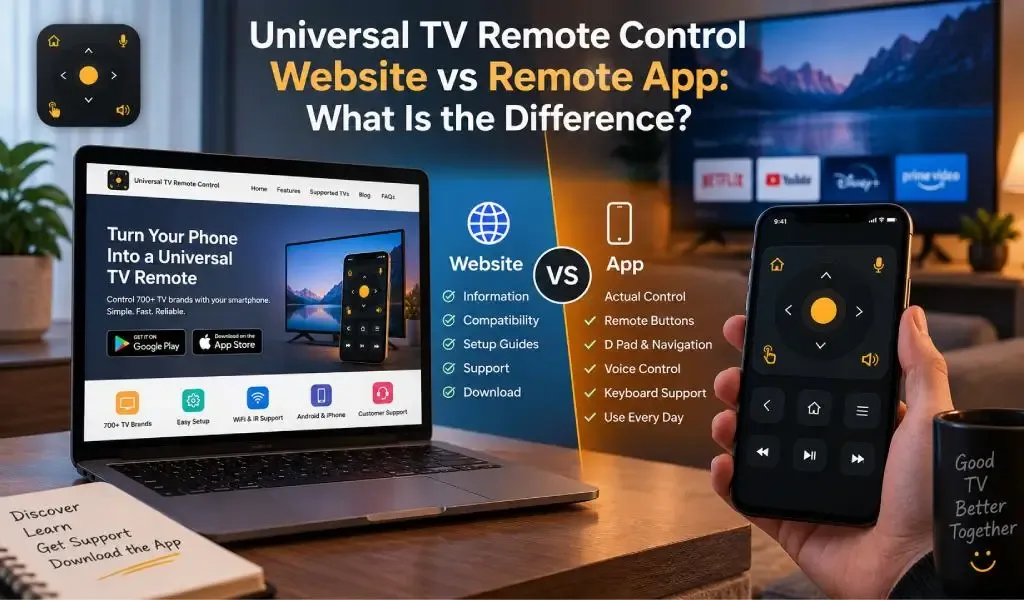
A universal TV remote control website and a remote app serve different purposes. The website helps you understand compatibility, features, setup and support, while the app provides the actual controls used to operate a compatible TV from your phone.
That distinction matters because searches such as "universal remote website," "TV remote website" and "universal remote online" can mean different things. Someone may be looking for a website where they can learn about remote control options, while someone else may expect a browser to control their television directly.
In most cases, a website is the starting point and the app is the control interface. The website helps you find the right solution. The app connects your phone to the TV and turns the phone into a remote.
A remote website provides information while a remote app provides control
A remote website is primarily a place to discover, understand and access a remote solution, while a remote app is designed for actual television control.
A website can explain which TV brands are supported, how phone based remote control works, what connection method is required and where to download the application. It can also provide setup guides, troubleshooting information and customer support.
An app has a different job. Once installed and connected to a compatible TV, it can provide controls for navigation, volume, channels, input selection, playback and other functions supported by the television.
This creates a simple distinction:
Website: information, compatibility, setup and support
App: connection, commands and everyday TV control
The two are not competing products. They are different parts of the same user journey.
A website usually cannot replace the communication layer required for TV control
A website normally cannot turn a phone browser into a complete universal TV remote because the TV still needs a supported communication path.
For many smart TVs, that communication happens through the local network. The phone and television need to be able to communicate with each other, often through the same WiFi network. Google, for example, requires a phone and compatible Android TV to be on the same WiFi network when using its virtual remote.
A browser page can explain how this works, but the actual control process requires the appropriate device communication and permissions.
This is why searching for a "TV remote online" should not automatically be interpreted as meaning that a TV can be controlled directly from a website.
The word "online" can describe how someone found the remote solution, while the actual control connection may happen locally between the phone and TV.
Read Also: Will AI Replace TV Remote Apps? What Comes Next in 2026
A universal remote online usually means finding a remote solution rather than controlling a TV through the internet
"Universal remote online" can refer to finding a universal remote solution through the web, but smart TV control does not necessarily require every command to travel through the internet.
This is an important distinction.
When a phone communicates with a smart TV over the same local network, the two devices can communicate directly inside that network. Internet access and local device communication are therefore not always the same thing.
That explains why a TV can continue streaming online content while a remote app has a problem communicating with it.
It also explains why a remote website and remote app have different roles. The website can be accessed through the internet, while the app may communicate directly with the television over the local network.
For users searching for "universal remote online," understanding this difference prevents a common misconception: online discovery does not necessarily mean internet based TV control.
A remote app connects the phone to the television through a supported communication method
A remote app connects the phone and TV using a communication method supported by both devices.
For WiFi based smart TV control, the phone and TV generally need to be reachable on the same local network. Google describes this requirement for its Android TV virtual remote, while Apple's Apple TV Remote also requires the iPhone or iPad and compatible TV to be on the same WiFi network.
The process normally involves several stages:
- The app looks for a compatible TV.
- The TV is identified.
- The phone and TV establish communication.
- The TV may require pairing or authorization.
- The app provides the available remote controls.
Google's current TV remote documentation, for example, describes selecting the TV and entering a code displayed on the television before control begins.
The exact process varies by TV platform, which is one reason universal remote apps need to support different television ecosystems rather than relying on one connection method.
A universal remote app is broader than a brand specific remote app
A universal remote app is designed to work across many television brands, while a brand specific app focuses primarily on one manufacturer's ecosystem.
A manufacturer's official remote can be an excellent choice when all of your devices come from that company. It can be closely integrated with the manufacturer's hardware and software.
The limitation is obvious when a household has several brands.
You might have a Samsung TV in the living room, an LG TV in the bedroom and a TCL or Hisense television elsewhere. Using separate applications for each ecosystem can become inconvenient.
Universal TV Remote Control takes a broader approach by supporting more than 700 TV brands.
That does not mean every supported television exposes exactly the same controls. TV operating systems and models can differ in what they allow a phone to control. The advantage is that one universal remote application is designed to cover a much wider range of television environments.
A universal remote website helps you decide whether the app is right for your TV
A universal remote website is most useful before installation because it can answer the questions users have before turning their phone into a remote.
A useful website should help answer:
- Does the app support my TV brand?
- Does my TV need WiFi?
- Can my phone use infrared?
- Is the app available for Android and iPhone?
- Can one phone control multiple TVs?
- What features does the remote provide?
- How does TV pairing work?
- Where can I download the application?
- Where can I get help if setup does not work?
Visit blog section of Universal TV Remote Control Website for more information.
This is especially important with universal products because compatibility can involve the TV brand, model, operating system, phone, network and available hardware.
The website therefore acts as the information layer around the application.
A remote app is better for everyday TV control
A remote app is more practical than a website when you actually want to operate the television repeatedly.
Opening a browser every time you want to change the volume or navigate a TV menu would add unnecessary steps. A dedicated app keeps the remote interface available on the device you already carry.
Modern smart TV control also involves more than changing channels.
Users search for movies, enter passwords, browse streaming services, navigate settings and move through apps. Google describes its own mobile TV remote as supporting media playback, volume control, TV power control, Google Assistant and text entry.
That shows how smartphone based TV remotes have evolved beyond simply copying the basic buttons of a traditional remote.
D Pad, voice control and keyboard support make a phone remote more useful
A smartphone remote can provide controls that are particularly useful for smart TV interfaces.
Universal TV Remote Control includes D Pad navigation, voice control and keyboard support.
The D Pad is useful for moving through menus, applications and settings. Keyboard support is useful when searching for a movie, entering login details or typing text into a smart TV. Voice control can provide another way to interact with supported functions.
These features matter because smart TVs are increasingly used as app platforms rather than simply as traditional television receivers.
A physical remote remains useful for many people, especially those who prefer dedicated buttons. A phone based remote has the advantage of combining remote controls with capabilities already built into a smartphone.
A universal remote app becomes more useful when a household has multiple TV brands
A universal remote app is particularly useful when different televisions in the same home use different brands.
One phone can provide access to multiple compatible TVs instead of requiring a separate remote application for each manufacturer.
Universal TV Remote Control supports more than 700 TV brands and can be used with multiple compatible televisions from one smartphone.
That broader compatibility is one of the clearest differences between a universal solution and a single brand remote.
It also gives the website an important role. Users can research compatibility first, install the app, connect the appropriate TV and then use the same familiar remote interface across compatible devices.
The experience is not identical for every television because manufacturers implement their TV platforms differently. A good universal remote therefore needs broad compatibility without pretending that every TV works in exactly the same way.
A universal remote website and app work best as one connected experience
A universal remote website and its app work best when each handles a different stage of the user's journey.
The website answers:
What is this?
Does it work with my TV?
How does it connect?
What features are available?
Where can I get help?
The app answers:
How do I control my TV right now?
This distinction also creates a useful structure for online search.
Someone might begin with:
universal remote website
Then search:
universal remote online
Then ask:
Can I control my TV from my phone?
Finally, they need the application that actually performs the control.
This is why a well structured website should not attempt to replace the app. It should make the path from discovery to installation to successful TV control as clear as possible.
Local network communication is why a TV remote is different from a normal website
A TV remote app communicates with a device on the local network, while a normal website usually communicates with a remote web server.
This distinction explains many of the technical differences between the two.
When you visit a website, your browser retrieves information from a web server. When a remote app communicates with a smart TV, it may need to discover the television and communicate with it directly across the local network.
Technologies such as mDNS can help applications discover local services without requiring users to manually enter network addresses.
That discovery layer is one reason modern TV remote apps can make device selection feel simple even though several networking processes are happening in the background.
For a deeper explanation, see What Is mDNS and Why Does It Matter for Smart TV Remote Apps?
This is also why local network permissions matter. Modern mobile platforms increasingly treat access to nearby devices as a privacy sensitive capability. A remote app may therefore need permission to discover or communicate with a TV even when the phone itself has normal internet access.
Universal TV Remote Control is built for broader compatibility rather than one TV ecosystem
Universal TV Remote Control is designed for users who want a broader TV remote solution rather than an application tied to one manufacturer.
The app supports more than 700 TV brands, has more than 130M+ downloads and is available in more than 100 countries.
Its control features include D Pad navigation, voice control and keyboard support, giving users more than a basic set of virtual buttons.
The broader compatibility is particularly relevant for households with different TV brands or users who regularly encounter different television platforms.
The app is also available for both Android and iPhone, giving users a consistent universal remote option across the two major mobile platforms.
Customer support adds another practical layer. Universal remote control involves many combinations of TV models, mobile devices and network environments, so access to support can be valuable when a particular setup behaves differently from another.
These factors do not mean a universal app will bypass limitations imposed by a specific TV or mobile operating system. They show why broader compatibility and a wider feature set can make a universal solution more practical than maintaining several brand specific remote applications.
A universal remote app is the better choice when you need actual TV control
A universal remote app is the practical choice when the goal is to control a television from your phone, while a website is the better place to research, understand and access that solution.
The difference becomes especially important when users search for terms such as "universal remote website," "TV remote website" or "universal remote online." These searches can describe the discovery process rather than the actual technology used to control the TV.
The website provides the information layer.
The app provides the control layer.
For a household with one TV from one manufacturer, an official brand remote may be enough. For users who want one broader solution across different television brands, a universal app has a more flexible use case.
Universal TV Remote Control supports more than 700 TV brands, has more than 130M+ downloads, is available in more than 100 countries and provides D Pad navigation, voice control, keyboard support and a user friendly interface.
That combination makes it a broader solution for users who want smartphone based TV control without being tied to one television manufacturer.
The simplest way to understand the difference is this:
The website helps you find the remote. The app lets you use it.
Frequently Asked Questions
Can a universal remote website directly control my TV?
A universal remote website normally cannot replace a dedicated remote application because the phone still needs a supported communication method to send commands to the television. The website is primarily useful for information, compatibility, setup, downloads and support.
Does universal remote online mean I can control my TV through the internet?
Not necessarily. "Universal remote online" can simply mean finding a remote solution online. Smart TV remote apps commonly use local network communication between the phone and TV rather than sending every remote command through the public internet.
Is a universal remote app better than a brand specific TV remote app?
A universal remote app is more flexible when you use TVs from different manufacturers. A brand specific app can be useful when you only use one manufacturer's ecosystem and want its dedicated features. The better choice depends on the number and types of TVs you use.
Can one phone control multiple TVs?
Yes. A universal remote app can control multiple compatible televisions from one smartphone. The exact controls and connection process can vary between TV brands and models.
What makes Universal TV Remote Control different from a basic TV remote app?
Universal TV Remote Control focuses on broad compatibility, supporting more than 700 TV brands. It also provides D Pad navigation, voice control, keyboard support and a user friendly interface. With more than 130M+ downloads and availability in more than 100 countries, it is designed for a wide range of TV and smartphone environments.