
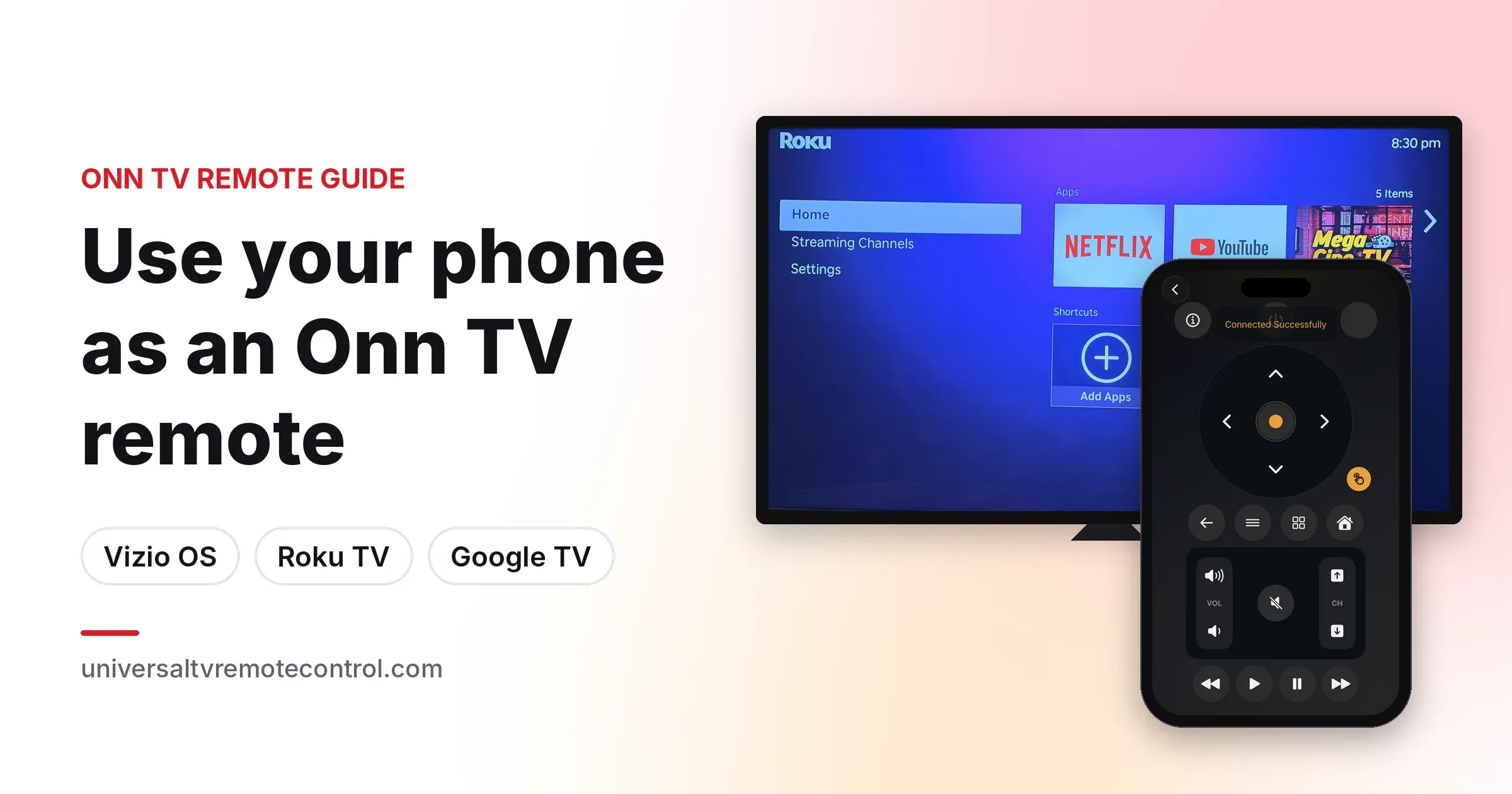
Yes, you can use your phone as an Onn TV remote. Put your phone and the TV on the same WiFi network, open a remote app, pick the TV from the list, and you get power, volume, navigation, inputs and apps without touching the original remote.
The setup depends on which Onn TV you own. Walmart now sells three kinds: the newest Onn Powered by VIZIO TVs running Vizio OS, Onn Roku TVs, and Onn Google TVs. Each one pairs with a phone a little differently, and newer Roku TVs need one setting switched on before any third party remote app can move around the menus.
This guide also covers Onn TV boxes and streaming sticks, and how to pair a new Onn remote if you would rather replace the lost one. Our team tested these steps on Onn Roku and Onn Powered by VIZIO TVs in October 2026.
The Universal TV Remote Control app works with all three types over WiFi and is free on the App Store and Google Play. It supports more than 700 TV brands, so the same app can run every other TV in your home too.
Which Onn TV do you have: Vizio OS, Roku TV or Google TV?
The model number, the box or the home screen will tell you in a few seconds.
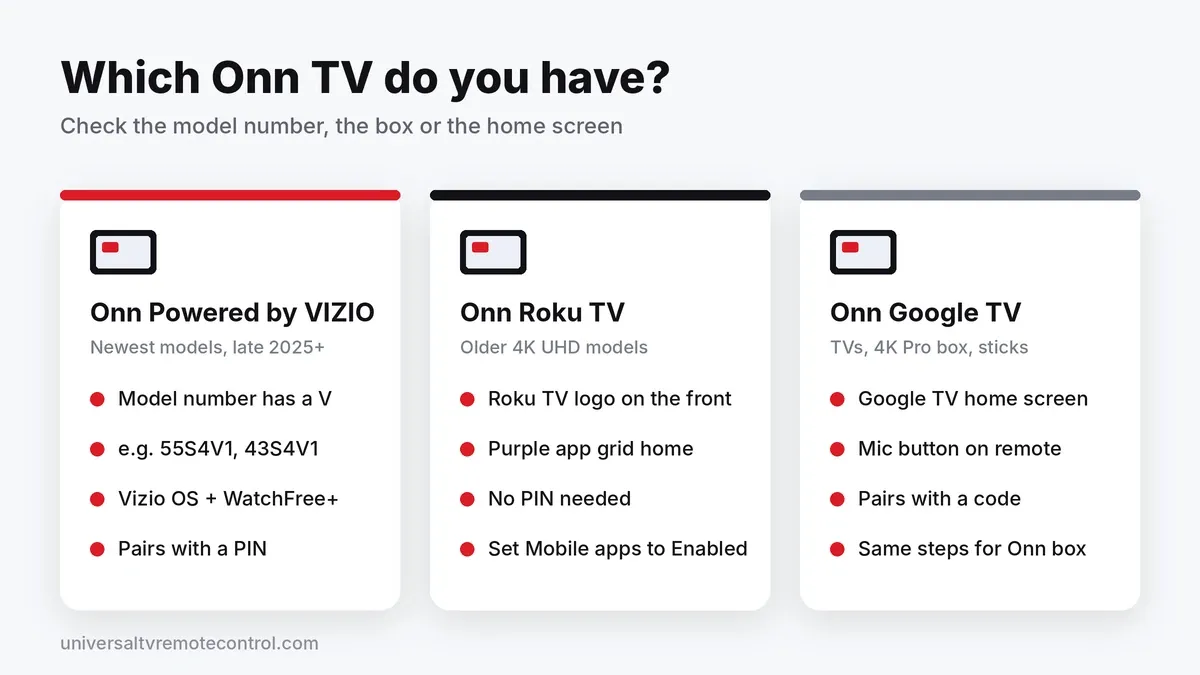
Walmart bought Vizio in 2024, and in late 2025 it started selling Onn TVs powered by Vizio OS, replacing many of the Onn Roku TVs it sold in earlier years. Older Onn 4K UHD models still run Roku OS, and some Onn QLED models run Google TV.
Onn Powered by VIZIO
- The model number contains a V, such as 43S4V1, 55S4V1 or 65S4V4
- The box and Walmart listing say onn Powered by VIZIO
- The home screen shows Vizio OS and WatchFree+ free channels
- First time setup requires a Walmart account
Onn Roku TV
- A Roku TV logo sits on the front of the TV
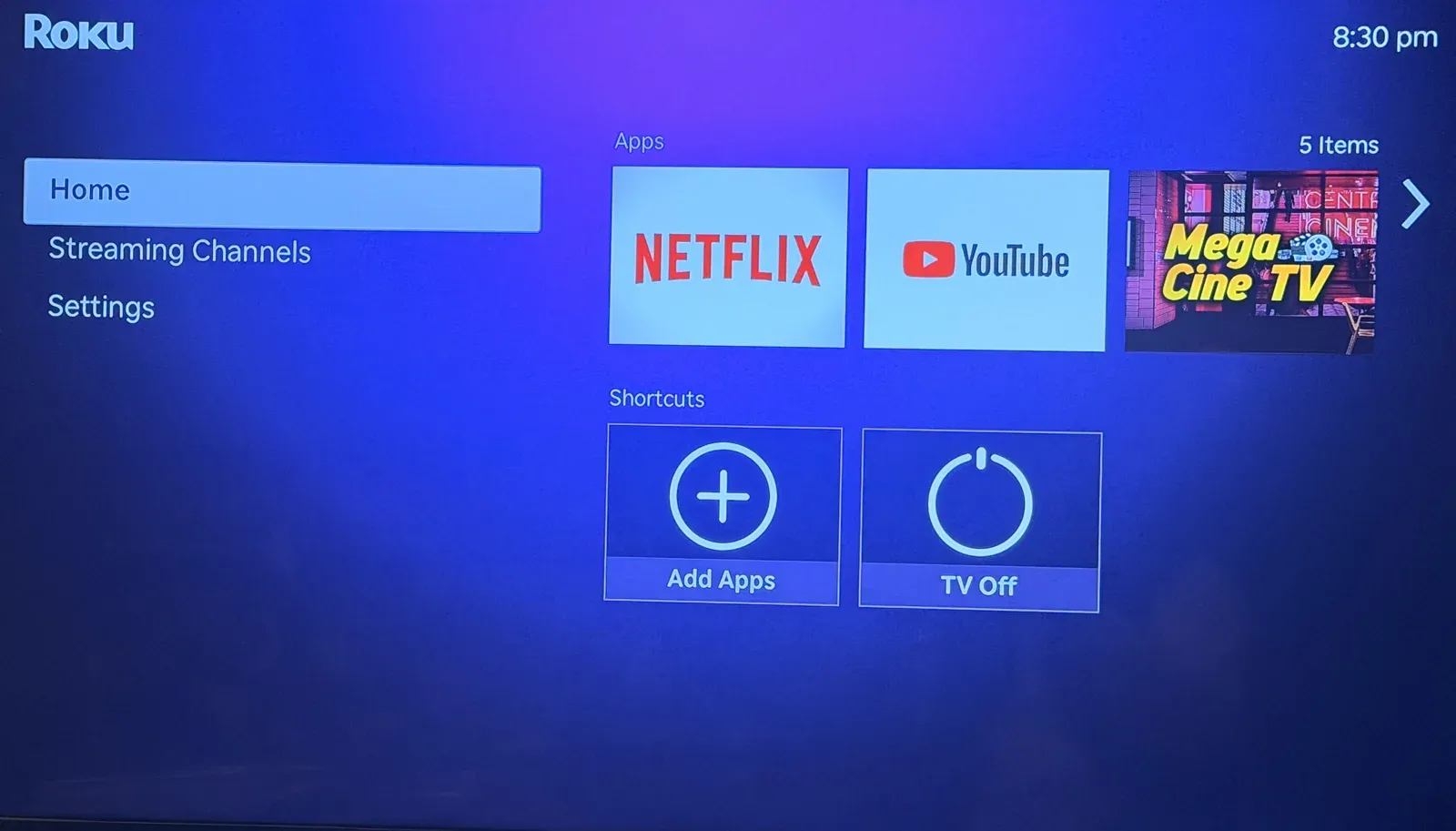
- The home screen is the purple Roku grid of app tiles
- Settings > System > About shows a Roku model number
Onn Google TV
- The home screen shows Google TV with a profile icon in the corner
- The original remote has a Google Assistant microphone button
Can't reach the menus? Check the sticker on the back of the TV and search the model number on Walmart.com. Onn streaming sticks and the Onn 4K Pro box run Google TV, so follow the Google TV steps for those.
How do you control an Onn Powered by VIZIO TV with your phone?
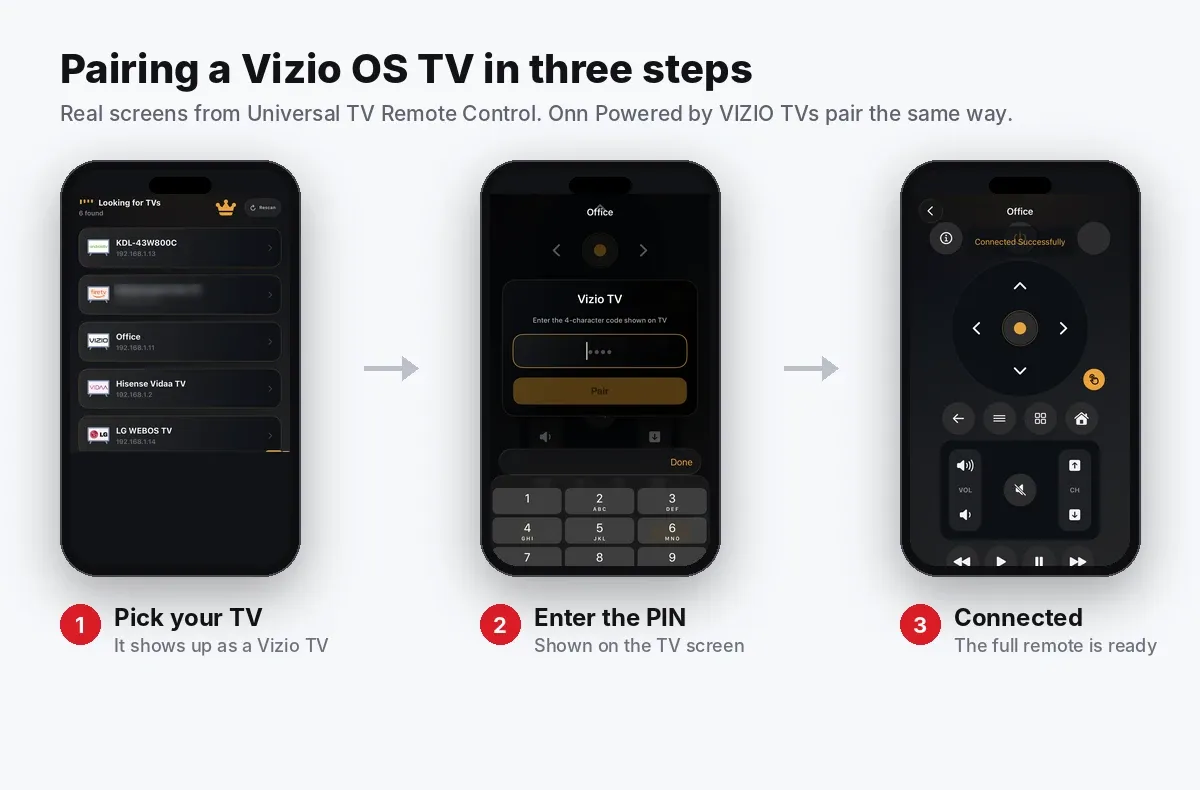
Onn Powered by VIZIO TVs pair with your phone using a PIN code that appears on the TV screen.
- Connect your phone to the same WiFi network as the TV.
- Open the Universal TV Remote Control app and allow Local Network access if your iPhone asks.
- Select your Onn TV from the device list. It may show up as a Vizio TV or by its model number.
- Enter the PIN shown on the TV screen.
- Use the D Pad, volume, input, keyboard and app controls from your phone.
A brand new TV has to finish first time setup before it can pair. These TVs need a Walmart account for their smart features, and Walmart also offers the free VIZIO mobile app as another way to control them.
How do you control an Onn Roku TV with your phone?
Roku TVs don't ask for a PIN, but newer ones do need you to allow mobile app control first.
- On the TV, go to Settings > System > Advanced system settings > Control by mobile apps > Network access and choose Enabled.
- Connect your phone to the same WiFi network as the TV.
- Open the remote app and allow Local Network access on iPhone.
- Select your Onn Roku TV from the device list.
- Start using the remote.
Step 1 is the one most people miss, and the next section explains why it matters.
Why does my Onn Roku TV ignore the remote app?
Most likely, Control by mobile apps is set to Limited, which is the default on newer Roku OS versions.
Roku OS 14.1.4 added the Limited option and made it the default, and many third party remote apps stopped navigating Roku TVs overnight. Roku's own support page describes the three options:
- Limited: apps can type text and launch apps, but cannot send navigation commands
- Enabled: apps on the same local network can fully control the TV
- Permissive: devices inside and outside your network can send commands
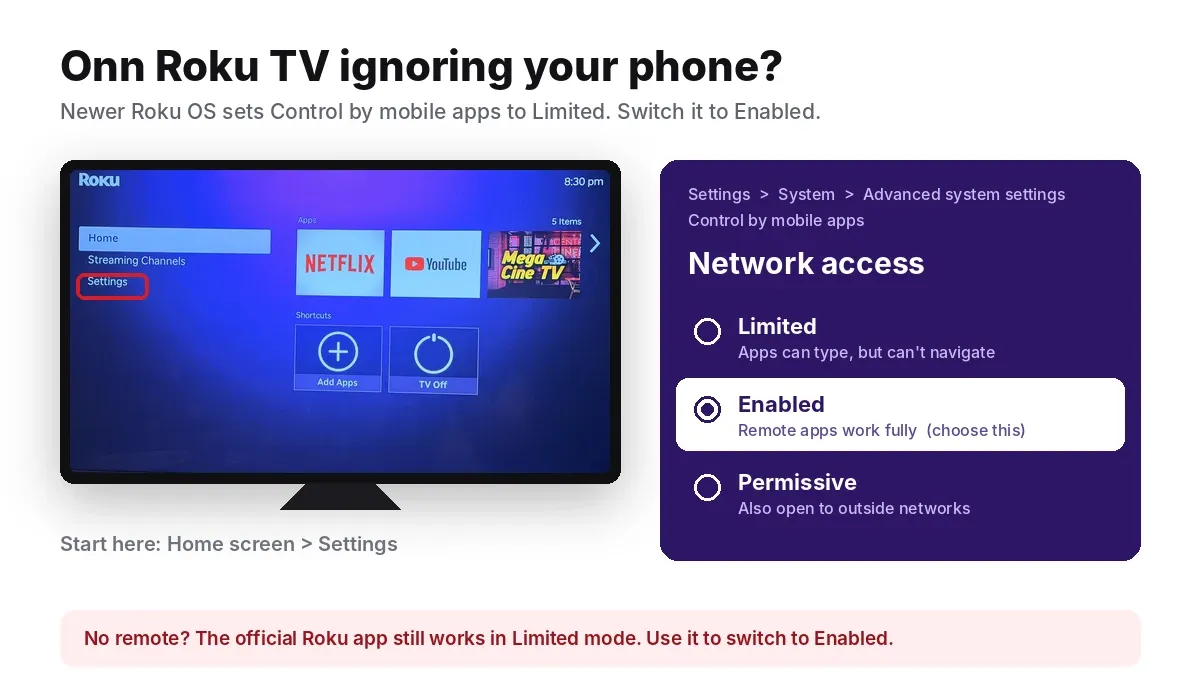
Choose Enabled for normal home use.
If you have no remote to change the setting, install the free official Roku app first. It can still navigate the TV when the setting is Limited, so use it to switch Network access to Enabled. After that, any remote app will work.
How do you control an Onn Google TV with your phone?
Select the TV in the remote app and type in the pairing code shown on the screen.
- Connect your phone to the same WiFi network as the TV.
- Open the remote app and select your Onn Google TV.
- Enter the code that appears on the TV screen and tap Pair.
- Use the D Pad, volume, keyboard and voice controls.
Google's own Google Home and Google TV apps also work as remotes, using the same code based pairing.
You only pair once. The app reconnects to the same TV automatically whenever your phone is on the same WiFi network.
How do you use your phone as a remote for an Onn TV box or streaming stick?
Exactly the same way as an Onn Google TV, because Walmart's Onn streaming devices run Google TV. That includes the Onn 4K Pro box, the Onn 4K streaming stick and the 2026 Onn Google TV lineup.
- Connect your phone to the same WiFi network as the Onn box.
- Open the remote app and select the Onn device from the list.
- Enter the pairing code shown on the TV and tap Pair.
The app talks to the box, not the TV. TV power and volume usually still work, because the box passes those commands to the TV over HDMI CEC. If they don't, turn on HDMI CEC in the TV's settings. Our guide to changing HDMI inputs with a phone TV remote explains how CEC works.
Lost the Onn 4K Pro remote somewhere in the room? Press the remote finder button on the front of the box and the remote will beep.
How do you control an Onn TV without a remote or WiFi?
You have four options: the buttons on the TV, an Ethernet cable, a phone hotspot, or a phone with an IR blaster.
A WiFi remote app needs the TV and phone on the same network. If the TV lost its WiFi connection after a router change or a move, the app can't find it until the TV is back online.
Use the buttons on the TV
Most Onn TVs have a power button or small joystick under the bottom edge of the screen. A short press turns the TV on, and on many models repeated presses switch the input.
Connect an Ethernet cable
If your Onn TV has an Ethernet port, plug it into your router. The TV joins your home network, your phone can find it, and you can use the app to set up WiFi in the TV's network settings.
Use the hotspot trick on Onn Roku TVs
You need two devices, such as two phones or a phone and a tablet. Engadget explains the method in more detail.
- On the first phone, turn on a mobile hotspot with the same network name and password the TV used before.
- Wait for the TV to connect to it automatically.
- Connect the second device to the hotspot and open the remote app.
- Select the TV and use the app to join your new WiFi network.
- Turn off the hotspot.
Use a phone with an IR blaster
Some Android phones, mostly Xiaomi, Redmi and Poco models, have a built in infrared blaster. The Universal TV Remote Control app can use it to control a TV with no WiFi at all. iPhones don't have IR hardware.
Why can't the app find my Onn TV?
Usually because the phone and TV are on different networks, or a setting is blocking local connections.
Check these first:
- The phone and TV are on the same WiFi network, not a guest network
- Both are on the same band if your router has separate 2.4 GHz and 5 GHz networks
- VPN is turned off on the phone
- Local Network access is allowed for the app on iPhone, under Settings > Privacy & Security > Local Network
- On Onn Roku TVs, Control by mobile apps is set to Enabled
- The TV has the latest software update
Still nothing? Restart the TV, the router and the app. Our guide on why a TV remote app says No TV Found covers discovery problems in more depth, and our explainer on mDNS and smart TV remote apps shows how phones find TVs on a network.
Why won't the app turn on my Onn TV?
The TV's power saving setting is probably switching off its network connection in standby.
- Onn Powered by VIZIO: set Settings > System > Power Mode to Quick Start
- Onn Roku TV: turn on Settings > System > Power > Fast TV Start
With these on, the TV stays reachable on your network while it is off, so the app can wake it.
How do you pair a new or replacement Onn remote?
It depends on whether the remote is a basic infrared remote or a voice remote.
Onn Roku TV remote
- Basic remote (no microphone button): it uses infrared and needs no pairing. Put in batteries and point it at the TV.
- Voice remote: within 30 seconds of the Home screen appearing, open the battery cover and press and hold the small pairing button until the light flashes. A pairing message appears on the TV.
Onn TV box or Onn Google TV remote
- Hold Back and Home together until the remote's light pulses, then follow the on-screen message.
- If you still have a working remote, or the phone app, you can also add a remote from the device's Remotes & Accessories settings.
Onn Powered by VIZIO remote
Buy a replacement that lists your exact model number, such as 55S4V1, or says "onn Powered by VIZIO" in its description. Until it arrives, a phone remote app covers everything the original remote did.
Should you use a phone app or buy a replacement Onn remote?
The app is the fastest free fix. A physical remote is a useful backup for guests, kids and the times your phone isn't nearby.
A phone remote app:
- Is free and ready in about two minutes
- Works with Onn Powered by VIZIO, Onn Roku and Onn Google TVs
- Adds a phone keyboard for searches and passwords
- Needs WiFi unless the phone has an IR blaster
A replacement remote:
- Generic IR remotes for Onn Roku TVs cost about $6 to $13 at Walmart, and the official Roku Voice Remote costs $19.88
- Remotes sold for Roku TV work only with Onn Roku TVs, not with Onn Powered by VIZIO TVs, Onn Google TVs or Onn TV boxes; Walmart sells a separate onn Voice Remote for Onn streaming devices for about $13
- Should be matched to the model number on the back of your TV
For a wider comparison, see what a phone TV remote can do that a traditional remote cannot.
What else can you do with your phone as an Onn TV remote?
Quite a lot that the basic Onn remote can't, depending on the model.
- Type with the phone keyboard instead of picking letters one by one
- Switch HDMI inputs between a game console, cable box or streaming stick
- Launch apps such as Netflix or YouTube directly
- Control several TVs from one app
The buttons you see can vary between Onn models and operating systems. Our guide on why TV remote apps have different buttons for different TVs explains why.
Frequently Asked Questions
Is there a free remote app for Onn TV?
Yes. Universal TV Remote Control is free on iPhone and Android and works with Onn Powered by VIZIO, Onn Roku and Onn Google TVs over WiFi.
Can I use my iPhone as an Onn TV remote?
Yes. Connect the iPhone to the same WiFi network as the TV, allow Local Network access for the remote app, and select the TV. iPhones have no IR blaster, so the TV must be on WiFi.
Can I control an Onn Powered by VIZIO TV with my phone?
Yes. Select the TV in a remote app and enter the PIN shown on the screen. The VIZIO mobile app also works with these TVs.
Why does my Onn Roku TV not respond to my phone?
The usual cause is the Control by mobile apps setting. Newer Roku OS versions set it to Limited by default, which blocks navigation from third party apps. Change Network access to Enabled.
Does a Roku TV remote work on an Onn TV?
Only on Onn Roku TVs. It does not work on Onn Powered by VIZIO TVs or Onn Google TVs, while a phone remote app works on all three.
How do I turn on my Onn TV without the remote?
Press the power button under the bottom edge of the TV. To turn it on from your phone, enable Quick Start on Onn Powered by VIZIO TVs or Fast TV Start on Onn Roku TVs.
What remote works with an Onn TV box?
The Onn 4K Pro box and Onn streaming sticks use a Google TV voice remote. Walmart sells a compatible onn Voice Remote, and any phone remote app that supports Google TV also works.
Does an Onn Roku TV remote need pairing?
A basic Onn Roku TV remote doesn't, because it uses infrared. A Roku voice remote pairs with the button inside its battery compartment.