
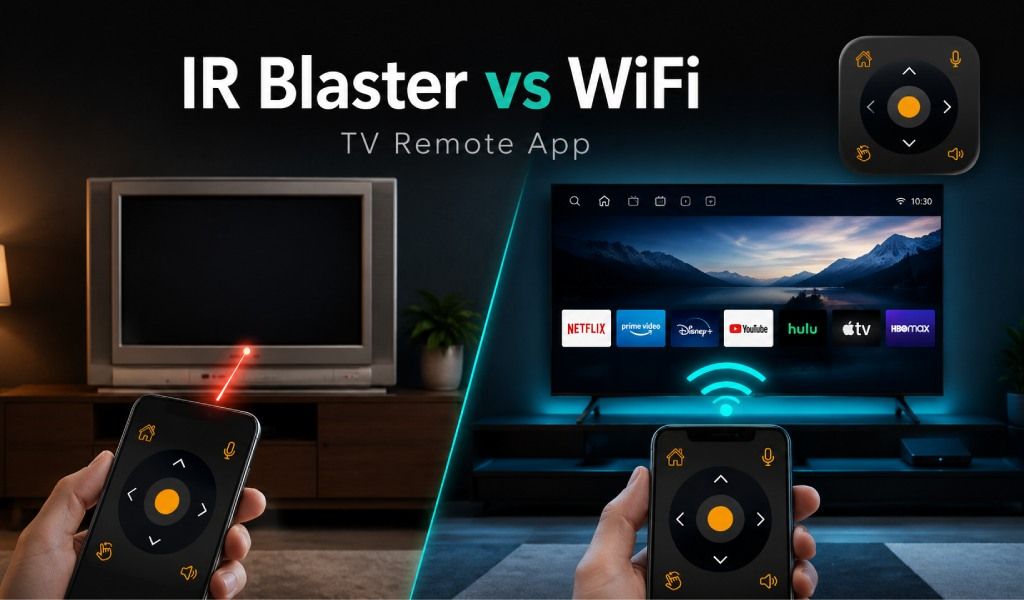
Both the IR blaster and WiFi TV remote apps work, but for different types of TVs. IR-based apps are ideal for older or non-smart TVs, while WiFi remotes are designed for modern smart TVs. If you’re using a universal TV remote app like Universal TV Remote Control, it can seamlessly support both methods depending on your device and TV.
What is An IR Blaster and How Does It Work?
The IR blaster (infrared blaster) works just like your traditional TV remote. It sends invisible light signals to control your TV. Your phone must have a built-in IR blaster to use an IR remote app, which acts as a physical transmitter.
The biggest advantage? It works with almost any TV, regardless of age or internet connectivity. Many Xiaomi phones, older Samsung flagships, and some Huawei devices still include IR blasters.
There’s no need for WiFi, pairing, or setup, just open the app, point your phone at the TV, and start controlling it instantly.
Despite the rise of smart TVs, millions of non-smart TVs are still used worldwide, making IR remotes highly relevant.
What Is a WiFi TV Remote App and How Does It Work?
A WiFi smart TV remote works by communicating with your TV over the same local network. Instead of sending signals via light, it uses your home WiFi connection to send commands directly to the TV.
To use it, both your phone and TV must be connected to the same WiFi network. This method works with smart TVs from brands like Samsung, LG, Sony, Android TV, Roku, and Fire TV.
Unlike IR, WiFi remotes offer advanced features like app launching, keyboard input, volume sliders, and even real-time feedback from the TV.
However, if your WiFi is down or your TV doesn’t support network connectivity, this method won’t work. The good news is that no IR hardware is needed, any modern smartphone can use WiFi remotes.
Which One Does Your Phone Support?
To check if your phone supports IR, go to your device specifications or look for an IR blaster in settings. You can also install a universal TV remote app and see if IR mode is available.
Most modern Android phones removed IR blasters after 2016–2018, and iPhones have never supported IR at all. This means iOS users rely entirely on WiFi smart TV remotes.
If you’re unsure, the easiest approach is to use an app that automatically detects and switches between IR and WiFi modes.
Which One Does Your TV Support?
If your TV is a smart model (generally 2015 or newer), it likely supports WiFi remote control. Brands like Samsung, LG, Sony, TCL, and Hisense fall into this category.
If your TV doesn’t have built-in apps like Netflix or YouTube, it’s likely a non-smart TV and will require IR control.
Some smart TVs still support IR alongside WiFi, giving you both options.
For brand-specific compatibility, you can check:
- /brands/samsung-tv
- /brands/lg-tv
- /brands/android-tv
Read Also: Can We Use a Hotspot to Connect the Universal TV Remote Control App?
Do You Actually Need to Choose?
In reality, most users don’t need to choose between IR blaster vs WiFi TV remote app. A good universal TV remote app handles both automatically.
For example, Universal TV Remote Control can detect whether your TV requires IR or WiFi and connect accordingly.
Imagine this: you have a smart TV in your living room and an older TV in your bedroom. Instead of switching apps, one solution can control both seamlessly.
With support for 700+ TV brands and availability on both Android and iOS, it eliminates the need to worry about compatibility.
You can explore it directly from the homepage.
Practical Scenarios - Which Method Fits Your Situation
- Lost your remote for a smart TV → WiFi remote works instantly
- Staying in a hotel with a basic TV → IR blaster required
- Using an old Toshiba or Philips TV → IR only
- Managing multiple TVs at home → Use an app that supports both
- Using an iPhone → WiFi only
- WiFi not working → IR is your backup
These real-life cases show that both technologies serve different needs and having access to both is ideal.
Conclusion
There’s no universal winner in the IR blaster vs WiFi TV remote app debate—it depends entirely on your TV and phone. IR is reliable and works everywhere, while WiFi offers smarter features for modern TVs.
The best solution is choosing an app that supports both, so you’re never stuck without control. Universal TV Remote Control offers support for 700+ brands with both IR and WiFi capabilities.
Try it free on Android or iOS.
FAQ Section
Q1. Can I use a WiFi remote app without an internet connection?
A: Yes, WiFi remote apps work over your local network. As long as your phone and TV are connected to the same router, they will function even without internet access.
Q2. Does iPhone support IR blaster TV control?
A: No, iPhones do not have IR blasters. iOS users can only use WiFi-based remote apps compatible with smart TVs.
Q3. Which is more reliable, IR or WiFi remote?
A: IR is more consistent for basic functions since it doesn’t rely on network stability. WiFi offers more features but may be affected by network issues.
Q4. Can one app support both IR and WiFi?
A: Yes, apps like Universal TV Remote Control can automatically detect your TV type and connect using either IR or WiFi.
Q5. What if my smart TV is not detected over WiFi?
A: Ensure both devices are on the same network. Restart your TV and app, and verify compatibility. If needed, use IR if your phone supports it.