
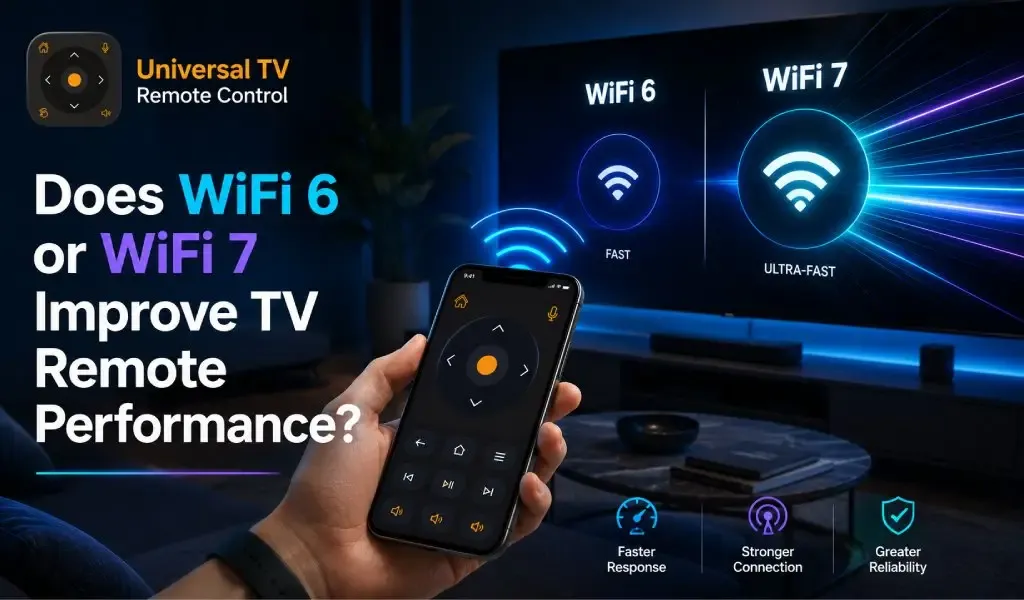
Ya, WiFi 6 dan WiFi 7 dapat meningkatkan pengalaman remote TV Anda, tetapi jarang menjadi alasan utama mengapa aplikasi remote terasa lebih cepat.
Banyak orang mengira bahwa upgrade ke router baru akan langsung menyelesaikan koneksi remote TV yang lambat atau tidak stabil. Pada kenyataannya, aplikasi remote TV menggunakan sangat sedikit bandwidth. Peningkatan terbesar biasanya datang dari stabilitas jaringan yang lebih baik, latensi yang lebih rendah, dan komunikasi antarperangkat yang lebih kuat, bukan dari kecepatan internet yang lebih tinggi.
Jika ponsel dan smart TV Anda sudah berkomunikasi dengan andal di jaringan yang sama, beralih dari WiFi 5 ke WiFi 6 atau WiFi 7 mungkin hanya menghasilkan perbedaan kecil dalam waktu respons. Namun, jika rumah Anda memiliki puluhan perangkat yang terhubung, kemacetan jaringan, atau cakupan nirkabel yang lemah, standar WiFi yang lebih baru dapat memberikan pengalaman yang jauh lebih lancar.
Panduan ini menjelaskan bagaimana WiFi 6 dan WiFi 7 memengaruhi aplikasi remote TV, apa yang sebenarnya memengaruhi performa, dan cara mendapatkan hasil terbaik dari pengaturan Anda.
Apakah Aplikasi Remote TV Membutuhkan Kecepatan Internet Tinggi?
Tidak, aplikasi remote TV membutuhkan jaringan lokal yang stabil lebih dari koneksi internet yang cepat.
Sebagian besar aplikasi remote TV berkomunikasi langsung dengan televisi Anda melalui jaringan rumah. Perintah seperti mengganti saluran, menyesuaikan volume, membuka aplikasi, atau menavigasi menu hanya berpindah antara ponsel dan TV.
Perintah ini sangat kecil. Mereka menggunakan sangat sedikit data.
Yang paling penting adalah seberapa cepat kedua perangkat dapat saling menemukan dan menukar perintah tersebut tanpa gangguan.
Koneksi broadband yang lambat biasanya tidak membuat aplikasi remote TV menjadi lambat. Koneksi WiFi yang lemah atau tidak stabil di dalam rumah jauh lebih mungkin menyebabkan penundaan.
Apa Itu WiFi 6?
WiFi 6 dirancang untuk membuat jaringan nirkabel yang sibuk menjadi lebih cepat, lebih efisien, dan lebih andal.
Tidak seperti generasi sebelumnya, WiFi 6 berfokus pada penanganan banyak perangkat yang terhubung secara bersamaan. Rumah modern sering kali memiliki smart TV, ponsel, tablet, laptop, kamera keamanan, smart speaker, dan konsol game yang bersaing untuk sumber daya nirkabel.
WiFi 6 membantu dengan:
Mengurangi kemacetan jaringan
Meningkatkan waktu respons
Mengelola banyak perangkat lebih efisien
Meningkatkan stabilitas koneksi
Mengurangi interferensi di lingkungan yang padat
Untuk aplikasi remote TV, peningkatan ini menciptakan pengalaman yang lebih responsif, terutama di rumah tangga dengan banyak perangkat yang terhubung.
Apa Itu WiFi 7?
WiFi 7 membangun di atas WiFi 6 dengan memberikan latensi yang lebih rendah dan performa yang lebih baik di jaringan yang menuntut.
Meskipun WiFi 7 dirancang untuk aplikasi masa depan seperti streaming 8K, cloud gaming, dan virtual reality, beberapa peningkatannya juga menguntungkan perangkat smart home.
Ini termasuk:
Komunikasi nirkabel yang lebih cepat
Penanganan koneksi simultan yang lebih baik
Latensi jaringan yang lebih rendah
Efisiensi spektrum yang lebih baik
Performa yang lebih konsisten saat penggunaan jaringan berat
Untuk aplikasi remote TV, peningkatan ini dapat mengurangi penundaan kecil saat jaringan sedang sibuk, tetapi tidak akan secara dramatis mengubah seberapa cepat perintah remote sederhana mencapai TV Anda.
Apakah WiFi 6 Membuat Aplikasi Remote TV Lebih Cepat?
Ya, WiFi 6 dapat membuat aplikasi remote TV terasa lebih cepat ketika jaringan rumah Anda sibuk.
Peningkatannya datang dari manajemen jaringan yang lebih baik, bukan dari kecepatan mentah.
Bayangkan beberapa orang di rumah Anda sedang:
Menonton film
Mengunduh game
Mengikuti rapat video
Mencadangkan foto
Menggunakan perangkat smart home
Router lama dapat menjadi padat saat lebih banyak perangkat bersaing untuk akses nirkabel.
WiFi 6 mengelola koneksi ini lebih efisien, memungkinkan ponsel dan televisi Anda berkomunikasi dengan lebih sedikit gangguan.
Hasilnya adalah navigasi yang lebih lancar dan respons yang lebih konsisten saat menggunakan aplikasi remote TV.
Apakah WiFi 7 Meningkatkan Performa Remote TV?
Ya, WiFi 7 dapat meningkatkan responsivitas, tetapi sebagian besar pengguna hanya akan merasakan perbedaan kecil.
Aplikasi remote TV mengirim perintah kontrol yang sangat kecil. Perintah ini tidak memerlukan kecepatan ekstrem yang ditawarkan WiFi 7.
Jika jaringan Anda yang ada sudah berperforma baik, upgrade hanya untuk aplikasi remote TV kemungkinan besar tidak sepadan.
Namun, WiFi 7 menjadi lebih berharga ketika rumah Anda mencakup:
Beberapa streaming video 4K atau 8K
Sistem smart home yang besar
Puluhan perangkat nirkabel
Lalu lintas jaringan harian yang berat
Di lingkungan ini, WiFi 7 membantu menjaga komunikasi yang konsisten antar perangkat.
Apa yang Sebenarnya Memengaruhi Performa Remote TV?
Konfigurasi jaringan rumah Anda memiliki dampak jauh lebih besar daripada generasi WiFi.
Beberapa masalah umum memengaruhi performa remote TV jauh lebih banyak daripada upgrade router.
Penemuan Perangkat
Ponsel dan TV Anda harus berhasil saling menemukan sebelum perintah remote dapat berfungsi.
Sebagian besar smart TV menggunakan protokol penemuan untuk menemukan perangkat di sekitarnya.
Jika penemuan gagal, aplikasi remote Anda mungkin tidak pernah terhubung, terlepas dari apakah Anda menggunakan WiFi 5, WiFi 6, atau WiFi 7.
2.4 GHz vs 5 GHz WiFi untuk Aplikasi Remote TV: Mana yang Digunakan untuk Ponsel & TV Anda?
Stabilitas Jaringan
Sinyal WiFi yang stabil lebih penting daripada kecepatan nirkabel maksimum.
Sinyal lemah dapat menyebabkan:
Penekanan tombol tertunda
Pemutusan koneksi secara acak
Penyandingan gagal
TV hilang dari daftar perangkat
Mendekat ke router atau meningkatkan cakupan WiFi sering kali menyelesaikan masalah ini.
Konfigurasi Router
Pengaturan router yang salah dapat mencegah aplikasi remote TV Anda berfungsi dengan baik.
Fitur seperti:
AP Isolation
Guest WiFi
Client Isolation
Segmentasi jaringan
dapat menghentikan perangkat berkomunikasi satu sama lain meskipun keduanya terhubung ke router yang sama.
Perangkat Lunak TV
Perangkat lunak TV yang usang dapat mengurangi kompatibilitas dengan aplikasi remote seluler.
Produsen secara rutin merilis pembaruan yang meningkatkan performa jaringan, memperbaiki bug, dan memperkuat kompatibilitas dengan smartphone.
Menjaga TV Anda tetap diperbarui membantu mempertahankan koneksi yang andal.
Izin Ponsel
Izin yang hilang dapat mencegah ponsel Anda menemukan televisi.
Versi Android dan iPhone modern memerlukan izin untuk perangkat di sekitar dan akses jaringan lokal.
Tanpa izin ini, ponsel Anda mungkin tidak menemukan TV yang kompatibel.
Cara Mendapatkan Performa Terbaik dari Aplikasi Remote TV
Beberapa perubahan sederhana dapat meningkatkan responsivitas lebih dari upgrade router.
Coba praktik terbaik ini:
Hubungkan ponsel dan TV Anda ke jaringan WiFi yang sama.
Hindari jaringan tamu.
Letakkan router Anda di lokasi tengah.
Jaga perangkat lunak TV Anda tetap diperbarui.
Instal versi terbaru aplikasi remote Anda.
Restart router Anda sesekali.
Periksa bahwa izin yang diperlukan diaktifkan di ponsel Anda.
Kurangi interferensi nirkabel jika memungkinkan.
Langkah-langkah ini menyelesaikan banyak masalah koneksi umum tanpa membeli perangkat keras baru.
Bagaimana Universal TV Remote Control Diuntungkan dari Jaringan WiFi yang Stabil
Jaringan rumah yang andal memungkinkan Universal TV Remote Control memberikan pengalaman terbaiknya.
Universal TV Remote Control dipercaya oleh lebih dari 130 million users di 100+ countries dan mendukung lebih dari 700 TV brands.
Ketika jaringan WiFi Anda stabil, Anda dapat menikmati fitur seperti:
Navigasi D Pad yang lancar
Navigasi menu yang cepat
Kontrol suara yang responsif
Entri teks mudah menggunakan keyboard bawaan
Antarmuka yang bersih dan ramah pengguna
Kompatibilitas andal di berbagai smart TV
Meskipun WiFi 6 dan WiFi 7 dapat berkontribusi pada performa jaringan yang lebih baik, aplikasi memberikan hasil terbaiknya ketika ponsel, televisi, dan router Anda dikonfigurasi dengan benar.
Kesimpulan Akhir
WiFi 6 adalah upgrade yang bermanfaat untuk rumah tangga yang sibuk, sementara WiFi 7 menawarkan manfaat yang lebih kecil bagi sebagian besar pengguna remote TV saat ini.
Jika aplikasi remote TV Anda sudah berfungsi dengan andal, upgrade dari WiFi 6 ke WiFi 7 kemungkinan besar tidak akan menghasilkan peningkatan yang dramatis.
Jika rumah Anda mengalami kesulitan dengan kemacetan jaringan, cakupan lemah, atau banyak perangkat yang terhubung, WiFi 6 dapat membuat pengalaman remote Anda lebih lancar dan konsisten.
Keuntungan terbesar biasanya datang dari meningkatkan jaringan rumah Anda, menjaga perangkat tetap diperbarui, dan menggunakan aplikasi remote yang andal yang mendukung televisi Anda.
Untuk sebagian besar rumah tangga, stabilitas akan selalu lebih penting daripada kecepatan nirkabel maksimum.
Pertanyaan yang Sering Diajukan
Apakah WiFi 6 mengurangi penggunaan baterai di ponsel saya saat menggunakan aplikasi remote TV?
WiFi 6 mencakup peningkatan efisiensi daya untuk perangkat yang kompatibel, tetapi perbedaannya saat menggunakan aplikasi remote TV biasanya sangat kecil karena aplikasi mentransfer data minimal.
Bisakah saya menggunakan aplikasi remote TV jika TV saya mendukung WiFi 6 tetapi ponsel saya hanya mendukung WiFi 5?
Ya. Standar WiFi kompatibel mundur. Ponsel dan TV Anda masih dapat berkomunikasi secara normal melalui router WiFi 6, meskipun mereka akan menggunakan kemampuan yang didukung oleh ponsel Anda.
Haruskah saya mengganti router jika aplikasi remote TV saya sesekali terputus?
Tidak segera. Periksa cakupan WiFi, pengaturan router, perangkat lunak TV, dan izin ponsel terlebih dahulu. Banyak masalah koneksi disebabkan oleh masalah konfigurasi, bukan perangkat keras yang sudah tua.
Bisakah terlalu banyak perangkat smart home memengaruhi waktu respons remote TV?
Ya. Jaringan nirkabel yang sangat sibuk dapat menimbulkan penundaan kecil. WiFi 6 dan WiFi 7 menangani banyak perangkat yang terhubung lebih efisien daripada standar lama, membantu mengurangi kemacetan.
Apakah menggunakan Ethernet untuk TV saya meningkatkan performa aplikasi remote?
Dalam banyak kasus, ya. Menghubungkan TV langsung ke router dengan kabel Ethernet dapat memberikan koneksi jaringan yang lebih stabil, terutama di rumah dengan cakupan nirkabel lemah atau lalu lintas WiFi yang berat.