Codematics logoRemote TV Đa năng

Ngôn ngữ

Điều khiển TV đa năng bởi Codematics

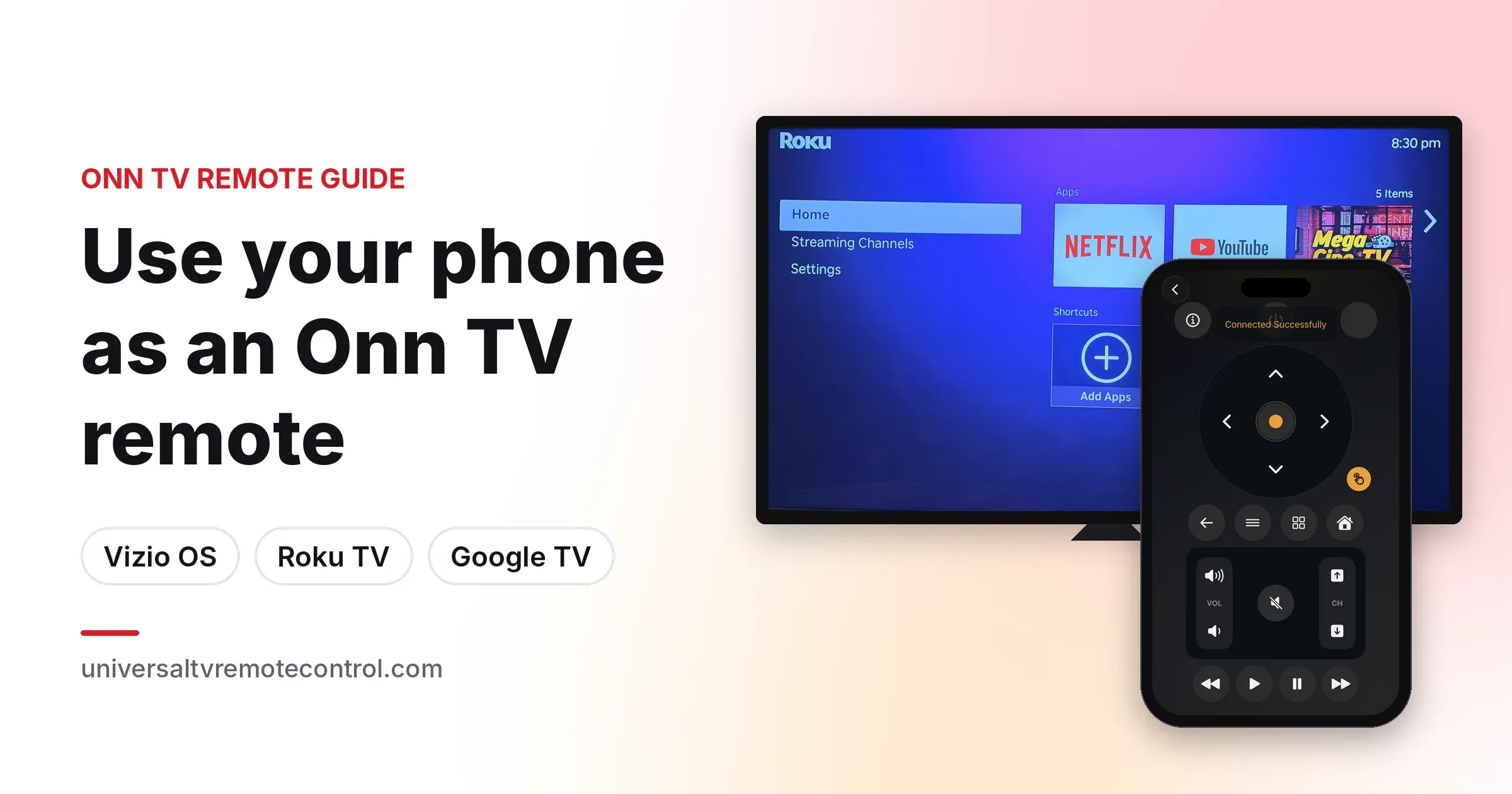
Ứng dụng điều khiển TV phổ quát số 1 — Smart và IR tại hơn 100 quốc gia.

4,5466 N lượt đánh giá

130 triệu+ người dùng700+ thương hiệu TVAndroid và iOS
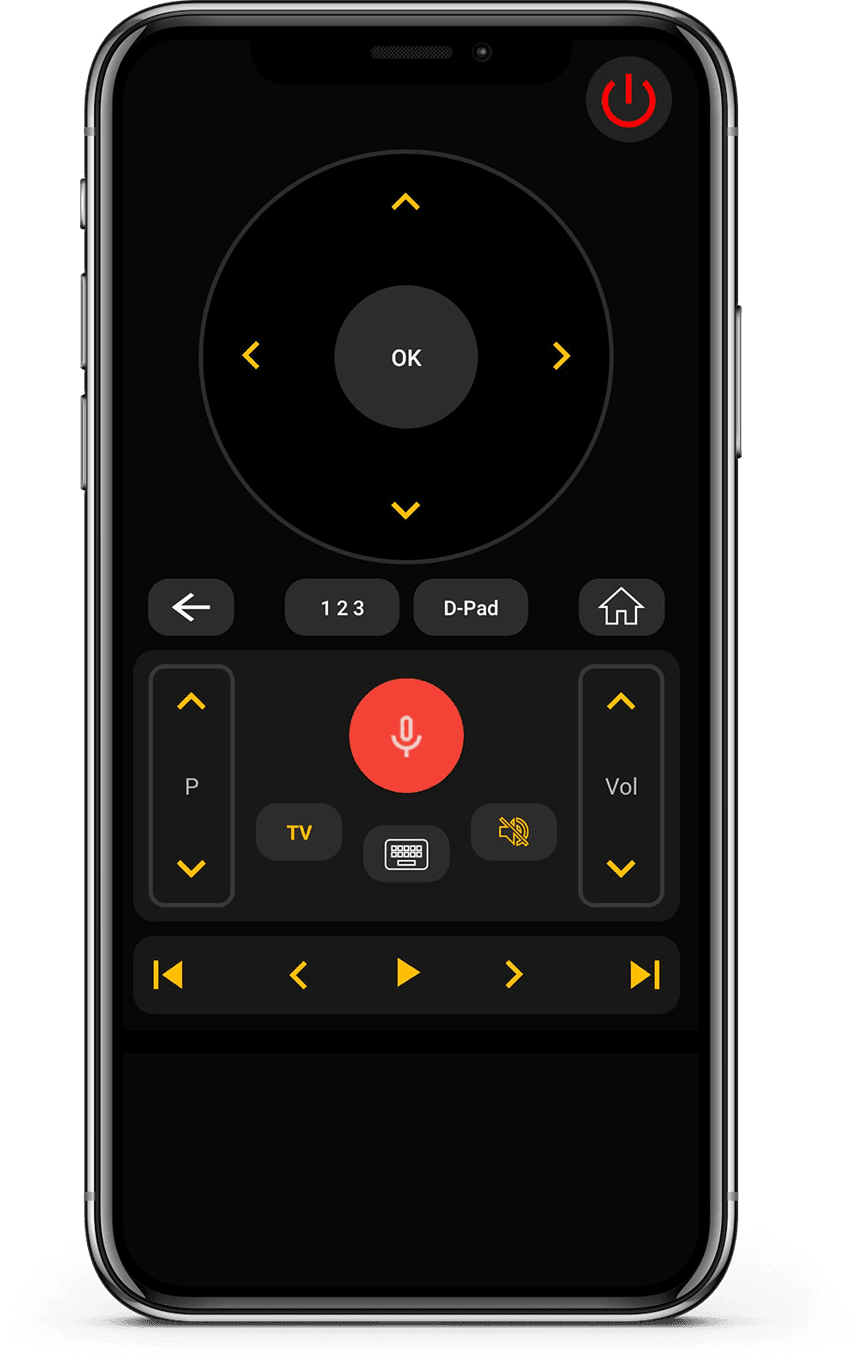
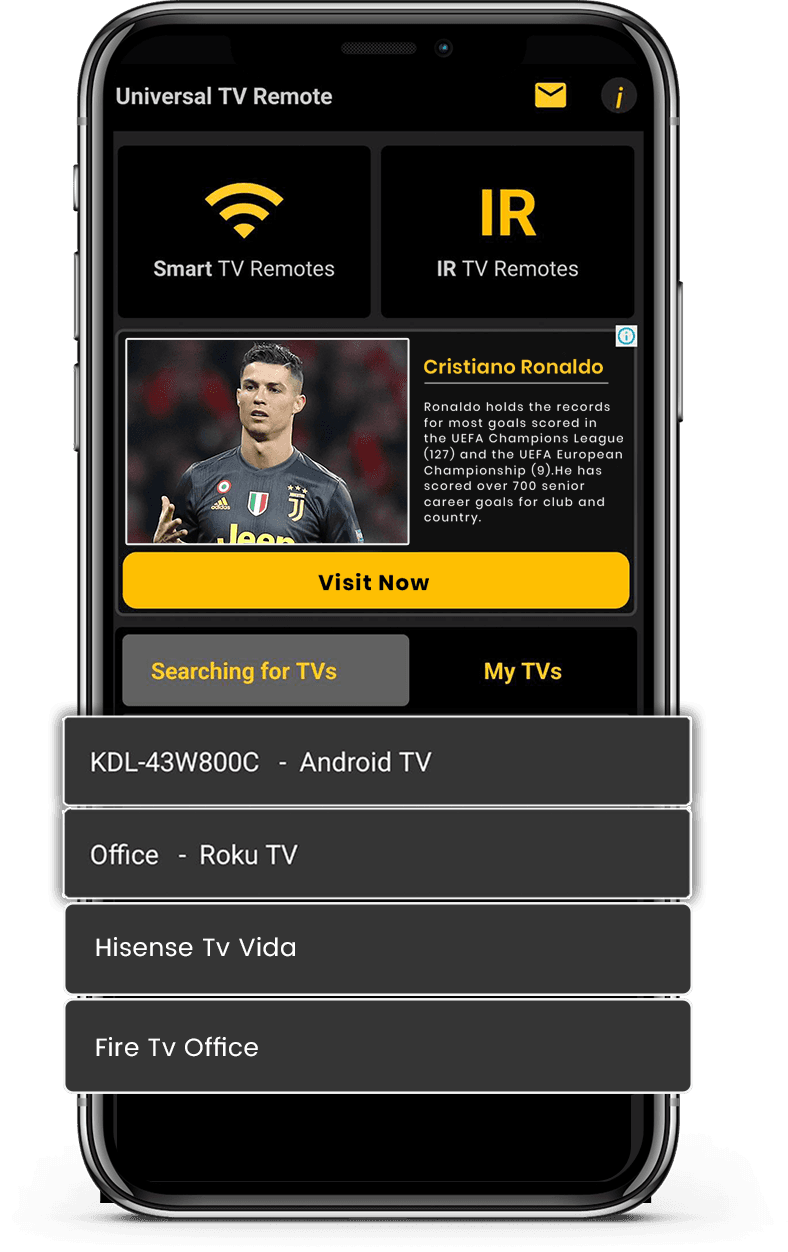
Mobile app mockup
TV Brand

Tính năng ứng dụng

Hoạt động với Smart TV và TV hỗ trợ IR để tương thích rộng. Kết nối ngay qua WiFi hoặc IR với thiết lập đơn giản và nhanh chóng.

Hỗ trợ Smart TV và IR

Hỗ trợ Smart TV và IR

Hoạt động với Smart TV và TV hỗ trợ IR để tương thích rộng.

Kết nối nhanh và dễ dàng

Kết nối nhanh và dễ dàng

Kết nối ngay qua WiFi hoặc IR với thiết lập đơn giản và nhanh chóng.

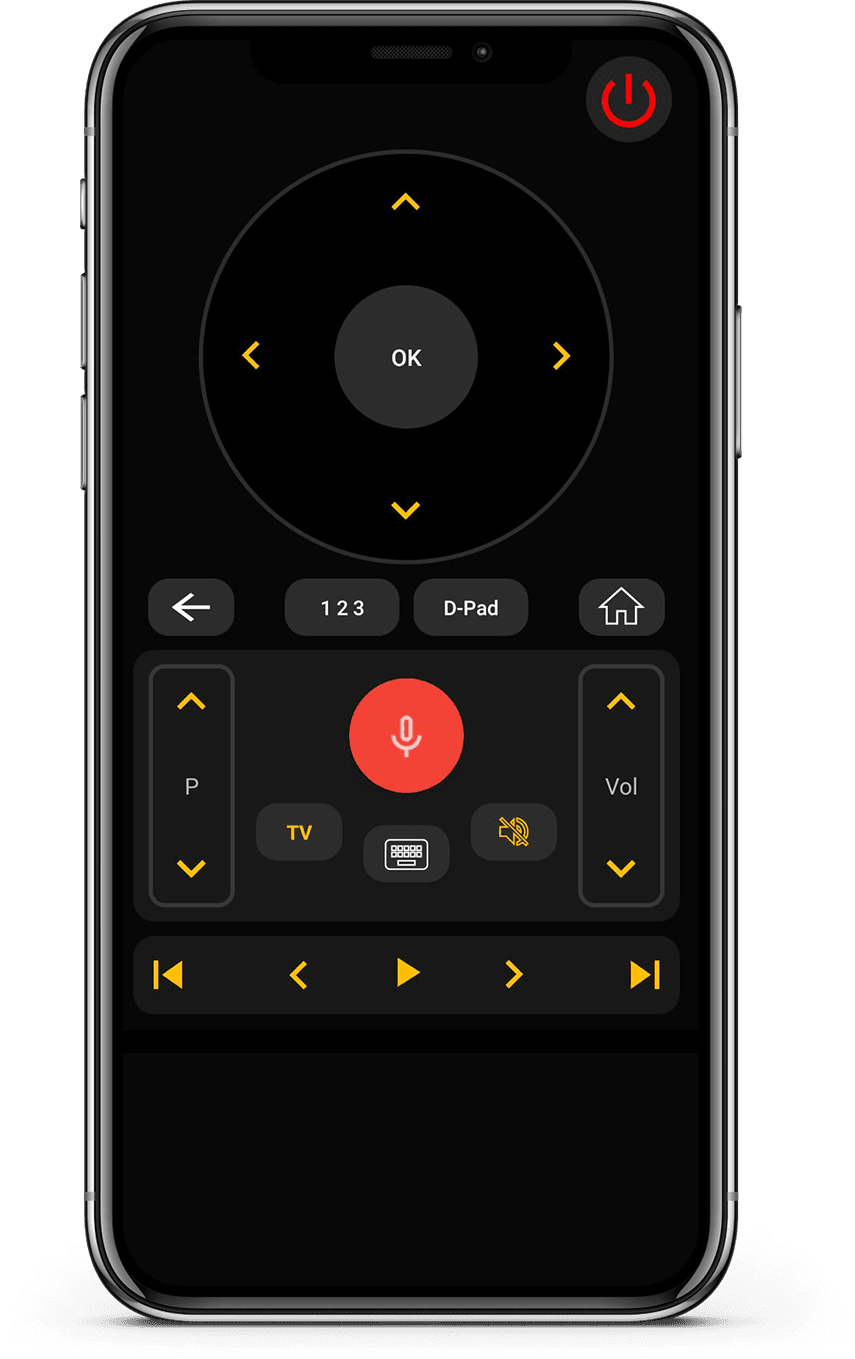
Điều khiển từ xa đầy đủ

Điều khiển từ xa đầy đủ

Điều khiển âm lượng, kênh, ứng dụng, điều hướng và phát media dễ dàng.

Giao diện gọn gàng, thân thiện

Giao diện gọn gàng, thân thiện

Thiết kế tối giản, dễ hiểu và thoải mái khi sử dụng.

How it works

Ứng dụng này hoạt động như thế nào?

  • Kết nối thiết bị

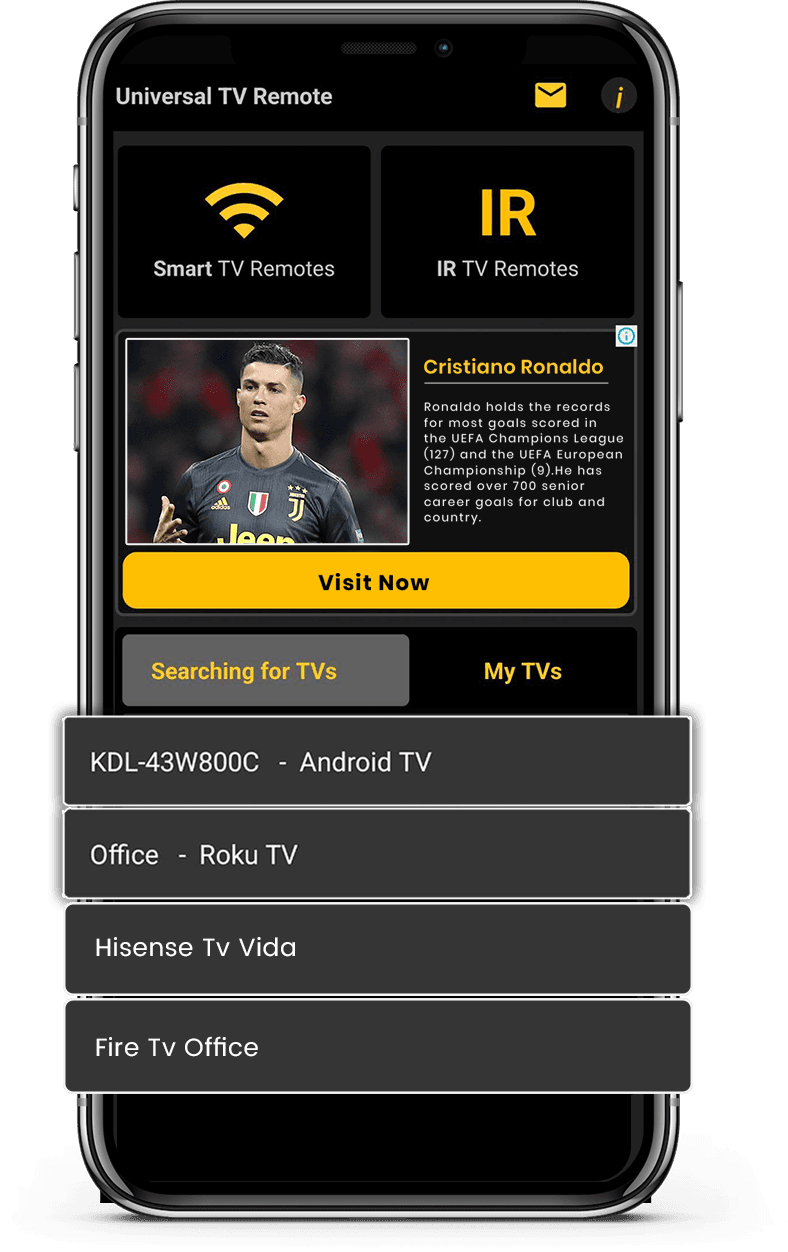
    Kết nối điện thoại và TV vào cùng mạng Wi-Fi.

  • Ghép nối và điều khiển

    Mở ứng dụng, ghép nối TV và bắt đầu điều khiển ngay.

  • Tận hưởng điều khiển thông minh

    Chuyển kênh, điều chỉnh âm lượng và sử dụng tính năng thông minh dễ dàng.

Available on Google PlayAvailable on the App Store

Thương hiệu TV được hỗ trợ

Hoạt động với hơn 700 thương hiệu TV bao gồm Samsung, LG, Sony, Roku, Fire TV, Android TV và nhiều hơn.
Vizio TV
Amazon Fire TV
Android TV

Người dùng nói gì

Phản hồi thực tế từ người dùng Universal TV Remote để điều khiển Smart TV và thiết bị IR.

  • “Unlike the other apps tried, it easily found and connected to the TV, and worked.”
    KL
    Kent Lion
  • “Just downloaded this out of boredom. It was super easy to set up and it makes me wonder why all remotes aren't designed like this. I love the interface and I actually use it more than the actual remote the TV came with. I love how it has all my TV apps in one location. I found some apps I had forgotten about. I can't find a negative thing to say. I wonder if there is a way to turn ads off, even if it means paying a small fee. I have a Sony Bravia TV.”
    CR
    Corine Raymond
  • “I usually don't review but I had to for this. This was the only remote app that worked for me because this was the only one that I found that works as an IR remote. This works well for the most part except sometimes it goes ahead two spaces instead of one when I am in the settings. I will probably continue using this in the future.”
    RG
    Ramjot Grewal
  • “This is a really great app, and it barely took me 2 minutes to set my TV up! But some advice I have is: My TV measures volume from 1-100, and because the volume doesn't change when you long press the volume button, it's very tedious when you have to press the volume button over and over. And second: You could add a vibrate feature whenever you press a button. It feels really delicate to use the app otherwise. But overall, it's an awesome app!.”
    YC
    Yashna Chattree
  • “Worked flawlessly as a smart remote with my LG OLED webOS TV. My only complaint is that I can't hold down the volume buttons, but that is minor. Out of all the apps I tested, this was the only one that worked. Not only that, but the ads are out of the way and not obtrusive at all. Well done.”
    NR
    N River
  • “Thank you for this app guys, I'm using the free version and was staggered that your list of tv's included my obscure, old skool artefact! The interface is first class and includes all I need. Wonderful and totally unexpected gem. I'm upgrading to 5 stars now I am familiar with all the options. I can fully recommend this feature for all the frustrated searchers out there, download and good luck! Thanks again, Chris.”
    CG
    Christopher Garner
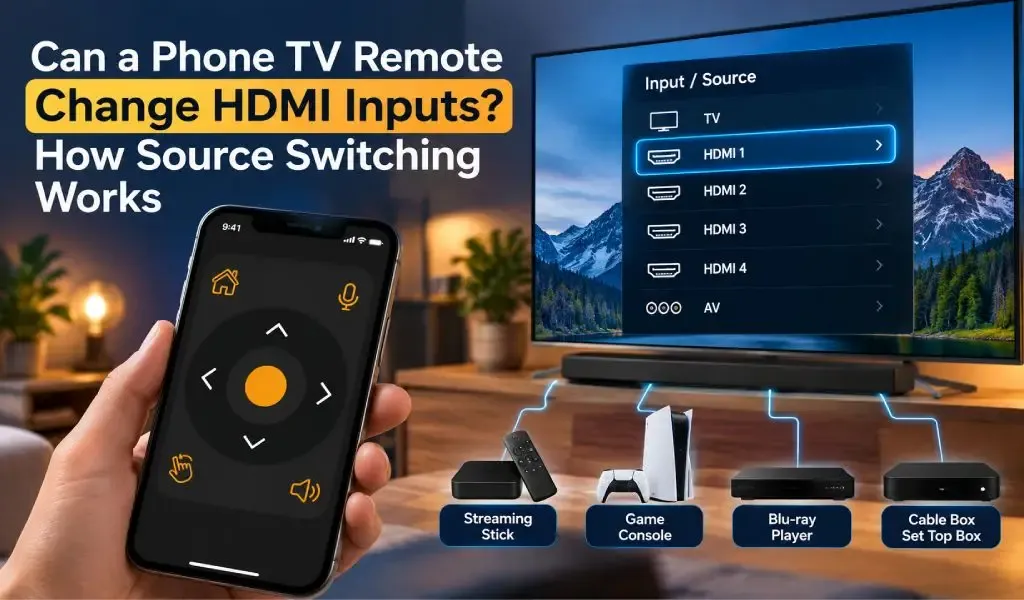
  • “Motel TVs- I like to connect my own device to watch my own recordings. That often requires switching which input on the TV is being used. Quite often the remote control provided by the motel won't allow that to happen. And quite often the commercial TV in a motel has had all of the buttons removed. But if you have your own universal remote you can get around all that. This app worked great at helping me do that. Also helps shut off the closed captioning if it's on.”
    DE
    David Ermoian
  • “Well Have a Bolva tv and there is no code listed for it , nor is it listed in either list. That being said!! You and your team have Nailed this app, easy to sorce it easy to use as well bright very well color coded and a huge list of codes available. If you ever lose your TV control, it's such a good app even if you don't Lose it this is an amazing app, features and design. Ilk even take it a little further what a team if you post an issue a team member quickly responds!! 2 Thumbs Up!!”
    CR
    Chris REDDING
  • “I have used so many remote apps. Yet i couldn't find any better than this. This universal remote has so much options working silk smooth. It has track pad, keyboard, full tv remote accessies,and most of all it allows you to search your TV brand and pair in just a click. I am simply amazed.”
    KZ
    Kamran Zahoor
  • “Simple setup with an incredible number of brands supported, clean interface, unobtrusive ads. Unfortunately, I didn't think to check whether my new phone has IR capability before downloading (my last phone did and this one is supposed to be an upgrade)”
    A
    Ada

Câu hỏi thường gặp

Câu trả lời nhanh về tương thích, thiết lập và cách hoạt động của ứng dụng.

Universal TV Remote Control là gì?
Universal TV Remote Control là ứng dụng di động do CodeMatics Services Pvt. Ltd. phát triển. Ứng dụng được thiết kế để người dùng điều khiển các TV tương thích từ điện thoại thông minh.
Ai phát triển Universal TV Remote Control?
Universal TV Remote Control do CodeMatics Services Pvt. Ltd. phát triển và duy trì. Công ty phát triển ứng dụng và tiếp tục cập nhật khi công nghệ di động và truyền hình thay đổi.
Universal TV Remote Control có dùng được trên cả Android và iPhone không?
Có. Ứng dụng có trên thiết bị Android qua Google Play và trên iPhone cùng iPad qua App Store của Apple.
Tôi có thể tải Universal TV Remote Control ở đâu?
Bạn có thể tải ứng dụng từ Google Play Store chính thức cho thiết bị Android hoặc từ App Store của Apple cho iPhone và iPad.
Universal TV Remote Control có ở đâu?
Universal TV Remote Control có mặt tại hơn 100 quốc gia. Khả năng sử dụng có thể phụ thuộc vào cửa hàng ứng dụng và nền tảng tại khu vực của bạn.
Universal TV Remote Control có phiên bản riêng cho từng hãng TV không?
Không cần ứng dụng riêng cho mỗi hãng TV được hỗ trợ. Universal TV Remote Control được thiết kế là một ứng dụng di động duy nhất, hỗ trợ TV tương thích của nhiều nhà sản xuất.
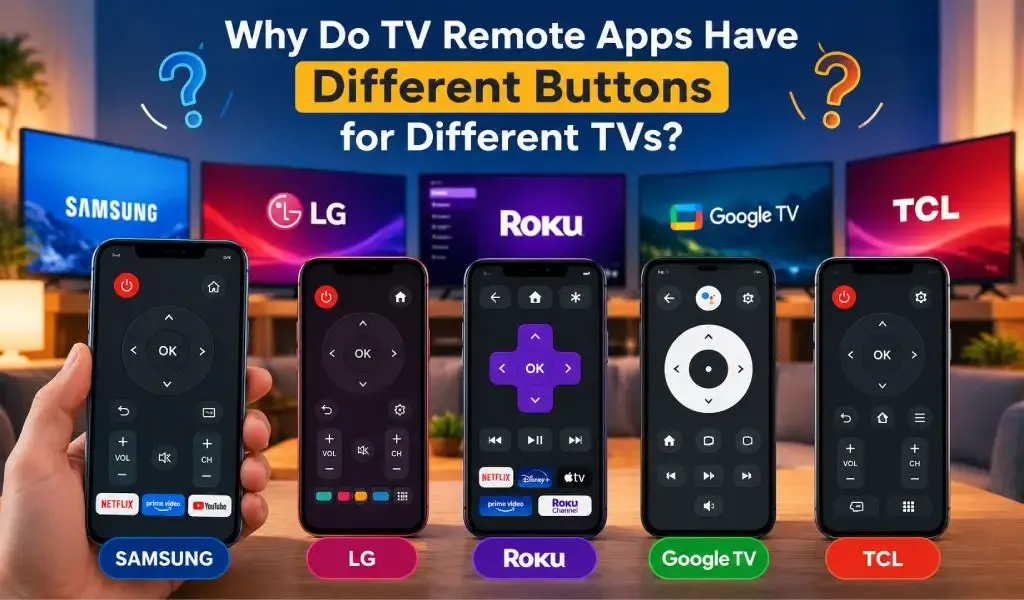
Ứng dụng có hoạt động giống nhau trên mọi TV được hỗ trợ không?
Không nhất thiết. Các điều khiển và trải nghiệm có thể khác nhau tùy hãng TV, mẫu máy, hệ điều hành và khả năng được hỗ trợ. Nhờ đó ứng dụng thích ứng với sự khác biệt giữa các nền tảng truyền hình.
Universal TV Remote Control có dùng được cho nhiều loại TV không?
Có. Ứng dụng dành cho hộ gia đình và người dùng có thể sở hữu TV của các nhà sản xuất khác nhau. TV được hỗ trợ có thể được thiết lập theo yêu cầu tương thích và kết nối riêng của từng máy.
Tôi có thể tìm trợ giúp ở đâu nếu gặp sự cố với ứng dụng?
Bạn có thể dùng hướng dẫn và tài nguyên khắc phục sự cố trên trang web Universal TV Remote Control. Các tài nguyên này đề cập đến câu hỏi thường gặp về khả năng tương thích, thiết lập, tìm TV, kết nối và các nền tảng TV cụ thể.

Vẫn còn thắc mắc? Cuộn xuống để tải ứng dụng và thử trên TV của bạn.

Liên hệ

Để được hỗ trợ nhanh hoặc góp ý, hãy dùng biểu mẫu bên dưới. Đội ngũ sẽ phản hồi sớm nhất có thể.

Địa chỉ

Office # 14, 2nd Floor, KPK IT Park,
Abbottabad, Pakistan

Tải miễn phí từ Apple và Play Store

Cài đặt ứng dụng từ Apple và Play Store.
Get it on Google PlayDownload on the App Store
App screenshot preview 2
App screenshot preview 1