
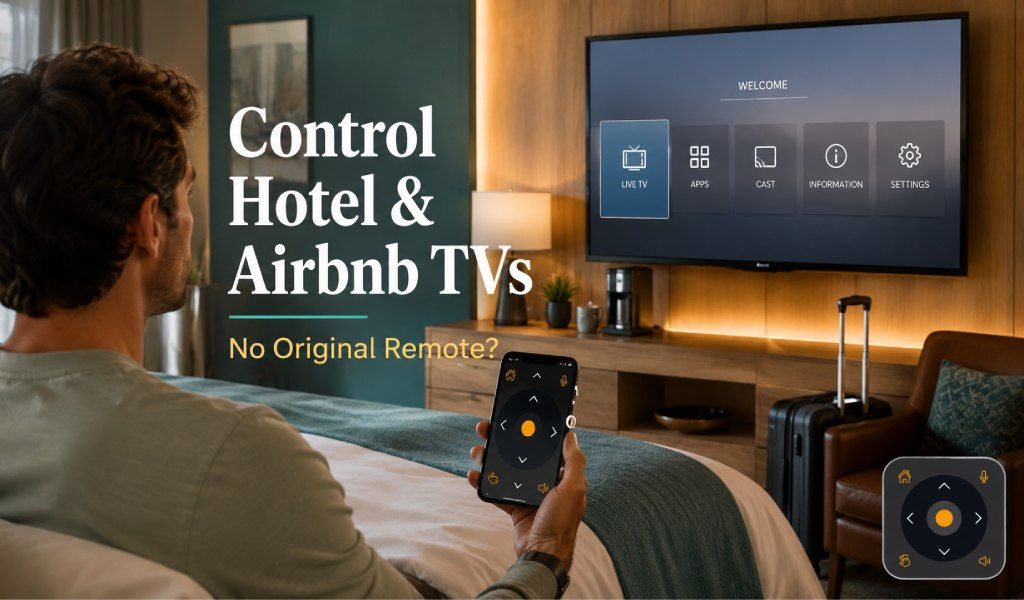
Losing access to a TV remote in a hotel room or Airbnb is more common than most travelers expect. Sometimes the remote is missing, sometimes the batteries are dead, and sometimes the host has locked the original remote in a drawer or misplaced it between guests. The good news is that you can still control many hotel and Airbnb TVs without the original remote.
In most cases, you can use the TV’s physical buttons, a mobile remote app, built in casting tools, HDMI device controls, or a universal remote solution that works through WiFi or IR. The best method depends on whether the TV is a smart TV, whether the room WiFi is accessible, and whether your phone has an IR blaster or can connect to the TV over the same network.
This guide explains the most reliable ways to control a hotel or Airbnb TV when the original remote is missing, unavailable, or not working.
Why hotel and Airbnb TV remotes often become a problem?
Hotel and Airbnb TV remotes often become a problem because they are shared devices that are easy to lose, damage, or misconfigure.
Unlike the TV in your own home, a vacation rental or hotel TV is handled by many different people. Guests move remotes around the room, children hide them, batteries drain, and staff may replace one remote with another that does not fully match the TV. In some hotels, the remote is also programmed to work with a cable box or hospitality system rather than the TV itself, which can make basic controls confusing.
That is why travelers often need a backup way to turn on the TV, change inputs, adjust volume, or open streaming apps.
Can you use a phone to control a hotel or Airbnb TV?
Yes, you can often use your phone to control a hotel or Airbnb TV if the TV supports WiFi control, casting, or infrared remote functions.
Many modern TVs support app based control over WiFi, while some phones can act like a classic remote through an IR blaster. Even when the TV is not fully smart, you may still be able to control power, volume, channels, or input selection through a universal remote app that supports a wide range of TV brands.
The key is to identify what kind of TV you are dealing with and what connection options are available in that room.
Check the TV itself before trying anything else
The fastest first step is to inspect the TV for brand details, physical buttons, and visible connection options.
Before you start downloading apps or reconnecting networks, take 30 seconds to look at the TV. This helps you avoid guessing and saves time.
Look for the TV brand and model
The TV brand and model help you choose the right control method and remote app.
Check the logo on the front bezel or the label on the back or side of the TV. Common hotel and Airbnb TV brands include Samsung, LG, Sony, TCL, Hisense, Philips, and Roku TV models. If you know the brand, you can try a matching control app or select the correct brand inside a universal remote app.
Check for physical buttons on the TV
Many TVs still include power and menu buttons that can help you get started without a remote.
These buttons are often hidden under the center of the TV, along the bottom edge, or on the back panel. Depending on the model, they may let you turn the TV on, open the input menu, change channels, or adjust volume. Even if the controls are limited, they can be enough to switch to the correct HDMI source or connect the TV to a network.
See whether the TV is connected to hotel cable or a streaming device
The TV setup tells you whether you need to control the TV, a cable box, or an HDMI device.
Some hotel rooms use a cable box, a hospitality control unit, or a custom launcher screen. In an Airbnb, you may find a Fire TV Stick, Apple TV, Chromecast, Roku, or Android TV box connected through HDMI. If the TV is only acting as a display for another device, controlling that external device may solve the problem faster than trying to control the TV itself.
Use the TV’s physical buttons if the remote is missing
Yes, physical buttons can often handle basic TV controls when the original remote is not available.
If all you need is to turn the TV on, lower the volume, or switch inputs, the built in buttons may be enough. On some TVs, a single joystick style button opens a menu that lets you navigate left, right, up, and down. On others, you may only get power and volume.
This method is not the most comfortable, but it is the quickest fallback when you are standing in the room with no remote in sight.
Use a universal remote app on your phone
A universal remote app is one of the easiest ways to control a hotel or Airbnb TV without the original remote.
This is the most practical solution when you travel often, stay in rentals, or want one app that works with many TV brands. A good universal remote app can connect through WiFi for smart TVs and through IR for compatible phones, giving you two ways to control the TV depending on the setup.
Why a universal TV remote app works well for travelers?
A universal TV remote app works well for travelers because it reduces the need to depend on a missing or broken room remote.
Instead of hunting through drawers or messaging the host at night, you can open your phone and try connecting directly. This is especially useful in Airbnb properties where different TVs may be installed in different rooms, or in hotels where the original remote is locked to a cable box and does not offer full TV controls.
Universal TV Remote Control as a practical solution
Universal TV Remote Control is a practical solution because it supports a wide range of TV brands and both common connection methods.
If you want one app that can handle many hotel and Airbnb TV situations, Universal TV Remote Control is a strong option. It is built for users who need quick access to TV controls without relying on the original remote.
Key features of Universal TV Remote Control include:
- 130 million plus downloads
- 700 plus TV brands compatibility
- Users in more than 100 countries
- Keyboard and D Pad navigation
- Voice control features
- User friendly interface
- Supports both WiFi and IR connectivity
That combination matters when you are traveling. If the TV is connected to WiFi and supports app control, you can use the wireless option. If your phone has an IR blaster and the TV accepts infrared commands, you can use it like a standard remote even without pairing to the network.
How to use a universal remote app in a hotel or Airbnb?
You can use a universal remote app by identifying the TV brand, choosing WiFi or IR, and testing the on screen remote buttons.
Start with these steps:
- Turn on the TV using the physical power button if needed.
- Open the universal remote app on your phone.
- Select the TV brand from the app’s list.
- Choose WiFi if the TV is on the same network as your phone.
- Choose IR if your phone supports infrared control and the TV responds to IR signals.
- Test power, volume, input, and navigation buttons.
- Save the working remote profile for later use.
If one method fails, switch to the other. WiFi may not work in some hotel environments, while IR can still work if your phone supports it.
Can WiFi control work in hotels and Airbnbs?
Yes, WiFi control can work in hotels and Airbnbs, but it depends on whether your phone and the TV can connect on the same local network.
This is where travelers run into the biggest difference between hotels and vacation rentals.
WiFi control usually works better in Airbnbs
WiFi control usually works better in Airbnbs because you often have normal access to the same home network as the TV.
If the Airbnb TV is connected to the property’s regular WiFi, you may be able to join the same network and use a remote app right away. This is one of the easiest cases for smart TV control, especially with Roku TVs, Android TVs, Google TV, and many Samsung or LG models.
Hotel WiFi can block device to device communication
Hotel WiFi can block device to device communication, which may stop your phone from seeing the TV.
Many hotels use guest networks that isolate devices from each other for privacy and security. In plain terms, your phone can connect to the internet, and the TV can connect to the internet, but the hotel network may prevent the two from talking to each other. When that happens, app based WiFi remote control may fail even if both devices appear online.
If you suspect network isolation, try IR control, physical TV buttons, or HDMI device control instead.
Can you control the TV through IR instead of WiFi?
Yes, you can control the TV through IR if your phone has an IR blaster and the TV accepts infrared commands.
IR is useful because it does not depend on the hotel’s network. It works more like a traditional remote. You point your phone at the TV and send commands directly. This can be a lifesaver in hotels where WiFi pairing is blocked or the TV is not signed into a network you can access.
Not every phone includes an IR blaster, so this method depends on your device. But if your phone supports it, IR can be the cleanest solution for basic TV control while traveling.
Use casting instead of full remote control when all you need is content playback
Casting is often enough when your goal is simply to watch your own content on the TV.
If the room TV supports Chromecast, AirPlay, or another casting method, you may not need full remote control at all. Once the TV is on the correct input and connected properly, you can send content from your phone, tablet, or laptop directly to the screen.
This is especially helpful when the original remote is missing but the TV is already set up on the right source.
Chromecast and built in cast options can bypass remote frustration
Chromecast and built in cast options can bypass remote frustration by letting your phone act as the playback controller.
If the TV or connected streaming stick supports casting, open a supported app such as YouTube and look for the cast icon. In some Airbnb setups, you may also find a Google TV or Android TV device already attached, which makes casting even easier.
AirPlay can help if the TV supports Apple device streaming
AirPlay can help if the TV supports Apple device streaming and is on the same network as your phone.
This works best in Airbnbs where you have normal access to the property’s WiFi. Once connected, you may be able to mirror your screen or stream content directly from supported apps.
Use HDMI device control if a streaming stick or console is connected
HDMI device control can help because the connected device may be easier to control than the TV itself.
If the TV has a Fire TV Stick, Apple TV, Roku box, game console, or Android TV device connected, focus on that device. Some streaming devices have mobile apps that work independently of the TV brand. For example, if the host uses a Roku device, the Roku mobile app may help. If there is an Apple TV box, you may be able to use your iPhone’s built in Apple TV remote function.
This approach can save time because the TV only needs to stay on the correct HDMI input.
Ask the host or front desk when the TV is locked down
You should contact the host or front desk when the TV is tied to a hotel system, a hospitality box, or a restricted setup you cannot access.
Some hotel TVs are not normal consumer setups. They may use a hospitality mode that limits input changes, locks settings, or routes everything through a central control system. In those cases, even the best remote app may not restore full control.
At an Airbnb, the host may also have a hidden spare remote, a smart home hub, or instructions for switching inputs that are not obvious at first glance. If basic troubleshooting fails, asking for the correct remote or setup instructions is the fastest next step.
What is the best way to control a hotel or Airbnb TV without the original remote?
The best way to control a hotel or Airbnb TV without the original remote is to use a universal remote app, with WiFi as the first option and IR as the backup if your phone supports it.
For most travelers, the most practical order is simple:
- Check the TV brand and physical buttons.
- Try a universal remote app.
- Use WiFi control if the TV and phone can join the same network.
- Use IR control if your phone supports it.
- Try casting if you only want to watch content.
- Control the connected streaming device if one is attached.
- Ask the host or front desk if the TV is locked to a custom setup.
This approach covers the most common hotel and Airbnb TV situations without wasting time on guesswork.
Final thoughts
Yes, you can usually control a hotel or Airbnb TV without the original remote if you know which backup method fits the TV setup.
The original remote is convenient, but it is no longer the only way to manage a TV while traveling. Between physical TV buttons, WiFi remote apps, IR support, casting tools, and streaming device apps, you have several ways to get the screen working again. A universal solution is often the smartest option because it gives you flexibility across different brands and properties.
If you travel often, keeping a reliable universal remote app on your phone before your next trip can save you a lot of frustration the moment you walk into a room with a missing remote.
FAQs
Can I use my phone as a TV remote in a hotel room without joining hotel WiFi?
Yes, you can if your phone has an IR blaster or if the TV supports a control method that does not rely on local network discovery. IR based remote control is the best option when hotel WiFi blocks communication between devices.
Why does my remote app not find the hotel TV even though both are connected to WiFi?
This usually happens because the hotel network isolates devices for security. Your phone and the TV may both have internet access, but the network may block them from seeing each other for local control.
Will a universal remote app work with older Airbnb TVs that are not smart TVs?
Yes, it can work if your phone supports IR and the TV accepts infrared commands. For older non smart TVs, IR control is often more useful than WiFi control.
What should I do if the hotel TV only shows a locked welcome screen or hotel menu?
You should contact the front desk because the TV may be running in hospitality mode through a hotel control system. In that case, standard remote apps may not have full access to settings, inputs, or menus.
Can I control a Roku TV or Fire TV in an Airbnb without the original remote?
Yes, in many cases you can. If the device is connected to the same WiFi network as your phone, you may be able to use a compatible mobile app or a universal remote app to control navigation, playback, and app selection.