
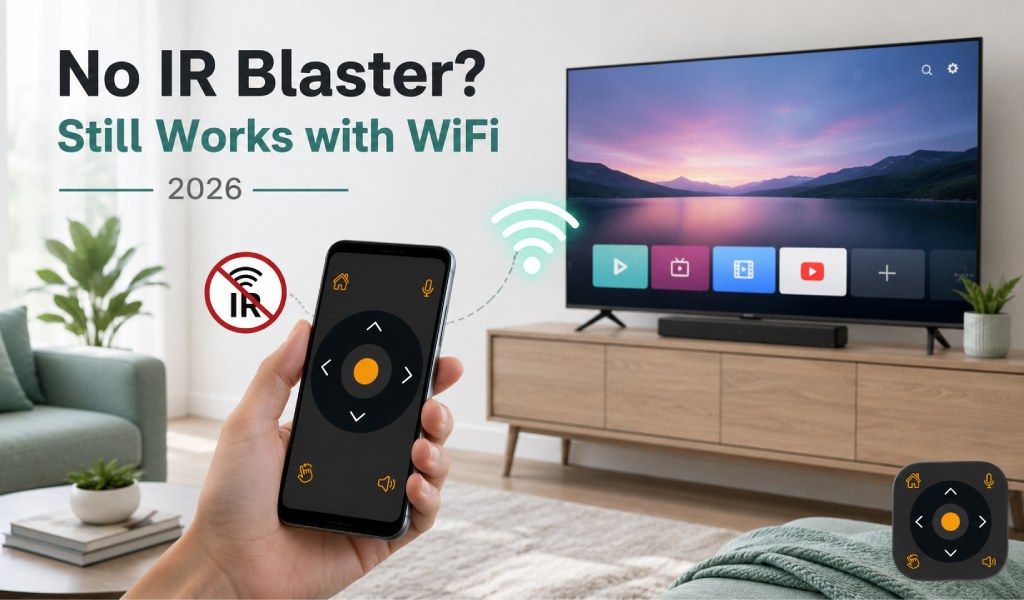
Har du precis köpt en ny telefon och insett att den inte har en IR-blaster? Det känns frustrerande i början, särskilt om du planerade att använda en Universal TV Remote Control-app som en traditionell fjärrkontroll. Här är den goda nyheten direkt: ja, du kan fortfarande styra din TV utan en IR-blaster.
De flesta moderna telefoner har inte längre IR-hårdvara, och det är helt normalt 2026. Dagens Universal TV Remote Control-appar är byggda för att fungera med både IR- och WiFi-anslutningar. Så även om din telefon saknar IR är du inte alls fast. Faktiskt är WiFi-styrning för smarta TV-apparater ofta snabbare, smartare och mer pålitligt.
Om du är osäker på vilken anslutningstyp som spelar störst roll kan du också kolla in det här: IR-blaster vs WiFi TV-fjärrkontrollsapp - Vilken behöver du egentligen?
Vad är en IR-blaster och varför de flesta nya telefoner inte har en
En IR-blaster är en liten hårdvarukomponent i äldre smartphones som skickar infraröda signaler, precis som en fysisk TV-fjärrkontroll. Den låter din telefon direkt styra TV-apparater, luftkonditionering och andra apparater utan att behöva en internetanslutning.
Men saker har förändrats. Telefontillverkare tog gradvis bort IR-blaster för att göra enheter smalare och mer effektiva. Samtidigt blev TV-apparater smartare och började förlita sig på Wi-Fi istället för infraröda signaler.
Det är därför du inte hittar IR-blaster i de flesta moderna telefoner som iPhones, senaste Samsung Galaxy S-enheter eller Google Pixel-modeller.
Trots det begränsar detta dig inte. Det betyder bara att din telefon kommer att använda en smartare metod för att styra din TV.
Hur appen Universal TV Remote Control fungerar utan en IR-blaster
Om din telefon inte har en IR-blaster växlar appen Universal TV Remote Control automatiskt till WiFi-läge.
Så fungerar det i enkla ord: så länge din telefon och din Smart TV är anslutna till samma WiFi-nätverk kan appen upptäcka din TV och ansluta till den direkt. Ingen extra hårdvara, inga adaptrar, ingen komplicerad installation.
Efter anslutning kommunicerar din telefon med TV:n via ditt nätverk istället för via infraröda signaler. Detta möjliggör smidigare kontroll och låser till och med upp avancerade funktioner som IR-fjärrkontroller inte kan erbjuda.
Appen stöder över 700 TV-märken, inklusive Samsung, LG, Sony, TCL, Roku, Fire TV, Android TV och Hisense. Den är redan betrodd av över 130 miljoner användare världen över, vilket gör den till en av de mest pålitliga lösningarna som finns idag.
Steg för steg: hur du konfigurerar appen utan en IR-blaster
Att konfigurera appen Universal TV Remote Control utan en IR-blaster är enkelt och tar mindre än 2 minuter.
Följ dessa steg:
- Se till att din telefon och TV är anslutna till samma WiFi-nätverk
- Ladda ner appen Universal TV Remote Control från Google Play eller App Store
- Öppna appen och tryck på “Lägg till fjärrkontroll” eller välj ditt TV-märke
- Appen kommer automatiskt att skanna och upptäcka din Smart TV
- Tryck på din TV:s namn för att ansluta
- Det är allt. Nu kan du styra din TV direkt från din telefon
Efter anslutning kan du justera volymen, byta kanal, navigera i menyer med en D-Pad, skriva med telefonens tangentbord och till och med använda röstkommandon.
Snabbt tips: Ingen WiFi-router hemma? Du kan fortfarande ansluta med hjälp av din telefons mobil hotspot.
Du kan också läsa den här guiden: Kan vi använda en hotspot för att ansluta appen Universal TV Remote Control?
Vilka funktioner är tillgängliga utan en IR-blaster?
Många användare tror att de förlorar funktioner utan IR, men i verkligheten är motsatsen sann.
Ansluten via WiFi ger appen Universal TV Remote Control dig full tillgång till alla funktioner, och i många fall ännu mer än en traditionell fjärrkontroll.
Så här kan du göra:
- Styra volym och kanaler
- Navigera med D-Pad
- Använd skärmens tangentbord för att skriva
- Styra mediauppspelning
- Starta appar direkt på din TV
- Använd röststyrning för snabbare kommandon
Allt detta fungerar smidigt på både Android- och iOS-enheter utan att behöva extra hårdvara.
Vad om min TV inte är en Smart TV? (Endast IR-TV-apparater)
Om du använder en äldre TV som inte är smart är saker lite annorlunda.
Dessa TV-apparater förlitar sig endast på infraröda signaler, så i det här fallet måste din telefon ha en IR-blaster för att fungera som fjärrkontroll. Utan den blir WiFi-styrning inte möjlig eftersom TV:n inte stöder nätverksanslutning.
Om du är osäker, kontrollera din telefons specifikationer för att bekräfta om den inkluderar en IR-blaster.
Med det sagt, om du redan äger en Smart TV är du faktiskt i en bättre position. WiFi-styrning är mer stabil, erbjuder fler funktioner och kräver inte fri sikt som IR.
Appen stöder både IR- och WiFi-lägen, så den anpassar sig automatiskt till din enhet och TV.
Telefoner som fungerar bäst med appen Universal TV Remote Control 2026
Det bästa är att nästan varje modern smartphone stöder appen på ett eller annat sätt.
Här är en snabb sammanfattning:
iPhones (alla modeller) fungerar perfekt med WiFi
Samsung Galaxy S21 och nyare modeller använder WiFi
Google Pixel-enheter använder WiFi
Xiaomi-, Huawei- och Honor-telefoner har ofta IR, så de stöder både IR och WiFi
Så oavsett om din telefon har IR eller inte, fungerar den fortfarande med appen Universal TV Remote Control så länge den har WiFi.
Slutsats
Att inte ha en IR-blaster 2026 är inte alls ett problem. Faktiskt är det helt normalt.
Du kan fortfarande enkelt använda en Universal TV Remote Control-app via WiFi och njuta av ännu bättre funktioner än traditionella fjärrkontroller. Med stöd för över 700 TV-märken, tillgänglighet i mer än 100 länder och en användarbas på över 130 miljoner, visar appen att IR inte längre är väsentligt.
Så om du var orolig att din telefon inte skulle fungera som en TV-fjärrkontroll kan du slappna av. Ladda bara ner appen, anslut din TV och börja styra den inom minuter.
Ladda ner nu: Ladda ner appen Universal TV Remote Control från Google Play eller App Store och gör din telefon till en kraftfull fjärrkontroll direkt.
Vanliga frågor
1. Behöver jag Bluetooth för att använda en TV-fjärrkontrollsapp utan IR?
S: Nej, Bluetooth krävs inte. De flesta Universal TV Remote Control-appar använder Wi-Fi för att ansluta din telefon till din TV. Så länge båda enheterna är på samma nätverk fungerar det smidigt.
2. Kan jag styra flera TV-apparater med en app?
S: Ja, du kan lägga till och hantera flera TV-apparater inom samma app. Du kan växla mellan enheter när som helst utan att behöva ansluta igen.
3. Varför visas inte min TV i appens skanning?
S: Detta händer vanligtvis när din telefon och TV är på olika WiFi-nätverk, eller när din TV:s nätverksbehörigheter är begränsade. Se till att båda är korrekt anslutna och försök igen.
4. Fungerar appen om mitt internet är långsamt?
S: Ja, det fungerar även med långsamt internet eftersom det använder lokal WiFi-kommunikation istället för externa servrar. Så länge ditt nätverk är stabilt blir prestandan bra.
5. Är det säkert att ansluta min TV till en fjärrkontrollsapp?
S: Ja, det är säkert. Anslutningen sker inom ditt lokala nätverk, och pålitliga appar följer standardsäkerhetsprotokoll för att säkerställa att dina data och enheter förblir skyddade.