Codematics logoUniversal TV Remote

Language

TV Remote App Not Working Over a VPN? Here's Why

August 29, 2026

TV Remote Apps and VPN

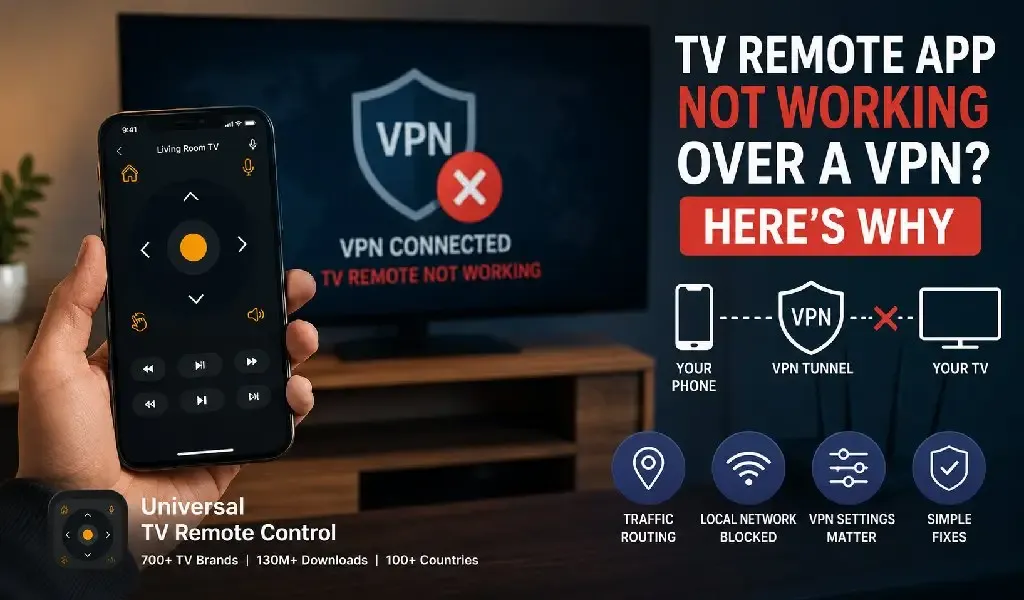
A VPN can stop a TV remote app from working because it may change how your phone routes network traffic. Your phone and TV can both remain connected to WiFi, and the internet can work perfectly, yet the remote app may no longer be able to discover or communicate with the television.

That can be confusing. VPNs are designed to protect internet traffic, while most smart TV remote apps need to communicate locally with a TV inside your home network. When the VPN sends all traffic through its encrypted tunnel, blocks local network access, or applies a kill switch, that local connection can be interrupted.

The good news is that a VPN does not automatically make a TV remote app incompatible. The result depends on how the VPN is configured and whether it allows local network traffic to bypass the tunnel.

This guide explains why VPNs affect smart TV remote apps, which VPN settings matter most, and how to restore control without giving up more privacy than necessary.

A VPN can interrupt the local connection your TV remote app depends on

Most smart TV remote apps do not control your television through the public internet. Instead, the phone and TV communicate through the local network inside your home.

For example, your phone might have a local address such as 192.168.1.x, while your TV has another address assigned by the same router. The remote app needs to discover the TV and exchange commands with it across that local network.

A VPN changes the path your phone uses for network traffic.

When the VPN is active, traffic may be sent through an encrypted connection to a remote VPN server before reaching its destination. That is useful when browsing the web on public WiFi or protecting internet activity, but it can create complications when an app needs to talk directly to another device in the same room.

Android's VPN documentation confirms that network traffic can continue through the VPN unless an app or connection is configured to use a specific network differently. Android also supports VPN bypass behavior in certain implementations.

The important distinction is this:

Internet connectivity and local device connectivity are not the same thing.

Your Netflix app may still stream normally while your TV remote app cannot see or control the television.

A full tunnel VPN can send local traffic in the wrong direction

A full tunnel VPN can interfere with TV control because it attempts to route most or all of the phone's traffic through the VPN.

Imagine your phone is trying to communicate with a TV sitting a few meters away.

Normally, the route is simple:

Phone → Home router → TV

With certain VPN configurations, the route can become more complicated:

Phone → VPN tunnel → VPN service → Network routing rules

The exact behavior depends on the VPN provider and the phone's operating system. Some VPNs correctly preserve access to local devices. Others apply stricter routing policies that interfere with local communication.

This is particularly noticeable with smart home devices because they often depend on direct local discovery.

A TV remote app may need to locate the television before it can send any commands. If the VPN prevents local discovery traffic from reaching the home network, the app may behave as though the TV is unavailable even when both devices are connected to the same WiFi.

Local device discovery can fail when a VPN blocks network broadcasts and multicast traffic

A VPN can prevent TV discovery because some smart devices rely on local network discovery traffic that does not behave like ordinary internet traffic.

Smart TVs and remote apps can use several discovery technologies depending on the platform. These can include multicast DNS, SSDP and manufacturer specific methods.

The important point is that discovery traffic often needs to stay inside the local network.

A VPN tunnel is generally designed around sending traffic securely between your device and another network location. That does not always translate cleanly to local broadcast or multicast communication.

As a result, the remote app may open successfully, your VPN may show that you are protected, and your TV may still be invisible to the app.

This is also why simply checking whether the phone has internet access does not diagnose the problem.

Split tunneling can let your TV remote app bypass the VPN

Split tunneling can solve the problem by allowing selected traffic or apps to avoid the VPN connection.

Instead of routing everything through the encrypted tunnel, split tunneling creates different paths for different types of traffic.

For example:

Your browser can continue using the VPN.

Your TV remote app can communicate directly with devices on the home network.

This approach can provide a useful balance between privacy and local device functionality.

Android documentation confirms that VPN configurations can support allowing apps to bypass the VPN or selecting which applications send traffic through it. Google also documents per app VPN behavior that can use allow lists or disallow lists depending on the VPN implementation.

The setting names vary between VPN providers. You may see options such as:

Local network access

Allow LAN traffic

Split tunneling

Bypass VPN

Trusted networks

Excluded apps

The safest option is usually the one that allows local network communication without unnecessarily disabling VPN protection for all internet traffic.

Split tunneling is useful because it separates local TV control from internet traffic

A TV remote app generally has a different networking requirement from a web browser.

Your browser connects to websites and online services.

Your remote app may need to communicate with a television inside your home.

Treating both types of traffic identically is not always necessary.

Split tunneling allows the VPN configuration to recognize that difference. Depending on the provider, you may be able to exclude the remote app from the VPN or permit local network traffic while keeping the VPN active for other applications.

This is often a better long term solution than turning the VPN off every time you want to change the TV channel.

A VPN kill switch can block your remote app even when the VPN disconnects

A kill switch can stop a TV remote app because it is designed to prevent traffic from leaving the phone outside the VPN tunnel.

This is an important security feature. If the VPN connection unexpectedly fails, the kill switch helps prevent your normal internet traffic from being exposed.

However, stricter VPN configurations can also affect local network communication.

Android's documentation explains that always on VPN and lockdown configurations can prevent applications from bypassing the VPN, and networking can fail for applications when the required VPN path is unavailable.

If your remote app suddenly stops working after enabling a setting such as:

Always on VPN

Block connections without VPN

Kill switch

Lockdown mode

then that setting deserves attention.

You do not necessarily need to disable your VPN permanently. Check whether the VPN allows local network access or supports an exception for the remote app.

A VPN can affect TV discovery differently from actual remote control

A remote app can sometimes find the TV but fail when you try to control it.

This happens because discovery and control are separate stages.

First, the app identifies a compatible television.

Then it establishes a connection.

Finally, it sends commands through the appropriate protocol.

A VPN can interfere at any of those stages.

For example, local discovery may work while the actual connection is routed incorrectly. In another case, the TV may already appear in the app because it was discovered earlier, but new commands may fail once the network route changes.

That is why a generic message such as "connected to WiFi" does not tell the whole story.

Your phone can have:

Internet access

A working VPN

A visible TV

And still lack the correct local route for reliable remote control.

The fastest test is to temporarily disable the VPN and check the remote app again

The simplest way to identify a VPN related problem is to turn the VPN off temporarily and test the remote connection.

If the app immediately finds and controls the TV after the VPN is disabled, the television and remote app are probably functioning normally. The VPN configuration is the most likely cause.

After confirming that, turn the VPN back on and look for a setting that allows:

Local network access

LAN communication

Split tunneling

App exclusion

Bypass rules

Avoid changing multiple router or TV settings at once. A clean test is more useful because it isolates the actual cause.

Your website already covers general network changes, AP isolation and Ethernet related communication problems. This VPN issue is different because the router may be working correctly while the phone itself is changing how traffic is routed.

That distinction matters when troubleshooting.

Universal TV Remote Control is useful because broad compatibility matters beyond the network connection

A VPN setting can affect almost any network based remote app, regardless of the TV brand. Once local communication is restored, however, compatibility becomes the next important factor.

A single brand remote app is often designed around one television ecosystem. That can be convenient if every TV in your home comes from the same manufacturer.

Universal TV Remote Control takes a broader approach.

The app supports more than 700 TV brands, has reached 130 million plus downloads, and is available in more than 100 countries. That broader compatibility is particularly useful in homes where one television platform does not represent the entire setup.

The practical advantage is not simply the number of supported brands.

Different households use different combinations of Smart TVs, streaming platforms and older televisions. A universal solution can reduce the need to switch between separate apps as devices change.

Once connected, Universal TV Remote Control also provides practical input options including:

D Pad navigation

Voice control

Keyboard support

A user friendly interface

Customer support for connection and compatibility questions

These features become more valuable as TV interfaces increasingly rely on streaming searches, text entry and app navigation rather than traditional channel buttons.

For users who frequently change devices or manage multiple TV brands, broader compatibility can be more future ready than building an entire setup around one manufacturer's remote ecosystem.

You should not assume every VPN causes the same problem

VPN behavior differs between providers and devices.

Some VPNs allow local network traffic automatically.

Some require you to enable a dedicated setting.

Some provide split tunneling.

Some route every application through the VPN.

Some corporate or managed VPNs apply policies that users cannot change.

That last category is particularly important.

If your phone belongs to an employer or organization, the VPN may be controlled through device management policies. Android supports always on VPN configurations that can be enforced at the device or work profile level.

In that situation, repeatedly reinstalling the TV remote app may not solve anything.

The restriction may exist at the operating system or organization policy level.

The best VPN setup keeps your privacy protection without blocking local devices

The ideal setup depends on why you use a VPN.

If you use one mainly for public WiFi protection, allowing trusted home network traffic can make sense.

If you use a VPN to access work resources, the device may have stricter rules.

If privacy is your highest priority, check whether the VPN offers a secure local network exception rather than disabling protection entirely.

The goal is not necessarily to choose between:

VPN on

or

TV remote working

Modern VPN configurations can often support both.

The key is making sure your phone can still communicate directly with trusted devices on your home network.

A VPN problem is usually about routing, not a broken TV remote app

When a TV remote app stops working over a VPN, the most likely issue is that the VPN has changed or restricted the path between your phone and television.

The TV may be online.

The phone may be online.

The VPN may be working exactly as intended.

But the remote app may no longer have access to the local network communication it needs.

The most effective approach is to test the VPN connection first, then check for local network access or split tunneling options before changing TV or router settings.

For households with different television brands and platforms, a broad remote solution can also make life easier after the network issue is resolved. Universal TV Remote Control supports more than 700 TV brands and combines broad compatibility with D Pad navigation, voice control and keyboard input.

You can also find the app on Google Play and the Apple App Store.

The key takeaway is simple:

A VPN protects your network traffic, but a TV remote app needs the right path back to your local network. When that path is blocked, the remote can stop working even though everything else appears to be connected.

FAQs

Can I use a TV remote app while my VPN is turned on?

Yes, a TV remote app can work while a VPN is active if the VPN allows local network communication. Some VPNs automatically permit access to local devices, while others require you to enable LAN access or configure split tunneling.

Why does my TV remote app work as soon as I turn off my VPN?

Your remote app works after disabling the VPN because the phone can communicate directly with the TV again. The VPN may have been routing traffic through its encrypted tunnel or blocking the local network traffic needed for device discovery and control.

Does split tunneling reduce VPN protection?

Split tunneling can reduce VPN coverage for the traffic that bypasses the VPN, but the rest of your selected traffic can remain protected. The security impact depends on which apps and network connections you exclude.

Can a VPN kill switch block my smart TV remote app?

Yes, a VPN kill switch can block a smart TV remote app if it prevents traffic from using the local network outside the VPN tunnel. This is more likely with always on or lockdown style VPN configurations.

Is it better to exclude the TV remote app or allow local network access?

Allowing trusted local network access is often the cleaner option because the remote app can still communicate with devices inside your home while other internet traffic remains protected. If your VPN does not support that option, excluding only the remote app through split tunneling may be the next best approach.

By Uzair Khan
TV Remote App Not Working Over a VPN? Here's Why