
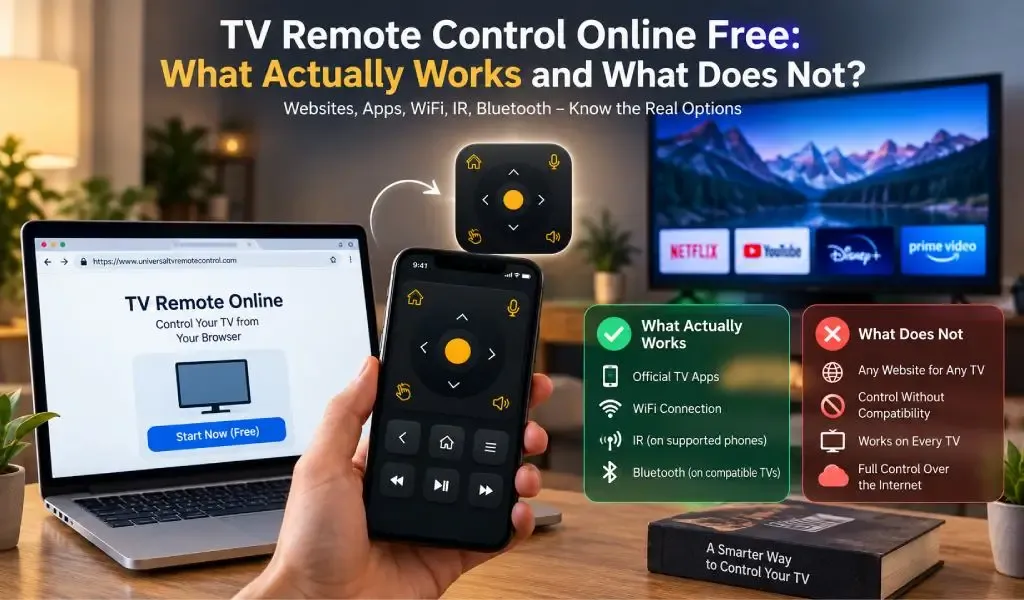
Si vous recherchez « télécommande TV en ligne gratuite, » vous trouverez des sites web, des applications de télécommande, des outils basés sur le navigateur, des solutions des fabricants et des services de télécommande universelle. Le problème, c'est que ces options ne font pas toutes la même chose.
Un site web peut vous aider à trouver une télécommande, vérifier la compatibilité ou expliquer comment contrôler une TV. Une application de télécommande dédiée peut réellement communiquer avec un téléviseur compatible. Certaines TV peuvent aussi être contrôlées via les services du fabricant, tandis que les téléphones dotés d'un émetteur infrarouge peuvent envoyer des commandes directement aux TV compatibles.
La question importante n'est donc pas simplement de savoir si une télécommande TV est gratuite ou en ligne. La question importante est de savoir comment le téléphone ou l'ordinateur communique réellement avec la TV.
Pour la plupart des smart TV modernes, cette connexion passe par un réseau local, Bluetooth, infrarouges ou un système de contrôle pris en charge par le fabricant. Google, Apple et Samsung documentent tous le contrôle TV depuis le téléphone via des applications dédiées ou des fonctions mobiles intégrées, plutôt que via un simple site web.
Une télécommande TV en ligne gratuite signifie généralement trouver une solution de télécommande sur le web
Une télécommande TV en ligne gratuite signifie généralement que vous pouvez trouver ou accéder à une solution de télécommande via internet sans acheter de télécommande physique de remplacement.
Le mot en ligne c'est là que la confusion commence.
Quelqu'un qui recherche une télécommande TV gratuite peut vouloir dire :
- Un site web qui fournit des informations sur la télécommande
- Une télécommande TV basée sur le navigateur
- Une application pour téléphone téléchargée gratuitement
- Une télécommande universelle qui fonctionne via WiFi
- Une télécommande qui fonctionne via internet
- Un remplacement pour une télécommande physique perdue
Ce sont des cas d'utilisation différents.
Par exemple, Google permet aux utilisateurs de contrôler les appareils Android TV compatibles avec une télécommande virtuelle dans l'application Google TV. Le téléphone et la TV doivent normalement être connectés au même réseau WiFi pour ce type de contrôle.
Cela signifie que l'application peut être gratuite à utiliser, tandis que la connexion réelle de la télécommande est locale plutôt que basée sur internet.
Cette distinction est particulièrement importante pour quiconque recherche des termes tels que site web télécommande TV, télécommande universelle en ligne, ou télécommande TV en ligne gratuite.
Un site web normal ne peut généralement pas contrôler une TV directement depuis un navigateur
Un site web normal ne peut généralement pas se transformer en télécommande TV universelle simplement parce qu'il affiche des boutons à l'écran.
Un navigateur peut afficher une interface de télécommande, mais ces boutons ont toujours besoin d'un chemin de communication pris en charge vers le téléviseur.
Certains appareils peuvent fournir des interfaces de contrôle basées sur le navigateur, mais il s'agit d'une fonctionnalité spécifique de l'appareil ou de la plateforme. Cela ne signifie pas que n'importe quelle TV peut recevoir des commandes depuis n'importe quel site web.
C'est pourquoi les principales plateformes TV utilisent des systèmes de contrôle dédiés. Google utilise l'application Google TV pour les appareils Android TV et Google TV compatibles. Apple propose Apple TV Remote via les appareils Apple pris en charge, tandis que Samsung fournit le contrôle TV mobile via SmartThings.
Si un site web prétend offrir une télécommande TV en ligne gratuite, vérifiez ce qu'il propose réellement.
Un site web utile devrait expliquer :
- Quelles TV sont prises en charge
- Si une application est requise
- Comment la TV se connecte au téléphone
- Si WiFi, Bluetooth ou infrarouges sont impliqués
- Quelles fonctionnalités sont disponibles
- Où obtenir l'application officielle
C'est aussi pourquoi votre site web Universal TV Remote Control et l'application remplissent des rôles différents mais complémentaires.
Une application de télécommande TV fonctionne généralement via une connexion locale prise en charge
Une application de télécommande TV communique généralement avec une smart TV via une connexion réseau locale prise en charge, bien que certaines TV et certains téléphones utilisent d'autres technologies.
Pour le contrôle basé sur WiFi, le téléphone et la TV doivent généralement pouvoir communiquer sur le même réseau local.
Google indique explicitement aux utilisateurs de connecter leur téléphone et une Android TV compatible au même réseau WiFi lors de la configuration de sa télécommande virtuelle. Apple impose une exigence similaire pour Apple TV Remote, tandis que Samsung documente la même exigence réseau lors de l'ajout de TV compatibles à SmartThings.
Le processus de base ressemble à ceci :
Le téléphone se connecte au réseau
↓
La TV se connecte au réseau
↓
L'application de télécommande découvre ou s'associe à la TV
↓
L'application envoie les commandes prises en charge
↓
La TV répond
Internet peut intervenir pour télécharger l'application, la mettre à jour ou fournir d'autres services, mais cela ne signifie pas que chaque commande de télécommande doit transiter par internet.
C'est une distinction importante entre l'accès à internet et la communication locale entre appareils.
Si vous voulez comprendre cette différence plus en détail, consultez Qu'est-ce que mDNS et pourquoi est-ce important pour les applications de télécommande smart TV ?.
Une télécommande TV en ligne gratuite peut utiliser WiFi, Bluetooth ou infrarouges
Une télécommande TV gratuite peut utiliser différentes technologies de communication selon le téléphone et le téléviseur.
Le contrôle via WiFi fonctionne via le réseau local
Le contrôle à distance basé sur WiFi permet à un téléphone et à un téléviseur compatibles de communiquer sur le même réseau.
C'est particulièrement utile pour les smart TV, car les téléphones modernes incluent déjà le WiFi et de nombreuses smart TV sont conçues pour se connecter aux réseaux domestiques.
La limite est que la compatibilité compte. La TV doit exposer un mécanisme de contrôle que l'application de télécommande peut utiliser, et le réseau doit permettre aux appareils de communiquer.
C'est aussi pourquoi avoir accès à internet ne garantit pas automatiquement qu'une application de télécommande puisse trouver la TV.
Une TV peut diffuser Netflix sans problème tandis que le téléphone ne la découvre pas, parce que les appareils sont séparés par la configuration réseau.
Le contrôle via Bluetooth fonctionne via une connexion sans fil à proximité
Bluetooth peut offrir un autre moyen pour les appareils pris en charge de communiquer sans dépendre du même chemin WiFi.
Cependant, la prise en charge Bluetooth ne signifie pas que chaque TV expose chaque fonction de télécommande via Bluetooth.
Les capacités exactes dépendent du téléviseur, du système d'exploitation et de l'implémentation. Samsung, par exemple, documente la prise en charge Bluetooth Low Energy pour certains scénarios de découverte et de configuration de TV.
Bluetooth est donc utile dans les configurations compatibles, mais ne doit pas être traité comme une solution universelle pour chaque smart TV.
Le contrôle infrarouge fonctionne directement entre du matériel compatible
Le contrôle infrarouge fonctionne différemment, car la commande voyage directement d'un émetteur infrarouge vers le téléviseur.
Il s'agit essentiellement de la même méthode de communication de base utilisée par de nombreuses télécommandes traditionnelles.
Le problème pour les utilisateurs de smartphone est le matériel.
La plupart des téléphones modernes n'incluent pas d'émetteur infrarouge. Si le téléphone ne dispose pas du matériel IR requis, une application de télécommande infrarouge ne peut pas créer le signal nécessaire par le seul logiciel.
Cela rend le contrôle basé sur WiFi plus pertinent pour de nombreux smartphones modernes, tandis que l'IR reste utile sur les appareils compatibles.
Une application de télécommande gratuite peut être plus pratique qu'une télécommande dans le navigateur
Une application de télécommande dédiée peut interagir avec le système d'exploitation mobile et la TV de manières qu'une page web ordinaire ne peut pas nécessairement reproduire.
Une application de télécommande peut être conçue pour :
- Découverte de la TV
- Association de l'appareil
- Communication sur le réseau local
- Commandes de télécommande
- D Pad navigation
- Saisie au clavier
- Contrôle vocal
- Commandes spécifiques à l'appareil
La télécommande virtuelle de Google, par exemple, prend en charge la navigation, la lecture multimédia, le contrôle du volume et la saisie de texte sur les appareils compatibles.
La télécommande SmartThings de Samsung offre de même des fonctions telles que volume, chaînes, Home, Back, Guide et navigation sur les TV prises en charge.
Cela fait d'une application dédiée bien plus qu'une page web contenant des boutons virtuels.
L'application est spécifiquement conçue autour des exigences de communication de l'appareil.
Une télécommande TV gratuite ne signifie pas nécessairement un contrôle via internet
Une télécommande TV gratuite ne contrôle pas nécessairement votre téléviseur à distance depuis un autre lieu via internet.
C'est l'une des distinctions les plus importantes à comprendre.
Imaginez que votre téléphone et votre TV sont connectés au même WiFi domestique.
Votre téléphone peut utiliser internet pour ouvrir un site web, mais l'application de télécommande peut communiquer avec la TV localement.
Le chemin peut ressembler à ceci :
Phone → Home WiFi → Router → TV
C'est différent de :
Phone → Internet → Remote service → Home network → TV
Le second schéma nécessite une infrastructure supplémentaire et ce n'est pas ainsi que fonctionne chaque application de télécommande TV.
Certaines plateformes de fabricants peuvent fournir un contrôle à distance via internet. Samsung, par exemple, documente le contrôle TV à distance via SmartThings pour les configurations prises en charge, y compris lorsque le téléphone et la TV ne sont pas dans la même pièce, sous réserve de ses exigences de compte, d'internet et de compatibilité.
Par conséquent, le mot en ligne ne doit jamais être considéré comme une preuve qu'une télécommande peut contrôler votre TV depuis n'importe où.
Un site web est utile parce qu'il vous aide à trouver la bonne télécommande
Un site de télécommande TV reste précieux même lorsque le contrôle effectif se fait via une application.
Le site web est souvent le point de départ de la recherche des utilisateurs.
Quelqu'un pourrait commencer par :
télécommande TV en ligne gratuite
Puis demander :
Ma TV prend-elle en charge le contrôle depuis le téléphone ?
Puis :
Quelle application devrais-je utiliser ?
Puis :
Mon téléphone a-t-il besoin de WiFi ou d'infrarouges ?
Un bon site web devrait répondre à ces questions avant que l'utilisateur ne télécharge quoi que ce soit.
C'est là qu'un site produit dédié peut apporter de la valeur grâce à :
- Des informations sur la compatibilité des marques
- Des explications des fonctionnalités
- Des instructions de configuration
- Des exigences de connexion
- Des informations de dépannage
- Des liens de téléchargement officiels
- Un service client
Votre guide Universal TV Remote Control : site web vs application de télécommande explique cette distinction plus en détail.
Une application de télécommande universelle peut être plus utile lorsque vous avez différentes marques de TV
Une application de télécommande universelle devient particulièrement utile lorsque votre foyer n'utilise pas des téléviseurs d'un seul fabricant.
Vous pourriez avoir une Samsung TV, une LG TV dans une autre pièce et une marque différente dans une chambre.
Les applications de télécommande spécifiques au fabricant peuvent bien fonctionner dans leurs propres écosystèmes, mais elles sont naturellement centrées sur des marques particulières.
Universal TV Remote Control adopte une approche plus large.
L'application prend en charge plus de 700 marques de TV, est disponible dans plus de 100 pays, et a dépassé 130 million downloads.
Cette large compatibilité est plus significative que de simplement prétendre qu'une application est universelle.
Cela signifie que l'application est conçue autour d'un large éventail de marques de téléviseurs plutôt que de l'écosystème d'un seul fabricant.
Les commandes exactes peuvent encore varier selon le modèle de TV et la méthode de communication prise en charge. Une application universelle doit donc être jugée sur son étendue de compatibilité et ses fonctionnalités disponibles, plutôt que sur l'hypothèse que chaque TV expose des commandes identiques.
Une application de télécommande universelle peut offrir plus que les simples commandes d'alimentation et de volume
Une application de télécommande TV moderne peut combiner les commandes traditionnelles de télécommande avec les fonctionnalités du smartphone.
Universal TV Remote Control inclut :
D Pad navigation pour naviguer dans les menus
Contrôle vocal pour l'interaction vocale prise en charge
Prise en charge du clavier pour une saisie de texte plus rapide
Une interface conviviale pour la navigation quotidienne
Ces fonctionnalités comptent parce que les smart TV ne se limitent plus à changer de chaîne et ajuster le volume.
Les utilisateurs parcourent les bibliothèques de streaming, saisissent des informations de compte, naviguent dans les applications et interagissent avec des interfaces TV de plus en plus complexes.
Saisir une longue requête de recherche avec une télécommande directionnelle traditionnelle peut être fastidieux. Un clavier de téléphone offre une méthode de saisie bien plus familière.
Le contrôle vocal ajoute une autre option lorsqu'il est pris en charge.
Cette expérience de contrôle plus large est l'une des raisons pour lesquelles une télécommande dédiée sur téléphone peut être plus utile qu'un simple panneau de boutons dans le navigateur.
Une télécommande TV gratuite a tout de même des limites que vous devriez comprendre
Une télécommande TV gratuite n'est pas automatiquement compatible avec chaque téléviseur ou chaque téléphone.
La compatibilité peut dépendre de :
- Marque et modèle de la TV
- Système d'exploitation de la TV
- Système d'exploitation du téléphone
- Configuration réseau
- Autorisations disponibles
- Technologie de communication prise en charge
- Si la TV est déjà connectée au réseau
- Si le téléphone dispose d'un émetteur infrarouge lorsque le contrôle IR est requis
C'est pourquoi des affirmations telles que « fonctionne instantanément avec chaque TV » doivent être traitées avec prudence.
Par exemple, Google exige des appareils Android TV compatibles et un processus d'association pris en charge pour sa télécommande virtuelle. Apple exige de même un environnement Apple TV ou smart TV compatible. Le contrôle SmartThings de Samsung dépend également d'appareils compatibles et d'exigences de configuration.
Si votre application de télécommande ne trouve pas votre téléviseur, ne supposez pas immédiatement que l'application est défectueuse.
La configuration réseau, les autorisations et la compatibilité peuvent tous jouer un rôle.
Pour un dépannage plus large, vous pouvez renvoyer les lecteurs vers Pourquoi votre application de télécommande TV ne fonctionne-t-elle pas ?.
Une télécommande TV gratuite fonctionne mieux lorsque vous adaptez la technologie à la TV
La meilleure solution de télécommande TV gratuite dépend de la technologie que votre TV et votre téléphone prennent réellement en charge.
Si vous avez une smart TV moderne et un téléphone compatible, le contrôle basé sur WiFi est souvent l'approche la plus pratique.
Si les deux appareils prennent en charge une méthode de contrôle Bluetooth appropriée, Bluetooth peut être une autre option.
Si votre téléphone dispose d'un émetteur infrarouge et que la TV accepte les commandes IR, l'infrarouge peut fournir un contrôle direct sans dépendre du WiFi.
Si le fabricant propose un écosystème de télécommande pris en charge, cela peut constituer une autre voie.
Le point important est que gratuit ne signifie pas indépendant de la technologie.
Vous avez toujours besoin d'une méthode de communication compatible.
Universal TV Remote Control offre une alternative plus large aux applications de télécommande spécifiques à une marque
Universal TV Remote Control est conçu pour les utilisateurs qui veulent une solution de télécommande TV plus large, au lieu de gérer une expérience de télécommande distincte pour chaque marque de téléviseur.
Avec la prise en charge de plus de 700 marques de TV, une disponibilité dans 100 plus pays, et 130 million plus downloads, l'application a une large empreinte de compatibilité.
Sa D Pad navigation, son contrôle vocal et sa prise en charge du clavier répondent aussi à la façon dont les utilisateurs utilisent les smart TV modernes pour naviguer, rechercher et faire du streaming.
Le site web peut aider les utilisateurs à comprendre la compatibilité et à accéder à la solution, tandis que l'application fournit l'interface de contrôle quotidienne.
Vous pouvez accéder à l'application via la fiche officielle Google Play ou la fiche Apple App Store.
Le principal avantage n'est pas qu'une télécommande universelle élimine tous les problèmes de compatibilité. C'est qu'une seule application peut couvrir une gamme beaucoup plus large de marques de TV et proposer plusieurs méthodes de contrôle dans la même expérience sur smartphone.
La meilleure télécommande TV gratuite est celle qui dispose réellement d'une connexion prise en charge
Une télécommande TV en ligne gratuite peut signifier plusieurs choses différentes, et comprendre la différence évite de perdre beaucoup de temps.
Un site web peut vous aider à trouver une solution de télécommande.
Un navigateur peut contrôler une TV uniquement lorsque la TV ou l'appareil connecté fournit une interface web appropriée.
Une application dédiée peut communiquer avec des smart TV compatibles via le réseau local ou une communication entre appareils prise en charge.
Un téléphone compatible infrarouge peut contrôler des TV compatibles directement via IR.
Un service du fabricant peut parfois fournir un contrôle à distance au-delà du réseau local.
Si vous recherchez « télécommande TV en ligne gratuite, » ne vous arrêtez pas à la question de savoir si la télécommande ne coûte rien. Vérifiez comment elle se connecte, si votre TV est prise en charge et quelles fonctionnalités vous avez réellement besoin.
Pour les utilisateurs avec plusieurs marques de téléviseurs, une application universelle peut avoir plus de sens que de maintenir plusieurs solutions de télécommande distinctes. Universal TV Remote Control prend en charge plus de 700 marques de TV et combine D Pad navigation, contrôle vocal et prise en charge du clavier dans une seule expérience de télécommande basée sur smartphone.
La vraie question n'est donc pas « La télécommande est-elle gratuite ? »
C'est :
« Cette télécommande peut-elle établir une connexion prise en charge avec ma TV et me donner les commandes dont j'ai réellement besoin ? »
C'est ce qui détermine si une télécommande TV en ligne est réellement utile.
Foire aux questions
Puis-je contrôler ma TV directement depuis un site web gratuitement ?
En général, un site web normal ne peut pas contrôler directement une smart TV. Un contrôle réel depuis le navigateur exige que la TV ou l'appareil connecté fournisse une interface de contrôle web compatible. La plupart des plateformes TV grand public utilisent plutôt des applications dédiées ou des fonctions de télécommande intégrées.
Une application de télécommande TV gratuite a-t-elle besoin d'un accès à internet ?
Pas toujours. De nombreux systèmes de télécommande pour smart TV communiquent via le réseau local plutôt que d'envoyer chaque commande via internet. Google, par exemple, exige que sa télécommande virtuelle compatible sur téléphone et Android TV utilisent le même réseau WiFi.
Puis-je contrôler une TV sans WiFi ?
Oui, selon les appareils. Un téléphone avec un émetteur infrarouge compatible peut contrôler certaines TV sans WiFi. Bluetooth peut aussi fonctionner avec les appareils pris en charge. Cependant, de nombreuses applications de télécommande pour smart TV dépendent d'une communication basée sur le réseau.
Pourquoi ma TV accède-t-elle à Netflix mais mon application de télécommande ne la trouve-t-elle pas ?
L'accès à internet et la communication locale entre appareils sont différents. Votre TV peut avoir accès à internet tandis que le téléphone et la TV sont séparés par des réseaux différents, des paramètres de réseau invité, un routage VPN ou d'autres restrictions réseau. Pourquoi votre application de télécommande TV ne fonctionne-t-elle pas ? approfondit les problèmes de connexion les plus courants.
Universal TV Remote Control fonctionne-t-il avec plusieurs marques de TV ?
Oui. Universal TV Remote Control prend en charge plus de 700 marques de TV et propose D Pad navigation, contrôle vocal et prise en charge du clavier. Les fonctions exactes disponibles peuvent varier selon le modèle de TV pris en charge et la méthode de connexion.