
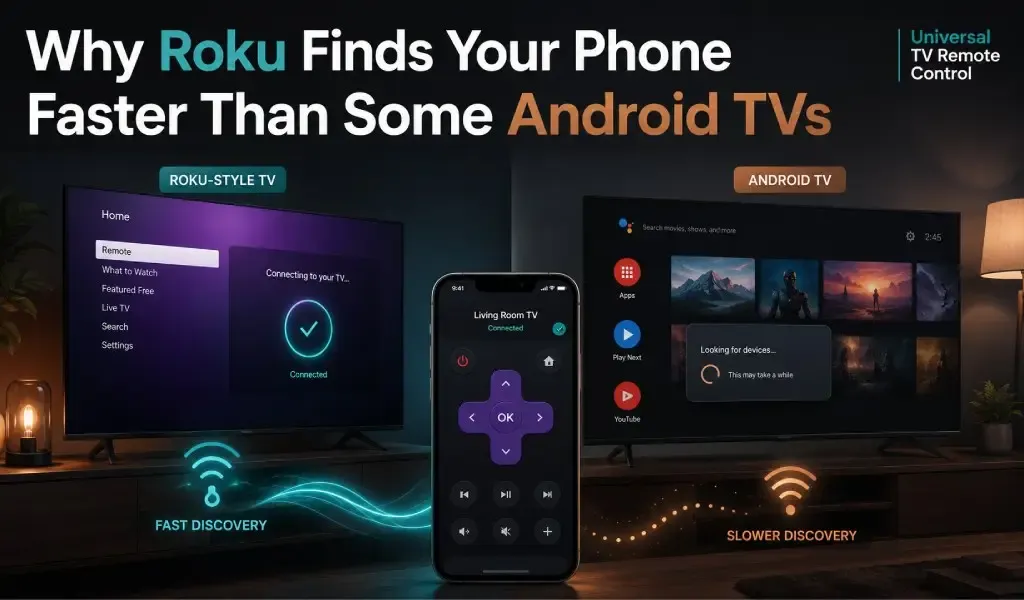
Mas madalas na mas mabilis mahanap ng Roku ang phone mo dahil gumagamit ito ng mas simple at mas consistent na device discovery process kaysa sa maraming Android TV.
Kung minsan binubuksan mo ang TV remote app at napansin mong halos agad lumalabas ang Roku TV mo habang ang Android TV ay tumatagal ng ilang segundo o hindi lumalabas, hindi ito imahinasyon mo lang.
Maraming user ang iniisip na ang problema ay ang phone o WiFi speed nila. Sa totoo lang, ang pagkakaiba ay karaniwang nakasalalay sa kung paano natutuklas ng bawat platform ang mga device, tumutugon sa network requests, at namamahala sa background services.
Ang Roku ay binuo sa paligid ng tightly controlled operating system na may consistent na networking behaviour sa halos bawat device. Ang Android TV, sa kabilang banda, ay ginagamit ng maraming manufacturer, na bawat isa ay nagdadagdag ng sariling software, settings, at customisations.
Ipinapaliwanag ng gabay na ito kung bakit mas madalas na mas mabilis kumonekta ang Roku, bakit minsan mas matagal lumalabas ang Android TV, at ano ang maaari mong gawin para mapabuti ang experience mo anuman ang television na mayroon ka.
Paano Nahanap ng TV Remote App ang Television Mo?
Nahanap ng TV remote app ang television mo sa pamamagitan ng paghahanap sa local network mo para sa compatible na devices.
Kapag binubuksan mo ang remote app, agad itong nagsisimulang maghanap ng televisions na nakakonekta sa parehong WiFi network.
Sa halip na gumamit ng internet, ang phone mo ay nakikipag-usap lamang sa loob ng home network mo.
Karaniwang kasama sa discovery process ang:
- Pag-broadcast ng discovery requests
- Pakikinig sa TV responses
- Pag-verify ng compatible devices
- Pagtatatag ng secure na local connection
Ang buong proseso ay kadalasang tumatagal lamang ng ilang segundo kapag lahat ay gumagana nang tama.
Basahin Din: Google TV vs Android TV: Magkaiba ba ang Remote Apps sa Bawat Platform?
Bakit Karaniwang Mas Mabilis Lumalabas ang Roku?
Mas mabilis lumalabas ang Roku dahil halos magkapareho ang discovery rules na sinusunod ng bawat Roku device.
Isa sa pinakamalaking advantage ng Roku ay consistency.
Kahit may mas lumang Roku Express ka o mas bagong Roku TV, halos magkapareho ang behaviour ng operating system.
Ang consistency na iyon ay nagpapahintulot sa remote apps na alam eksakto kung paano tumutugon ang Roku devices.
Kasama sa mga benepisyo ang:
- Consistent na network responses
- Predictable na discovery behaviour
- Minimal na manufacturer modifications
- Optimised na komunikasyon sa phone at TV
Dahil mas kaunti ang variables, karaniwang napakabilis matuklas ang Roku devices.
Bakit Mas Matagal ang Android TV?
Mas matagal ang Android TV dahil iba-ibang manufacturer ang nag-customise ng operating system sa iba't ibang paraan.
Hindi tulad ng Roku, ang Android TV ay hindi ginawa ng isang television manufacturer lang.
Mga brand tulad ng Sony, TCL, Philips, Hisense, Sharp, Xiaomi, at iba pa ay madalas na binabago ang Android TV para umangkop sa sariling hardware at software.
Maaaring makaapekto ang mga pagbabago sa:
- Network discovery timing
- Power management
- Background services
- System permissions
- Wireless communication
Bilang resulta, dalawang Android TV na may magkatulad na software ay maaaring magkaiba ang tugon kahit nakakonekta sa parehong network.
Pareho ba ang Device Discovery sa Bawat TV?
Hindi, bawat television platform ay gumagamit ng sariling discovery methods at connection priorities.
Bagama't maraming smart TV ang sumusuporta sa common networking standards, madalas na iba-iba ang implementation ng mga manufacturer.
May mga television na agad tumutugon.
May iba na naghihintay hanggang aktibo ang ilang services.
May iba na binabawasan ang network activity habang idle para makatipid ng power.
May iba na patuloy na tumutugon kahit mukhang naka-off ang screen.
Ang maliliit na pagkakaiba ay maaaring malinaw na makaapekto sa kung gaano kabilis matuklas ng phone mo ang television.
Nakakaapekto ba ang Sleep Mode sa Discovery?
Oo, maaaring maantala ng sleep mode kung gaano kabilis tumutugon ang television mo sa phone mo.
Maraming smart TV ang binabawasan ang background activity kapag pumapasok sa standby mode.
Depende sa manufacturer, maaaring:
- Pabagalin ang network communication
- I-pause ang discovery services
- I-disable ang ilang wireless functions
- Maghintay hanggang bahagyang magising bago tumugon
Karaniwang pinapanatili ng Roku devices ang reliable na network visibility habang standby, habang ang ilang Android TV ay nagiging mas hindi responsive hanggang ganap na magising.
Maaaring Magparamdam ng Mas Mabilis ang Router Settings sa Roku?
Oo, maaaring makaapekto ang router configuration mo sa kung gaano kabilis matuklas ang anumang television.
Kahit gumagana nang tama ang TV mo, maaaring maantala ng mahinang network settings ang komunikasyon.
Kasama sa mga karaniwang dahilan ang:
Guest Networks
Madalas na pinipigilan ng guest networks ang mga device na makipag-usap sa isa't isa.
Ang phone at television mo ay dapat parehong nakakonekta sa primary home network mo.
AP Isolation
Pinipigilan ng AP Isolation ang local communication sa mga nakakonektang device.
Kapag naka-enable, maaaring hindi kailanman matuklas ng phone mo ang television mo kahit pareho silang nakakonekta sa parehong router.
Mahinang WiFi Coverage
Pinapabagal ng mahinang wireless signals ang communication delays.
Kung malayo ang television mo sa router, maaaring mas matagal o minsan mabigo ang discovery requests.
Network Congestion
Maaaring pabagalin ng mabigat na network traffic ang device discovery.
Ang streaming video, online gaming, cloud backups, at maraming smart home devices ay nagkakasagupaan para sa wireless resources.
Mas mahusay na namamahala ng modern routers ang congestion, na nagpapabuti sa overall responsiveness.
Mahalaga ba ang Internet Speed?
Hindi, halos walang epekto ang internet speed sa kung gaano kabilis matuklas ng phone mo ang TV mo.
Ang device discovery ay nangyayari sa loob ng local network mo.
Kahit 20 Mbps o 1 Gbps ang broadband speed mo, direktang nakikipag-usap pa rin ang phone mo sa television.
Sa halip, mas mahalaga ang mga salik na ito:
- Stable na WiFi coverage
- Reliable na router performance
- Malakas na signal strength
- Tamang network configuration
Bakit Mas Reliable ang Pakiramdam sa Roku?
Roku mas reliable ang pakiramdam dahil mas maliit at mas consistent ang software ecosystem nito.
Kinokontrol ng Roku ang operating system at user experience sa mga supported devices.
Pinapahintulutan nito na manatiling predictable ang software updates.
Kailangang suportahan ng Android TV ang:
- Iba't ibang television manufacturers
- Iba't ibang processors
- Iba't ibang wireless hardware
- Maraming software customisations
Ang pagsuporta sa mas malawak na hardware ecosystem ay natural na nagdadala ng mas maraming variation.
Hindi nito sinasabing mahina ang performance ng Android TV.
Ibig sabihin lang na mas hindi uniform ang discovery behaviour sa iba't ibang brand.
Paano Mo Mapapabilis ang Tugon ng Android TV?
Ilang simpleng pagbabago ang madalas na nagpapabuti sa Android TV discovery at response times.
Subukan ang mga rekomendasyon na ito:
- Ikonekta ang phone at TV mo sa parehong WiFi network.
- Iwasan ang guest WiFi.
- I-restart ang router mo paminsan-minsan.
- Panatilihing updated ang TV software mo.
- I-enable ang kinakailangang phone permissions.
- Ilapit ang router sa television kung maaari.
- Iwasan ang hindi kinakailangang wireless interference.
- I-restart ang television kung nagiging inconsistent ang discovery.
Nalulutas ng mga hakbang na ito ang maraming karaniwang connection problems nang hindi pinapalitan ang equipment mo.
Basahin Din: Mabagal ang TCL TV Navigation? Pabilisin Gamit ang Mas Matalinong Control Methods
Ano ang Role ng TV Remote App?
Tumutulong ang well designed na TV remote app na magtatag ng reliable na komunikasyon kapag natuklas na ang television mo.
Hindi mapipilit ng remote app ang television na tumugon nang mas mabilis kaysa sa pinapahintulot ng operating system nito.
Gayunpaman, maaaring:
- Mahusay na matuklas ng quality app ang compatible televisions.
- Panatilihin ang stable na komunikasyon.
- Mabilis na mag-reconnect pagkatapos ng pansamantalang interruptions.
- Magbigay ng responsive controls kapag nakakonekta na.
Universal TV Remote Control na-download nang higit sa 130 million times, available sa 100+ countries, at sumusuporta sa higit sa 700 TV brands.
Kasama sa mga feature nito ang:
- Smooth D Pad navigation
- Voice control
- Built in keyboard support
- User friendly interface
- Malakas na customer support
Kapag pinagsama sa properly configured na home network, tumutulong ang mga feature na ito na magbigay ng reliable na remote control experience sa malawak na uri ng smart televisions.
Panghuling Hatol
Karaniwang mas mabilis mahanap ng Roku ang phone mo dahil mas consistent ang networking behaviour nito, hindi dahil mas mabilis ang hardware nito.
Bihira sanhi ng internet speed ang pagkakaiba sa Roku at Android TV.
Sa halip, nagmumula ito sa operating system design, device discovery behaviour, manufacturer customisations, power management, at home network configuration.
Kung minsan mas matagal lumalabas ang Android TV mo, hindi ito palaging senyales ng sira.
Ang pagpapanatiling updated ng television mo, paggamit ng stable na WiFi network, at pagtiyak na pareho ang local network ng dalawang device ay karaniwang nagbibigay ng pinakamahusay na experience.
Anuman ang smart TV na mayroon ka, ang reliable na home network at compatible na remote app ang pundasyon ng mabilis at consistent na device discovery.
Mga Madalas Itanong
Maaaring lumabas ang dalawang Roku device sa parehong oras sa remote app?
Oo. Kung parehong nakakonekta sa parehong WiFi network ang dalawang Roku device, karamihan sa compatible remote apps ay maaaring ipakita ang bawat device nang hiwalay, para mapili mo ang gusto mong kontrolin.
Bakit lumalabas ang TV ko na may ibang pangalan kaysa inaasahan?
Maraming television ang nagpapakita ng device name na itinakda sa setup o ang pangalang naka-configure sa network settings ng TV. Madalas mong mababago ang pangalan ng TV mula sa settings menu nito para mas madaling makilala.
Nakakatulong ba ang pag-restart ng phone ko sa TV discovery?
Oo. Ang pag-restart ng phone mo ay nagre-refresh ng network services at wireless connections, na minsan ay nalulutas ang pansamantalang discovery issues nang hindi binabago ang TV settings.
Maaaring kontrolin ng maraming phone ang parehong smart TV?
Oo. Karamihan sa modern smart TVs ay pinapahintulutan ang maraming phone na kumonekta bilang remote controls, basta nasa parehong local network at sinusuportahan ng TV ang simultaneous connections.
Bakit agad lumalabas ang TV ko sa isang araw pero mabagal sa susunod?
Ang background software updates, pansamantalang network congestion, router restarts, o pagpasok ng TV sa iba't ibang standby states ay maaaring makaapekto sa discovery time mula session hanggang session.
Kapaki-pakinabang ba ang pagpapalit ng WiFi channel para sa TV remote apps?
Sa ilang bahay, oo. Kung nagdudulot ng wireless interference ang mga kalapit na network, ang pagpili ng mas hindi congested na WiFi channel ay maaaring mapabuti ang local communication at gawing mas consistent ang device discovery.