
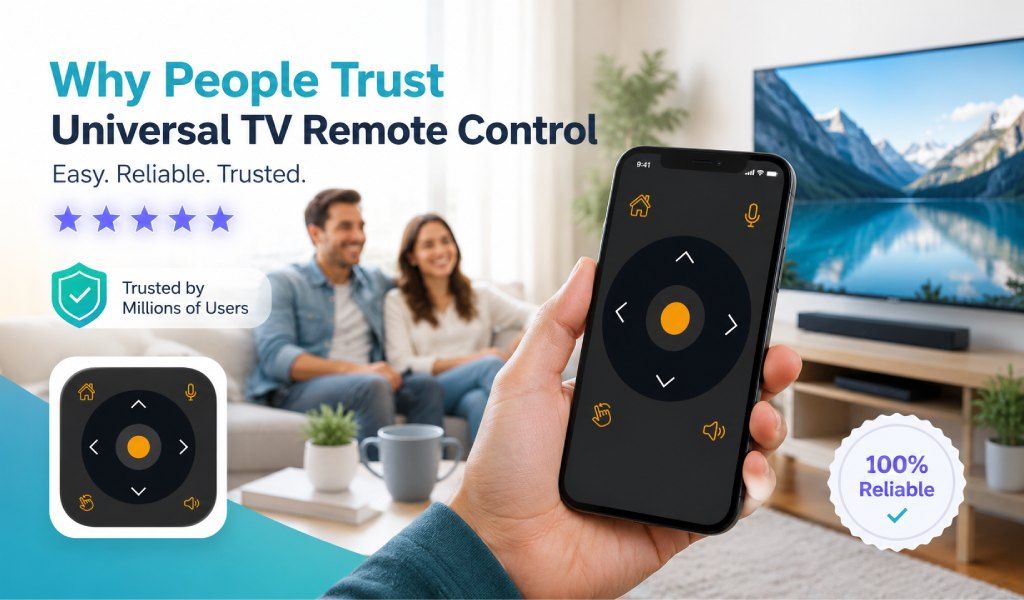
Over 125 million people in 100+ countries trust the Universal TV Remote Control App for unmatched convenience, global compatibility, and a seamless TV control experience. In today’s fast-paced world, managing multiple TV remotes can be confusing and frustrating.
Universal TV Remote Control consolidates control for over 700 TV brands into a single, intuitive interface, with features like voice control, D-Pad navigation, and support for both WiFi and IR. Its reliability and user-centric design make it stand out among others.
Global Compatibility: One App for Every TV Brand
Universal TV Remote Control supports more than 700 TV brands. The highlighted names include Samsung, LG, Sony, Panasonic, TCL, and more. No matter what your TV model or brand, you can operate it efficiently from a single device.
App users from North America, Europe, Asia, and Africa have highlighted how seamless the app works across different devices. You may have a Samsung smart TV in the living room and a Sony TV in the bedroom; the app easily controls both via Wi-Fi or IR.
Intuitive User Interface: Designed for Everyone
The app offers a clean, easy-to-navigate layout. It differs from traditional remotes, which can be confusing. Here, the D-Pad provides precise control over channels, volume, and menu navigation. If offers the familiar feel of a physical remote on a smartphone or tablet.
Additionally, the voice control is another feature that contributed to the app’s popularity. It allows users to search for channels, apps, and content without touching a button. This is especially useful for older adults or for those who struggle with touchscreen navigation.
WiFi vs IR: Flexible Control Options
Wi-Fi control delivers a fast, lag-free experience for smart TVs connected to a home network. Meanwhile, for older TV models without internet capabilities, the IR mode ensures full functionality, allowing users to control everything.
This dual functionality makes the app adaptable to any home setup. Whether you live in a modern smart home or a rural area, the app ensures smooth performance. Its support for both WiFI and IR makes it an accessible option everywhere.
Case Studies: Real Users, Real Trust
The Universal TV Remote Control is backed by numerous case studies and user testimonials. A user in the US with multiple TVs across the bedrooms and living room highlighted that the app replaced four different remotes.
In Asia, users with non-smart TVs appreciated the IR functionality, noting that even their older models could be controlled reliably. Across all continents, users consistently mention the app’s fast response time, intuitive navigation, and minimal setup as reasons to make it a must-have.
Advanced Features That Make It Stand Out
The most notable features include,
Voice Control – Quickly find channels, apps, or streaming content with a simple voice command.
D-Pad Navigation – Navigate TV menus and apps with precision and ease.
WiFi and IR Support – Works with both smart TVs and older models for maximum compatibility.
Automatic TV Detection – Instantly detects nearby TVs to simplify setup.
Multi-Language Support – Accessible for users from over 100 countries.
Customizable Interface – Adjust button layouts to suit personal preferences.
These features make it more than just a remote app—they turn your smartphone into a full-fledged universal control device.
Security and Privacy You Can Rely On
The Universal TV Remote Control app only requires access to essential TV control functions. Voice commands are securely processed, and personal data is never shared without users' consent. The app always tries to ensure peace of mind for its users.
Regular updates ensure the app remains compatible with new TV models while maintaining high standards for security and user privacy. This commitment to safety adds another layer of trust, making it the go-to choice for millions globally.
Easy Setup and Instant Use
The app is incredibly easy to set up; simply download it from the Google Play Store or Apple App Store. Open the app, select the TV brand, and choose WiFi or IR mode. The setup process usually takes one or two minutes.
The simplicity of setup, combined with powerful features, ensures that even non-technical users can enjoy full functionality without frustration. This accessibility is one of the main reasons the app has grown to over 125 million downloads.
Why Users Keep Coming Back?
Users don’t just download the app; they continue to use it because it works smoothly across devices and brands. Frequent updates add support for new TV models and enhance performance, ensuring a top-notch experience every time.
Families, offices, and multi-device households rely on it daily. Users report that the app has transformed how they interact with their TVs, making navigation faster, reducing frustration, and enhancing overall convenience.
Conclusion: Trusted by Millions Worldwide
Over 125 million people in 100+ countries trust this Universal TV Remote App because it combines convenience, reliability, and advanced functionality into one seamless solution. Its global compatibility, intuitive interface, voice control, D-Pad navigation, and WiFi/IR support make it the ultimate choice for managing TVs of all types.
With glowing reviews from users across continents, the TV remote app has established itself as the most downloaded TV remote app, proving that it is more than just a remote—it is the future of TV control. Whether you’re managing a single smart TV or multiple devices across your home, this app makes TV control simple, efficient, and enjoyable for everyone.
FAQs
Q1: Can I use this app to control streaming devices like Roku or Fire TV?
A: Yes, the app supports certain streaming devices and can function as a remote for them, provided the device is on the same WiFi network.
Q2: Does the app work on tablets as well as smartphones?
A: Absolutely, the app is fully compatible with both Android and iOS tablets, offering the same features as on smartphones.
Q3: Can I create custom shortcuts for my favorite TV channels?
A: Yes, users can create shortcuts for frequently watched channels or apps, making navigation faster and more convenient.
Q4: Will the app drain my phone battery quickly while in use?
A: No, the app is optimized for efficiency and uses minimal power, even when connected via WiFi or IR for extended periods.
Q5: Is there a limit to how many TVs I can connect to the app?
A: There is no strict limit; the app can manage multiple TVs in the same location or across different rooms seamlessly.