
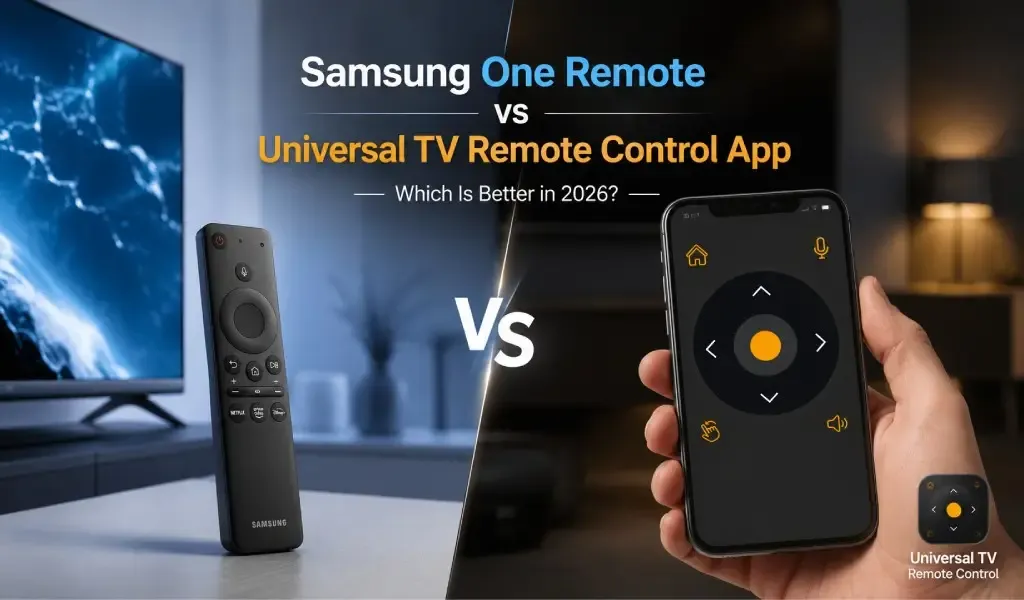
If you own a Samsung TV, chances are you're already familiar with the Samsung One Remote. It comes bundled with most modern Samsung Smart TVs and offers a clean, minimal design that controls your television and, in many cases, connected devices.
But in 2026, the way people use TVs has changed. Many households own multiple televisions from different brands, stream through external devices, replace lost remotes, or simply prefer to control everything from their smartphones. That's where universal TV remote apps have become increasingly relevant.
So which option makes more sense today: Samsung One Remote or a Universal TV Remote Control app?
The answer depends on your setup, but for most users who value flexibility, compatibility, and convenience across multiple devices, a universal remote app offers significantly more long-term value.
This guide compares both solutions across compatibility, setup, usability, features, reliability, and everyday use to help you decide which fits your home entertainment system best.
Samsung One Remote vs Universal TV Remote Control App: Quick Comparison
| Feature | Samsung One Remote | Universal TV Remote Control App |
|---|---|---|
| Works with Samsung TVs | ✅ Excellent | ✅ Excellent |
| Works with other TV brands | ❌ No | ✅ 700+ TV brands |
| Smartphone control | ❌ Physical remote only | ✅ Android & iPhone |
| Voice control | Limited | ✅ Built-in support |
| Keyboard input | ❌ No | ✅ Yes |
| D-Pad navigation | ✅ Yes | ✅ Yes |
| Replace lost remote | ❌ No | ✅ Yes |
| Multiple TVs | Limited | ✅ Easy switching |
| Available globally | Samsung ecosystem | ✅ 100+ countries |
For Samsung-only households, the One Remote remains an excellent physical controller. However, users with mixed-brand devices or anyone looking for smartphone-based control will find a universal remote app considerably more versatile.
Screen Mirroring vs Remote Control App: What's the Difference and Which One Do You Actually Need?
What Is Samsung One Remote?
Samsung One Remote is Samsung's all-in-one physical remote designed primarily for Samsung Smart TVs.
Samsung introduced the One Remote to simplify television control by reducing the number of buttons and automatically recognizing compatible devices connected via HDMI.
Instead of juggling separate remotes for your soundbar, streaming box, or gaming console, the One Remote attempts to manage everything through a single interface.
Key capabilities include:
- Minimalist button layout
- Automatic device detection
- Smart TV navigation
- Streaming app shortcuts
- Voice assistant support on supported models
- HDMI-CEC integration
Its biggest strength is seamless integration within Samsung's own ecosystem.
However, that same ecosystem is also its biggest limitation.
What Is a Universal TV Remote Control App?
A Universal TV Remote Control app transforms your smartphone into a remote for hundreds of television brands.
Rather than depending on a manufacturer-specific remote, a universal remote app communicates with compatible TVs using Wi-Fi or infrared (IR), depending on the phone and television.
Modern universal remote apps have evolved far beyond simple channel-changing tools.
Today's leading apps typically include:
- Smart TV pairing
- D-Pad navigation
- Voice commands
- On-screen keyboard
- Touch navigation
- Volume and channel controls
- Streaming app shortcuts
- Multi-device management
Unlike manufacturer remotes, they are designed for users who own different television brands, upgrade devices frequently, or simply prefer using one device their smartphone for everything.
One of the largest examples in this category is Universal TV Remote Control, which has surpassed 130 million downloads, serves users in 100+ countries, and supports 700+ TV brands, making it one of the broadest TV control platforms currently available.
Compatibility: Universal Remote Apps Cover Far More Devices
Universal TV Remote Control apps support substantially more television brands than Samsung One Remote.
Samsung One Remote is designed for Samsung televisions.
Although it can operate certain connected devices through HDMI-CEC, it isn't intended to become a true cross-brand television controller.
Universal remote apps take a different approach.
Instead of focusing on one manufacturer, they support televisions from hundreds of brands, including:
- Samsung
- LG
- Sony
- TCL
- Hisense
- Philips
- Panasonic
- Toshiba
- Sharp
- Vizio
- Roku TVs
- Android TVs
- Google TVs
- Fire TVs
- And hundreds more
For households with multiple TVs purchased over several years, this broader compatibility becomes a major advantage.
Instead of learning different remotes for every room, users can operate nearly every television from the same app.
Setup: Both Are Easy, but They Solve Different Problems
Samsung One Remote is easier for new Samsung TVs, while universal apps excel when replacing missing or damaged remotes.
Samsung One Remote usually works immediately after unboxing.
Pairing takes only a few seconds and often happens automatically.
Universal remote apps require an initial connection.
Depending on the television, setup typically involves:
Wi-Fi pairing
Both devices connect to the same network.
The app automatically discovers compatible TVs.
IR pairing
Phones equipped with infrared transmitters can control compatible televisions directly without Wi-Fi.
Most users complete setup within a few minutes.
After pairing, reconnecting is generally automatic.
Can't Find the Right App for Your Hisense TV Model? Here's What Actually Works in 2026
Everyday Convenience: Smartphones Offer More Flexibility
Universal remote apps make everyday TV control more convenient because your phone is almost always nearby.
Physical remotes frequently disappear.
They're left under cushions, carried into other rooms, or simply run out of batteries.
Smartphones rarely have the same problem.
With a universal TV remote app, users can:
- Open the app instantly
- Switch between multiple TVs
- Search with a full keyboard
- Use voice commands
- Control playback
- Adjust volume
- Navigate menus using D-Pad controls
For many users, the smartphone naturally becomes the primary remote.
Navigation: Both Work Well, but Apps Add Smarter Input Methods
Universal remote apps offer more ways to interact with modern smart TVs.
Samsung One Remote provides excellent directional controls through its physical buttons.
Universal remote apps replicate these familiar controls while expanding them.
D-Pad navigation
Most quality remote apps include responsive D-Pad navigation that feels familiar to traditional remote users.
On-screen keyboard
Typing passwords, searching YouTube, or entering Wi-Fi credentials becomes dramatically faster than selecting letters one by one.
This is one of the biggest quality-of-life improvements over physical remotes.
Voice control
Speaking a movie title is often faster than typing or navigating menus manually.
Voice search has become increasingly useful across streaming services, especially as smart TVs continue adding AI-powered recommendations.
Multi-TV Homes: Universal Apps Are the Better Choice
Universal TV Remote Control apps simplify homes with multiple televisions.
Many households now own:
- A Samsung TV in the living room
- An LG TV in the bedroom
- A TCL television in the guest room
- A Google TV in the office
Samsung One Remote cannot manage this environment efficiently.
A universal remote app can.
Users simply switch between saved devices inside the app rather than keeping multiple physical remotes nearby.
For families, shared apartments, rental properties, and offices, this flexibility becomes increasingly valuable.
Reliability: Physical Remotes Win Offline, Apps Win on Availability
Samsung One Remote offers dependable hardware control, while universal apps are easier to access when you need them most.
Physical remotes don't depend on app updates or phone batteries.
They're reliable, tactile, and familiar.
However, they're also easy to lose or damage.
Universal remote apps eliminate that risk.
As long as your smartphone is available, you have immediate access to TV controls.
Many users even install the app across multiple family phones, creating convenient backup remotes throughout the home.
User Experience: Simplicity Matters
The best universal remote apps now rival manufacturer remotes in ease of use.
Earlier generations of remote apps often suffered from cluttered interfaces.
Modern designs focus on simplicity.
A clean interface should provide immediate access to:
- Power
- Volume
- Channels
- Navigation
- Streaming controls
- Keyboard
- Voice search
Universal TV Remote Control emphasizes this streamlined experience while supporting hundreds of television models, making it approachable even for first-time users.
Strong customer support also plays an important role, particularly when pairing less common television models or troubleshooting connectivity.
Long-Term Value: Universal Apps Adapt Better as Your Devices Change
Universal remote apps remain useful even when you replace your television.
A Samsung One Remote is tied closely to Samsung hardware.
If you later purchase a Sony, TCL, Hisense, or LG television, you'll receive another manufacturer-specific remote.
A universal remote app continues working across brands.
As televisions evolve, this flexibility becomes increasingly valuable.
Instead of starting over with a new remote every time you upgrade, users keep the same familiar control experience.
Which Option Is Better for Different Types of Users?
The best choice depends on your television setup and how you prefer to control your devices.
Samsung One Remote is ideal if:
- You own only Samsung TVs.
- You prefer physical buttons.
- You rarely lose remotes.
- You want the simplest out-of-box experience.
Universal TV Remote Control is ideal if:
- You own multiple TV brands.
- You frequently stream content.
- You want smartphone convenience.
- You need keyboard support.
- You use voice commands.
- You want one app for multiple televisions.
- You need a replacement when a physical remote is lost or broken.
Smart TV Connected but Volume/Power Not Working? 2026 Fix Guide
Final Verdict: Universal TV Remote Apps Offer More Flexibility for Modern Homes
Samsung One Remote remains excellent for Samsung owners, but universal remote apps better match today's connected households.
Samsung deserves credit for creating one of the best manufacturer remotes available. It delivers a polished experience, integrates well with Samsung Smart TVs, and remains an excellent choice for users who stay within the Samsung ecosystem.
However, modern homes rarely consist of a single television from one brand.
People replace TVs over time, add streaming devices, use multiple rooms, and increasingly rely on smartphones for everyday tasks. In that environment, a universal TV remote app becomes a more adaptable solution.
With support for 700+ TV brands, availability in 100+ countries, over 130 million downloads, practical features like D-Pad navigation, voice control, keyboard input, a user-friendly interface, and dependable customer support, Universal TV Remote Control addresses a much broader range of real-world scenarios without locking users into a single manufacturer.
For Samsung-only households, the One Remote remains an excellent companion.
For everyone else and especially users who value flexibility across brands and future device upgrades a universal TV remote app is the more future-ready choice in 2026.
Frequently Asked Questions
Is Samsung One Remote compatible with non-Samsung TVs?
No. Samsung One Remote is designed primarily for Samsung televisions. While it can control some connected devices through HDMI-CEC, it is not intended to function as a universal controller for televisions from other manufacturers.
Can a universal TV remote app control Samsung Smart TVs?
Yes. Most modern universal remote apps support Samsung Smart TVs using Wi-Fi, and some devices also support infrared (IR) control where compatible.
Do universal TV remote apps require Wi-Fi?
Not always. Most Smart TVs use Wi-Fi for communication, while smartphones equipped with an IR blaster can control compatible TVs without an internet connection.
Which option is better if I lose my TV remote?
A universal TV remote app is often the fastest replacement. After pairing with your television, your smartphone can handle power, navigation, volume, channel changes, voice input, and more without requiring a new physical remote.
Can one universal remote app control multiple televisions?
Yes. Most quality universal remote apps allow users to save multiple TVs and switch between them, making them ideal for homes with several televisions.
Does Samsung One Remote support voice commands?
Yes. Many Samsung Smart TVs support voice assistants through the One Remote, although available features depend on the TV model and region.
Why do universal TV remote apps include a keyboard?
The on-screen keyboard makes searching streaming apps, entering passwords, signing into accounts, and typing Wi-Fi credentials significantly faster than navigating character-by-character with a traditional remote.
Is a universal TV remote app worth installing even if I already own a Samsung One Remote?
Yes. Many users keep both. The physical Samsung One Remote works well for everyday viewing, while a universal TV remote app provides a convenient backup, adds features like keyboard input and easier multi-TV management, and remains useful if you change TV brands in the future.