
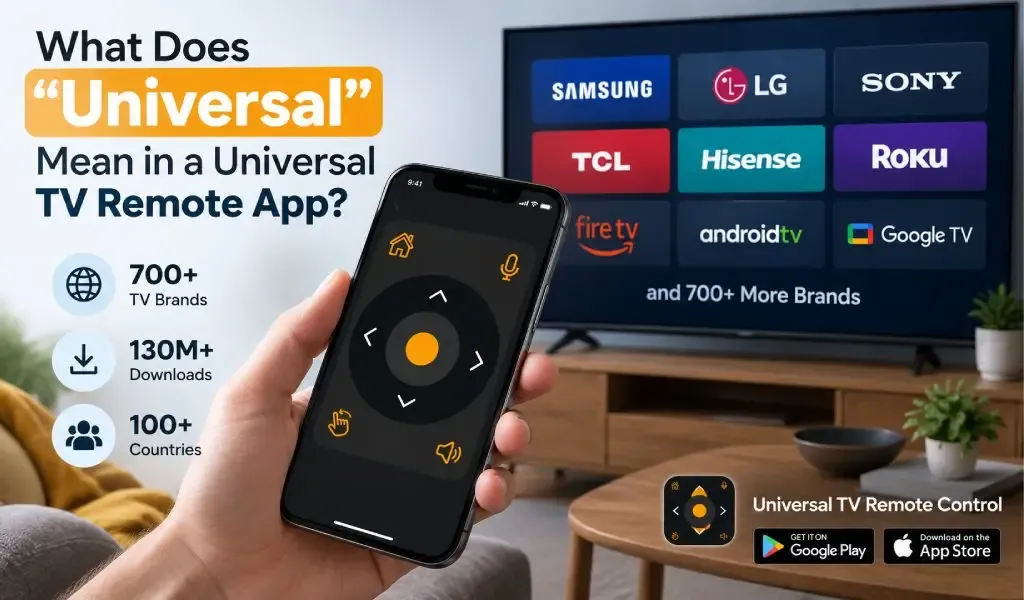
What Does “Universal” Mean in a Universal TV Remote App?
A universal TV remote app is designed to control compatible televisions from many different brands through one smartphone interface. In practice, “universal” means broad compatibility, not that every television works in exactly the same way.
That distinction matters. TV manufacturers use different operating systems, communication methods, models and control features. A Samsung TV may expose different functions from a Roku TV, while an older television may require infrared rather than WiFi.
A genuine universal remote app therefore has to do more than provide a digital version of a traditional remote. It needs to support a wide range of television environments while adapting the available controls to the device being controlled.
Universal TV Remote Control is built around that broader idea, supporting more than 700 TV brands, with more than 130M+ downloads and availability in more than 100 countries.
A universal TV remote app supports many TV brands rather than one manufacturer
A universal TV remote app is designed to work with compatible televisions from multiple manufacturers instead of being restricted to one brand.
A brand specific remote app normally belongs to a particular television ecosystem. A Samsung focused remote is designed primarily around Samsung televisions, while a Roku remote focuses on Roku devices.
A universal app takes a different approach.
Instead of asking users to install a separate application for every television brand in their home, it aims to provide one remote interface that can work across a much wider range of supported TVs.
This becomes useful when a household has different brands in different rooms. One television might be Samsung, another Hisense, another TCL and another Android TV based.
The word “universal” describes this broader compatibility.
It does not mean that every television has exactly the same functions or connection method.
Universal does not mean every TV works exactly the same way
Universal does not mean that every supported television exposes identical controls or behaves identically.
This is one of the most important things to understand about universal remote apps.
Televisions differ in several ways, including:
- Brand
- Model
- Operating system
- Year of manufacture
- Network capabilities
- Available communication methods
- Supported remote commands
- Smart TV features
For example, one TV may support extensive network based control while another may expose fewer functions. An older television may require infrared control, while a compatible smart TV may use a local WiFi connection.
The app can provide a common remote experience, but the television ultimately determines which commands it can receive and execute.
That is why “supports 700+ TV brands” should be understood as broad compatibility across supported devices, rather than a promise that every button will function identically on every model.
Universal compatibility depends on the communication method
Universal compatibility depends partly on how the phone communicates with the television.
Modern smart TVs commonly support network based control. In these situations, the phone and TV can communicate over a local network when the required features are available.
Some televisions and phones can also use infrared. Infrared works differently because the phone sends signals directly toward the TV rather than communicating through the home network.
This distinction explains why two televisions can both be supported by a universal remote app while requiring different setup methods.
A useful explanation of these two approaches is available in our guide to IR blaster versus WiFi TV remote apps.
The important point is that “universal” refers primarily to the range of compatible devices, while the underlying communication technology can vary.
Universal support includes more than the TV brand
Universal TV remote compatibility is not determined by the brand name alone.
Knowing that you have a Samsung, LG, Hisense or TCL television is useful, but the exact model and technology can also matter.
Two televisions from the same manufacturer can have different operating systems, features or communication capabilities.
For this reason, a universal remote app needs to account for more than a simple list of brand names.
A useful compatibility process considers the television, the phone and the available connection method.
This is also why a universal remote app should not be judged solely by how many brands appear on its compatibility list. The quality of the actual control experience matters too.
Universal means one remote experience across supported brands
Universal means that users can access a familiar remote concept even when the television manufacturer changes.
The layout may include familiar controls such as:
- D Pad navigation
- Volume
- Channel controls
- Power
- Home
- Back
- Input
- Playback controls
Universal TV Remote Control also provides voice control and keyboard support, depending on the supported TV and setup.
The advantage is consistency.
Someone who moves from one supported TV brand to another does not necessarily need to learn an entirely different remote application from scratch.
The exact commands can still vary because different televisions support different functions, but the overall smartphone based remote experience remains familiar.
Universal does not mean the app replaces every manufacturer feature
A universal remote app is primarily designed for television control, not to reproduce every feature of a manufacturer's complete smart home ecosystem.
This is an important distinction when comparing universal and official remote solutions.
An official manufacturer application may provide deeper integration with that company's ecosystem, including device management or proprietary functions.
A universal app has a different objective.
Its strength is breadth.
Universal TV Remote Control is designed to support more than 700 TV brands rather than concentrating exclusively on one manufacturer's ecosystem. That makes it particularly relevant for people who use televisions from different brands.
For a detailed comparison of these approaches, see our article on Universal TV Remote App versus official brand remote apps.
Universal means one app can cover different TV brands in the same home
A universal remote becomes particularly useful when a home has multiple TV brands.
Consider a home with three televisions.
The living room might have a Samsung TV. A bedroom could have a Hisense model, while another room uses a TCL or Android TV.
Without a universal remote app, users may need separate remote applications or physical remotes for different televisions.
A universal app provides another approach.
One smartphone can serve as the control device for compatible TVs from different manufacturers, with the appropriate remote interface selected for each television.
Universal TV Remote Control supports more than 700 TV brands, making broad multi brand compatibility one of its central strengths.
This does not mean one remote session controls every TV simultaneously. It means the same app can provide remote control for compatible televisions across a wide range of brands.
Universal remote apps can provide more than basic remote buttons
A universal TV remote app can combine traditional remote controls with capabilities already built into a smartphone.
That can include keyboard input, voice control and touchscreen based navigation.
A traditional remote usually has a fixed physical layout. A phone based remote can change its interface through software and provide different interaction methods.
Keyboard support is particularly useful when searching for content, entering passwords or typing into smart TV applications.
Voice control can provide another interaction method where the TV and app support it.
D Pad navigation remains important because many smart TV interfaces are built around directional movement.
Universal TV Remote Control combines these capabilities with D Pad navigation, voice control and keyboard support.
That makes “universal” about more than the number of supported brands. It can also describe the broader range of ways a smartphone can interact with a compatible TV.
Universal does not guarantee compatibility with every old television
Universal does not mean that an app can control every television ever manufactured.
Older televisions may not have WiFi, a smart TV operating system or network based remote capabilities.
In those situations, infrared may be an option if both the television and phone support the required hardware.
This is an important limitation because smartphones do not all have infrared hardware. A phone based remote solution therefore needs to match the capabilities of both devices.
Our guide on whether an IR blaster or WiFi remote app is needed explains the difference in more detail.
A universal app can have broad compatibility while still depending on the hardware and communication capabilities available on a particular phone and TV.
Universal means broad compatibility with practical limits
The most accurate way to understand a universal TV remote app is to think of it as a broad compatibility layer between your phone and supported televisions.
The app handles the remote interface.
The phone provides the hardware and operating system.
The TV provides the supported commands and communication capabilities.
The network or infrared connection provides the communication path.
All four pieces have to work together.
That is why two supported TV brands can provide different experiences even when controlled through the same app.
It is also why a universal remote should explain compatibility honestly instead of suggesting that every TV behaves identically.
Universal TV Remote Control takes a broad approach to compatibility
Universal TV Remote Control is designed around broad TV compatibility rather than a single manufacturer ecosystem.
The app supports more than 700 TV brands, has more than 130M+ downloads and is available in more than 100 countries.
Its feature set includes D Pad navigation, voice control, keyboard support and a user friendly interface.
That combination addresses several common reasons people choose a phone based remote.
Someone may have lost the original remote. Someone else may have multiple TV brands at home. Another user may simply prefer typing with a phone keyboard instead of navigating one character at a time with a traditional remote.
The broad brand coverage is what makes the app universal, while the smartphone features make it more than a basic replacement for physical buttons.
Strong customer support is also useful because universal remote setups can involve different TV models, phones and connection environments.
Universal is broader than brand specific, but it still depends on compatibility
A universal TV remote app is broader than a manufacturer specific remote because it is designed to support televisions from many brands.
The word “universal” should not be interpreted as “works with every TV under every condition.”
Instead, it means the app is built around a large and diverse compatibility range.
The television model matters. The operating system matters. The phone matters. The communication method matters. The supported commands matter.
This distinction gives users a more realistic understanding of what universal remote technology can actually do.
It also explains why checking compatibility before installation is important, especially when dealing with older televisions or unusual TV configurations.
Frequently Asked Questions
What does universal mean in a TV remote app?
Universal means the app is designed to control compatible televisions from many different brands rather than being limited to one manufacturer. The exact features and connection method can vary by TV model.
Does a universal TV remote work with every TV?
No. A universal remote app supports a broad range of compatible televisions, but compatibility depends on factors such as the TV model, operating system, phone hardware and available communication method.
Can a universal remote app control different TV brands?
Yes. A universal remote app can control compatible televisions from different manufacturers through the same smartphone application. Universal TV Remote Control supports more than 700 TV brands.
Does universal mean the same remote features work on every TV?
No. Different TV models expose different commands and features. A universal app can provide a common interface while the actual available controls depend on what the television supports.
What makes Universal TV Remote Control a universal remote?
Universal TV Remote Control is built for broad compatibility across more than 700 TV brands and is available in more than 100 countries. It also provides D Pad navigation, voice control, keyboard support and a user friendly interface, with more than 130M+ downloads.