
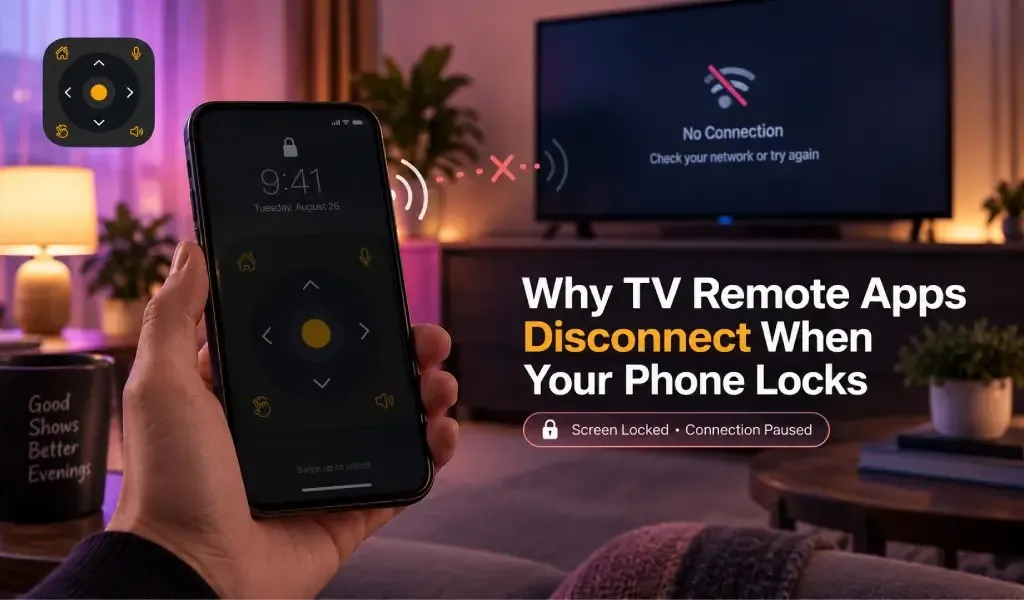
Yes, a TV remote app can disconnect when your phone locks because the phone may reduce network activity, suspend the app, or restrict background communication to save battery. The TV itself may still be connected and working normally.
This can be confusing because the remote usually works perfectly while the phone screen is on. Then the moment the phone locks, control becomes unreliable or stops completely. In most cases, the problem is not the television. It is the way the phone operating system manages apps and network activity when the device becomes idle.
The exact behavior depends on whether you use Android or iPhone, how the remote app communicates with the TV, and whether the app needs an active connection or only sends commands when you press a button.
Yes, your phone can interrupt a TV remote connection when the screen locks
A locked screen does not necessarily mean your phone has disconnected from Wi Fi. Instead, the operating system can change how actively an app is allowed to run.
A network based TV remote normally communicates with the television over the local network. Some apps maintain an active connection, while others discover the TV first and then send individual commands. If the operating system suspends the app or limits its network access, the remote can appear disconnected even though both devices remain connected to the same router.
Android uses power saving features such as Doze and App Standby that can restrict background CPU and network activity when a device is idle. Google specifically notes that Doze can suspend network access for apps during certain periods of inactivity.
Apple handles background apps differently, but the result can be similar. Apple says that apps are typically suspended when they move into the background unless they use an approved background execution mode.
That is why locking your phone can change the behavior of a remote app without changing anything on your TV.
Read Also: Why Does My TV Remote App Say "No TV Found"? Fix Samsung, LG, Roku, Fire TV and Android TV
Yes, the connection can depend on how the remote app communicates with your TV
The communication method matters because not every remote app depends on the same type of connection.
Wi Fi based remotes need the phone and TV to remain reachable
Wi Fi based remotes need the phone and television to remain reachable on the same local network. Google, for example, states that its virtual remote requires the phone and Android TV to be on the same Wi Fi network.
The important point is that being connected to Wi Fi is not always enough. The app may also need permission to communicate with the TV, maintain a local connection, discover the device, or send commands after returning from the background.
When the phone locks, the operating system may reduce some of that activity. The TV remains online, but the app may need to reconnect when you unlock the phone.
Bluetooth based remotes can behave differently
Bluetooth remotes can maintain communication without depending on the same local network path, but they are not a universal solution for smart TVs.
Support depends on the TV hardware, operating system, pairing method, and what functions the TV exposes through Bluetooth. A Bluetooth connection also does not automatically mean that every remote function will continue working while the phone is locked.
Infrared remotes do not depend on the phone staying connected to Wi Fi
Infrared control works differently because the command is transmitted directly from an infrared capable device to the TV.
However, most modern smartphones do not include an infrared transmitter. This makes infrared less practical as a universal answer for current phones.
For users with compatible hardware, IR can avoid many network related limitations. For everyone else, network based control remains the more common approach.
Yes, Android and iPhone can handle locked screen behavior differently
The operating system is one of the biggest reasons two phones can behave differently with the same TV remote app.
Android can restrict background network activity to save battery
Android can restrict background activity when the device is idle. Doze and App Standby are designed to reduce battery consumption by limiting CPU and network activity under certain conditions.
This does not mean every Android phone will disconnect a TV remote whenever the screen locks. Manufacturers can also add their own battery management systems.
Some Android phones are therefore more aggressive than others. A remote app might work normally on one device but require an occasional reconnect on another.
Battery optimization can also become more noticeable when a phone has been idle for a longer period rather than immediately after the screen turns off.
iPhone can suspend apps shortly after they move into the background
iOS is also designed to limit background execution. Apple explains that most apps are suspended after moving into the background, while specific background modes allow certain types of work to continue.
For a TV remote, this distinction matters because controlling a TV is usually an interactive task. The operating system does not necessarily treat a remote app as something that should continuously run in the background.
As a result, locking an iPhone can cause an existing connection to become inactive. When you unlock the phone and return to the app, it may establish communication again.
Yes, the remote may reconnect automatically when you unlock your phone
A temporary disconnect is not always a serious problem. Many remote apps can restore communication when the app becomes active again.
This creates a common pattern:
- You open the remote app and connect to the TV.
- The buttons work normally.
- You lock the phone.
- The phone limits or suspends the app.
- You unlock the phone.
- The app reconnects to the TV.
- Remote control works again.
If this happens consistently, it usually indicates an operating system or app lifecycle issue rather than a faulty TV.
It is also important to distinguish between a temporary connection pause and complete loss of device discovery. If the TV disappears entirely from the app after every screen lock, the app may be rebuilding its local network connection rather than simply resuming an existing session.
You may like reading: How to Use the Keyboard & D-Pad in Universal TV Remote Control App
Yes, battery settings can make the problem more noticeable
Battery management is one of the first things worth checking when a remote app stops responding after the phone locks.
On Android, look for the battery settings associated with the remote application. Depending on the phone manufacturer, options may include unrestricted background activity, optimized battery usage, background usage limits, or similar controls.
The exact names vary between Samsung, Google Pixel, Xiaomi, OnePlus, Oppo, Vivo, Motorola, and other devices.
On iPhone, there is less user control over unrestricted background execution. The operating system decides when an application can continue running and when it should be suspended.
This is why changing random TV settings often does not solve a problem that only appears after the phone screen turns off.
Yes, a better remote app can reduce compatibility problems, but it cannot override phone restrictions
A remote application still has to operate within the rules of the mobile operating system and the television.
This is where the design and compatibility range of the app matter. Universal TV Remote Control supports more than 700 TV brands and is available in more than 100 countries. It has also passed 130 million downloads, giving it a substantial user base across different TV ecosystems and phone environments.
Its feature set goes beyond basic channel and volume buttons. D Pad navigation makes menu movement easier, while voice control and keyboard support can make searching and text entry more practical than using a traditional remote.
The user friendly interface also matters when an app needs to reconnect. A remote that clearly shows its connection state and lets users return to control quickly is more useful than one that leaves the user guessing whether the TV or phone is responsible.
Strong customer support is another practical advantage when compatibility depends on the combination of phone, TV model, operating system, and network configuration.
That does not mean any universal remote can prevent Android or iOS from suspending an application. No app can bypass operating system rules. The broader advantage is compatibility across a much wider range of television brands and control features.
Yes, you can reduce lock related interruptions with a few practical changes
The best approach is to identify whether the problem is caused by battery management, local network communication, or the app itself.
Keep the phone and TV on the same local network
Keeping both devices on the same network gives a Wi Fi based remote the communication path it normally needs. Google also recommends checking that the phone and TV are connected to the same Wi Fi network when using its virtual remote.
Avoid assuming that having internet access means the devices can communicate locally. A phone can have internet access while local device communication is restricted by network configuration.
Check battery restrictions on Android
If your Android phone has aggressive battery management, review the remote app's battery settings.
Allowing appropriate background activity can help prevent the operating system from stopping the app too aggressively. The exact option depends on the manufacturer and Android version.
Do not disable battery optimization for every application simply because one remote has a problem. Change settings for the remote app only when necessary.
Reopen the app if the connection does not recover
If the app reconnects immediately after reopening, the issue is probably related to the phone's background handling rather than the television.
That distinction is useful because repeatedly restarting the TV or changing its network settings will not necessarily address the cause.
Yes, the behavior is usually a phone and app interaction rather than a TV fault
A TV remote app that stops responding when the phone locks is often dealing with three separate systems: the mobile operating system, the remote application, and the TV's network interface.
The phone decides how much background activity the app receives. The app manages discovery and communication. The TV decides whether it accepts commands and remains reachable over the network.
That makes this issue different from a TV remote app that cannot find the television at all. If the remote works while the screen is active and stops only after the phone locks, the timing itself is an important clue.
For users who regularly control different televisions, a broad remote such as Universal TV Remote Control can also make sense because compatibility is not limited to one manufacturer's ecosystem. Support for more than 700 TV brands, D Pad navigation, voice control, keyboard support, and a user friendly interface make it a more flexible option for households with different TVs.
With more than 130 million downloads across more than 100 countries, the app has a large real world footprint rather than being limited to a single TV platform.
Frequently Asked Questions
Can a TV remote app work when my phone screen is locked?
Yes, some remote apps can continue working or reconnect automatically, but behavior depends on the phone operating system, app design, and communication method. Android and iPhone can restrict background activity after the screen locks.
Why does my TV remote app work until I lock my iPhone?
The most likely reason is that iOS suspends the app after it moves into the background. Apple states that most apps enter a suspended state unless they use an approved background execution mode.
Why does my Android TV remote disconnect when my phone sleeps?
Android can restrict background network and CPU activity through features such as Doze and App Standby. Manufacturer specific battery management can make these restrictions more noticeable.
Does turning off battery optimization keep a TV remote connected?
It can help on some Android phones if battery management is stopping the app from maintaining or restoring communication. However, it cannot guarantee a permanent connection because the TV and network also affect remote control.
Is Universal TV Remote Control affected when the phone locks?
Universal TV Remote Control, like other network based remote apps, operates within the rules of the phone operating system and the TV connection. Its broader compatibility with more than 700 TV brands, along with D Pad navigation, voice control, keyboard support, and a user friendly interface, makes it a flexible option across different TV environments. If your phone suspends an app when locked, the app may still need to reconnect after you unlock it.