
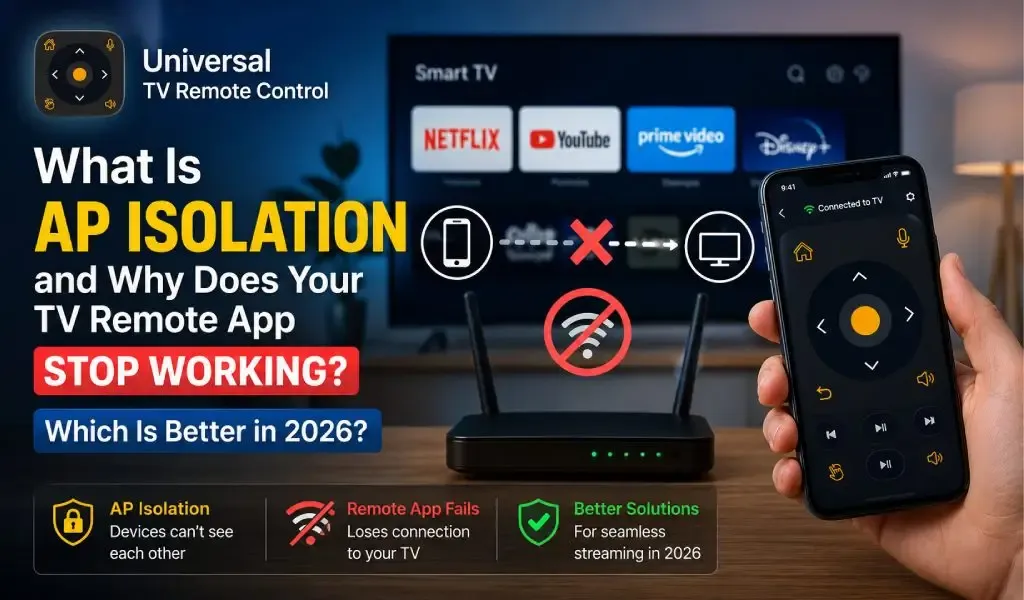
If your TV remote app suddenly cannot find your smart TV even though both devices are connected to the same WiFi network, AP Isolation may be the hidden reason. This networking feature prevents wireless devices from communicating with each other, which means your phone cannot send commands to your TV.
For many users, the problem looks like a faulty remote app, but the real issue often starts inside the router. Understanding how AP Isolation works can save hours of unnecessary troubleshooting and help you restore your remote connection within minutes.
This guide explains what AP Isolation is, why it affects TV remote apps, when you should disable it, and how to determine whether the problem is caused by your router or your remote application.
What Is AP Isolation?
AP Isolation is a router security feature that blocks communication between devices connected to the same wireless network.
Instead of allowing your phone, TV, laptop, and smart home devices to exchange data directly, the router isolates each device from every other device. Every device can still access the internet, but they cannot communicate locally.
Many router manufacturers also use names such as:
- Client Isolation
- Wireless Isolation
- Station Isolation
- Guest Isolation
- Intra BSS Isolation
Although the names differ, the purpose remains the same.
For example:
- Your phone can browse websites.
- Your smart TV can stream Netflix or YouTube.
- But your phone cannot discover or control your TV through a remote app.
This behavior often confuses users because everything appears to be connected correctly.
Why Does AP Isolation Stop TV Remote Apps From Working?
AP Isolation prevents local device discovery, which most TV remote apps rely on.
Modern smart TV remote apps do much more than send simple button presses. They first discover compatible televisions over your local network using technologies such as local IP communication, SSDP, mDNS, or manufacturer specific discovery protocols.
When AP Isolation is enabled:
- The TV becomes invisible to your phone.
- Automatic device discovery fails.
- Manual IP connections may also fail.
- Pairing requests never reach the television.
As a result, the app usually displays messages like:
- No devices found
- Searching forever
- Unable to connect
- TV offline
The issue is not with the television itself. It is the router preventing communication.
Can't Find the Right App for Your Hisense TV Model? Here's What Actually Works in 2026
How Can You Tell If AP Isolation Is the Problem?
Several symptoms strongly suggest AP Isolation is enabled.
Your TV and phone are connected to the same WiFi
This is the biggest clue.
If both devices show the exact same WiFi network name but still cannot communicate, AP Isolation becomes a likely suspect.
Internet works normally
Streaming services continue working because internet access is not blocked.
Only communication between local devices fails.
Multiple remote apps cannot detect the TV
If different remote applications all fail to discover the television, the router deserves more attention than the apps themselves.
Other smart home devices also fail
You may notice additional problems such as:
- Chromecast cannot cast
- Screen mirroring fails
- Wireless printing stops working
- Smart speakers cannot discover devices
These issues often share the same underlying cause.
How Do You Disable AP Isolation?
Disabling AP Isolation allows devices on your home network to communicate again.
The exact steps depend on your router manufacturer, but the general process is similar.
Log into your router
Open your router's administration page using its local IP address.
Common addresses include:
- 192.168.0.1
- 192.168.1.1
Enter your administrator username and password.
Find wireless settings
Look inside sections such as:
- Wireless
- Advanced Wireless
- Security
- Guest Network
Search for settings named:
- AP Isolation
- Client Isolation
- Wireless Isolation
Turn the feature off
Disable the option and save your changes.
Restart both:
- Your router
- Your smart TV
Finally reconnect your phone to WiFi before opening the remote app again.
Should You Disable AP Isolation?
For most home networks, disabling AP Isolation is completely reasonable.
The feature mainly exists to improve security in environments where many unrelated people share the same wireless network.
Examples include:
- Hotels
- Airports
- Coffee shops
- Universities
- Public WiFi hotspots
In these situations, preventing strangers from accessing each other's devices improves privacy.
At home, however, most users actually want their devices to communicate.
Your phone, television, printer, smart lights, cameras, speakers, and streaming devices are designed to work together.
Disabling AP Isolation restores that functionality.
Is AP Isolation Always the Reason Your TV Remote App Stops Working?
No. AP Isolation is only one possible cause.
Other common reasons include:
Different WiFi bands
Some routers separate devices across multiple wireless networks.
If your TV uses one network while your phone uses another, discovery may fail.
VPN connections
Some VPN services block local network traffic.
Temporarily disabling the VPN can help confirm whether it is interfering.
Outdated TV software
Older firmware occasionally introduces compatibility issues with remote discovery.
Keeping your TV updated improves reliability.
Firewall settings
Advanced router firewalls sometimes block local discovery protocols.
Less commonly, antivirus software on Android devices may interfere with network scanning.
Unsupported television models
Not every television supports WiFi remote control.
Some older models only accept infrared commands.
Checking manufacturer compatibility is worthwhile before assuming the router is responsible.
Why Does Router Compatibility Matter More in 2026?
Modern home networks contain far more connected devices than they did just a few years ago.
A typical household now includes:
- Smart TVs
- Streaming boxes
- Game consoles
- Security cameras
- Smart speakers
- Smart appliances
- Mobile phones
- Tablets
Every device depends on reliable local communication.
Router settings that once affected only printers now influence entertainment systems, automation, casting, gaming, and remote control.
Understanding network features like AP Isolation has become just as important as choosing the right television.
Which Is Better in 2026? Changing Router Settings or Switching TV Remote Apps?
The better solution depends on what is actually causing the problem.
If AP Isolation is enabled, changing remote apps will rarely solve anything because the router continues blocking communication.
On the other hand, once your network is configured correctly, choosing a capable remote app becomes much more important.
A well designed remote application should support a wide range of television brands, offer reliable device discovery, provide multiple control methods, and continue receiving compatibility updates as new TV models are released.
This is where broader compatibility becomes valuable.
Universal TV Remote Control supports more than 700 TV brands and is used in over 100 countries with more than 130 million downloads. Beyond traditional button controls, it includes D Pad navigation, voice control, keyboard input for faster text entry, an intuitive interface, and responsive customer support that helps users resolve compatibility issues when they arise.
These strengths do not bypass AP Isolation because no legitimate remote application can ignore router level security restrictions. Instead, they become meaningful once the network allows devices to communicate normally.
Rather than replacing router troubleshooting, a feature rich remote app complements it by supporting more televisions, adapting to different connection methods, and remaining useful even as smart TV ecosystems continue evolving.
Screen Mirroring vs Remote Control App: What's the Difference and Which One Do You Actually Need?
Final Thoughts
AP Isolation is one of the most overlooked reasons a TV remote app cannot detect a smart television.
Because internet access continues working, many users incorrectly blame the remote application when the router is actually blocking local communication.
Checking your router settings should be one of the first steps whenever your phone cannot find your TV despite being connected to the same WiFi network.
Once local communication is restored, using a reliable remote application with broad device compatibility, modern control features, and ongoing software support helps ensure a smoother experience across both current and future smart TVs.
Frequently Asked Questions
What is AP Isolation in simple words?
AP Isolation is a router feature that prevents devices connected to the same WiFi network from communicating with each other while still allowing internet access.
Does disabling AP Isolation make my home network unsafe?
For most private home networks, disabling AP Isolation is generally safe because your own trusted devices are intended to communicate. Public WiFi networks benefit more from keeping it enabled.
Can AP Isolation affect screen casting?
Yes. It can block Chromecast, AirPlay, screen mirroring, wireless printing, and smart home communication because these features require local device discovery.
Why does my TV appear online but my remote app cannot find it?
This usually means your TV still has internet access, but something such as AP Isolation, a VPN, firewall rules, or network segmentation is preventing local communication with your phone.
Can a better TV remote app bypass AP Isolation?
No. AP Isolation is enforced by the router, not the app. A high quality remote app can improve compatibility and features after the router allows devices to communicate, but it cannot override router level security restrictions.