
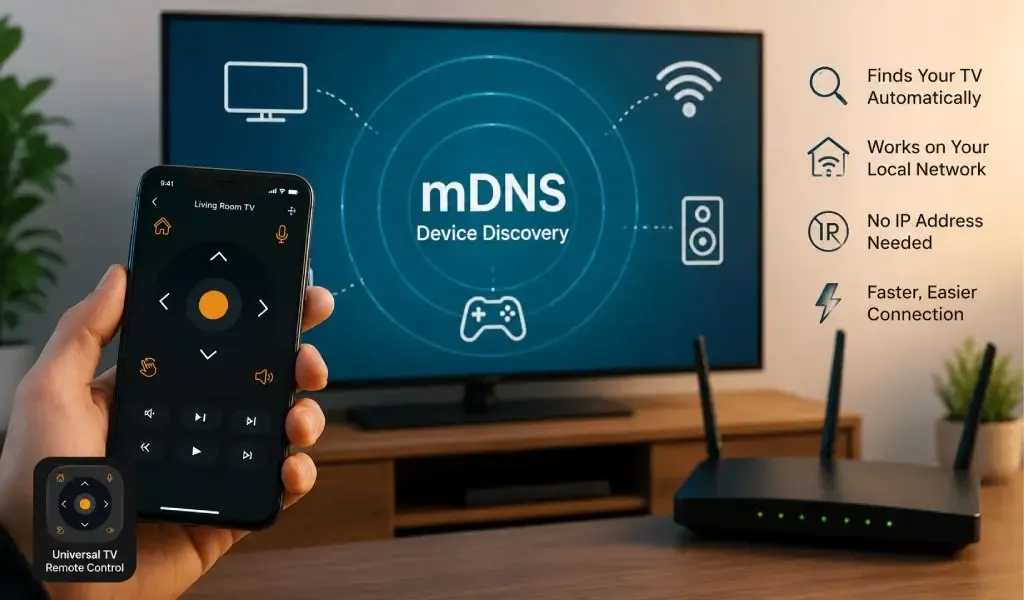
If your phone can stream video to a TV, discover a Chromecast, or find a wireless printer without you typing an IP address, there is a good chance some form of local device discovery is doing the work behind the scenes. One of the technologies commonly involved is Multicast DNS, or mDNS.
For smart TV remote apps, mDNS matters because a remote app often needs to discover a television on the local network before it can establish communication with it. Instead of asking you to find an IP address manually, the app can look for devices and services that advertise themselves on the network.
That sounds simple, but there is more going on than a phone simply scanning for nearby TVs. Modern operating systems, routers, smart TVs and networking protocols all influence how discovery works.
Understanding mDNS also explains why smart TV control is fundamentally different from accessing a normal website over the internet and why newer mobile operating systems are paying much closer attention to local network access.
mDNS matters because it lets devices discover services without a traditional DNS server
mDNS is a local networking technology that allows devices to perform DNS style lookups on the local network without depending on a conventional unicast DNS server. The IETF defines Multicast DNS in RFC 6762 as a way to perform DNS like operations on the local link when a conventional DNS server is unavailable.
In practical terms, mDNS gives devices a way to announce that a service exists and allows other devices to discover that service.
Think about what happens when you open a smart TV remote app.
You do not normally want to type something like 192.168.1.42 into the app every time you want to use your television. The app needs a more convenient way to identify devices on the local network.
mDNS can provide part of that discovery process.
A device can advertise a service, while another device can browse for that service. Apple describes Bonjour, its implementation of zero configuration networking, as a technology for automatically discovering devices and services on a local network using standard IP protocols.
That is the basic idea behind service discovery.
Read Also: Top 6 Reasons the Universal TV Remote App Buttons Don’t Respond and Quick Fixes
mDNS is different from regular DNS because it works locally
Regular DNS normally helps your phone translate an internet domain such as a website address into an IP address.
mDNS is designed for the local link.
That distinction matters for TV remote apps.
When you visit a website, your phone needs to reach a server somewhere on the internet. When a remote app communicates with a smart TV, the phone may need to find another device sitting on the same home network.
The two situations look similar from the user's perspective because both involve an IP address and network communication. Underneath, however, they can work very differently.
mDNS is particularly useful because it removes the need for users to understand local IP addresses, DNS configuration and service ports before discovering a compatible device.
Smart TV remote apps use discovery because users should not have to enter IP addresses manually
A smart TV remote app needs a way to identify compatible televisions on the local network before it can offer meaningful control.
Discovery can involve different technologies depending on the TV platform and implementation. mDNS is one of them. Other approaches can include SSDP and platform specific discovery APIs.
Android's networking documentation specifically identifies mDNS as a form of local network communication and provides the NsdManager API for network service discovery.
This means the discovery stage is separate from the actual remote control commands.
The app first needs to answer:
Which compatible TV is available on this network?
It can then determine how to communicate with that device.
That distinction is important because discovering a device and controlling a device are not necessarily the same operation.
A TV might advertise a discoverable service, yet the eventual control connection may use another protocol or connection method.
mDNS helps remote apps turn device discovery into a simple user experience
The biggest benefit of mDNS is not something most users ever notice.
It is convenience.
Without automatic discovery, a remote app could potentially require users to identify their television's IP address, determine which service it exposes and manually enter connection information.
That is not realistic for most households.
A good remote experience should instead feel closer to:
Open the app
Select the television
Start controlling it
The technical work happens underneath.
This is one reason service discovery has become important across smart home products, printers, media devices and other network connected hardware. Apple's documentation describes Bonjour as a way to advertise services for easy discovery on local networks.
For a TV remote app, that simplicity matters because the remote itself is supposed to disappear into the background.
mDNS does not mean every TV remote app uses the same discovery method
mDNS is important, but it should not be treated as a universal TV remote protocol.
Different television manufacturers use different operating systems, APIs and control mechanisms.
A Google TV implementation may expose services differently from a Samsung television. An LG television can have its own discovery and control architecture, while Roku and Fire TV use their own approaches.
Some devices may support multiple discovery mechanisms.
Others may rely on a manufacturer specific protocol.
This is one reason a universal remote app faces a different technical challenge from an app designed exclusively for one television ecosystem.
An official brand app can focus deeply on its manufacturer's hardware and software environment. A universal solution needs to handle a much broader range of devices and connection methods.
mDNS is only one part of the connection between a phone and a smart TV
mDNS helps answer the discovery question, but it does not magically turn a phone into a remote control.
A typical network based remote experience involves several stages.
First, the phone needs local network access.
Second, the app needs to discover a compatible device.
Third, the app needs to establish communication with that device.
Fourth, the television may require authorization or pairing.
Finally, commands such as navigation, volume changes, text entry or other controls can be exchanged.
This distinction is useful because it prevents a common misunderstanding.
Device discovery is not the same thing as remote control.
mDNS can help an application discover a service, but the actual remote commands can use another protocol after discovery has taken place.
That architecture also explains why two devices can both appear to be connected to WiFi while still having very different capabilities for local communication.
Android and iPhone now treat local network discovery as an important privacy issue
Local network discovery is becoming more important because mobile operating systems increasingly restrict unrestricted access to nearby devices.
Apple introduced Local Network privacy controls in iOS 14. Apple explains that an app attempting to interact with devices on the local network can require user approval, and Bonjour operations require local network access.
Android is moving in a similar direction.
Android 17 introduces the ACCESS_LOCAL_NETWORK runtime permission for apps targeting API level 37 or higher. Google specifically explains that this permission protects users from unauthorized local network access and covers applications that discover and communicate with local devices such as smart home products and casting receivers.
For TV remote apps, this is significant.
The permission is not simply about internet access. A phone can have perfectly normal internet connectivity while an application still needs separate permission to communicate with devices on the local network.
That distinction is likely to become increasingly relevant as mobile platforms continue strengthening privacy controls.
Local network permission matters because mDNS discovery happens inside your home network
When a remote app looks for a compatible TV using local network discovery, it is interacting with devices around you.
That is exactly the type of activity modern operating systems are designed to make more transparent.
On iPhone, Apple states that Bonjour browsing and resolving services require Local Network access.
On Android 17 and later, applications targeting the new platform level generally need explicit local network permission for direct communication with local devices. Google's documentation also notes that applications using mDNS can use system mediated discovery options in some circumstances.
For users, the important takeaway is simple.
A remote app does not need unrestricted internet access to control a TV on your home network. It needs the appropriate local communication capability.
That is a major architectural difference between a TV remote and an ordinary internet application.
Universal TV Remote Control matters because television compatibility goes beyond one discovery technology
mDNS is useful, but a modern universal remote needs to solve a bigger problem than device discovery.
Universal TV Remote Control is designed around broad television compatibility rather than a single manufacturer's ecosystem. The app supports more than 700 TV brands, has recorded 130 million plus downloads, and is available in more than 100 countries.
That scale matters because television households are rarely as simple as one manufacturer and one platform.
Someone may have a Samsung TV in one room, an LG television in another and an older television that depends on infrared control.
A single ecosystem specific remote may be excellent for one brand, but its usefulness naturally narrows outside that ecosystem.
Universal TV Remote Control takes a broader approach, combining compatibility across a large range of TV brands with practical controls such as D Pad navigation, voice control and keyboard support.
That makes the app useful beyond the initial act of discovering a TV. Once connected, users still need an interface that makes searching, navigation and everyday control convenient.
The app's user friendly interface and customer support also matter at this scale because compatibility across hundreds of brands creates a much wider range of real world device combinations.
A universal remote is more future ready when it can adapt to changing TV ecosystems
Smart TV platforms continue to evolve, and mobile operating systems are changing how applications access local networks.
That makes flexibility more valuable than simply supporting one discovery mechanism.
A future ready remote solution needs to accommodate different TV platforms, connection technologies, permissions and control interfaces as those systems change.
Universal TV Remote Control's support for more than 700 brands gives it a broader compatibility foundation than a solution designed around a single television manufacturer. Its combination of D Pad navigation, voice control and keyboard support also reflects how people increasingly use TVs for streaming, searching and app based content rather than traditional channel surfing.
The important point is not that mDNS is better than every other discovery technology.
It is that automatic local device discovery is becoming a fundamental part of connected device experiences, while the remote application still needs a broader compatibility and control layer around it.
You may like reading: How to Control Hotel and Airbnb TVs Without the Original Remote?
mDNS matters because seamless TV control depends on invisible networking technology
mDNS is essentially a behind the scenes technology that helps devices discover services on a local network without requiring users to understand DNS servers or manually enter network addresses.
For smart TV remote apps, that makes the first step toward control much simpler.
But mDNS is only one piece of the puzzle. TV platforms can use different discovery and control technologies, and modern Android and iPhone privacy controls increasingly govern how applications interact with local devices.
That is why the best TV remote experience cannot be reduced to a single protocol.
For users with one TV from one manufacturer, an official remote app may be perfectly adequate. For households with different TV brands, older televisions, multiple platforms and different control requirements, a broader solution has a practical advantage.
With support for more than 700 TV brands, 130 million plus downloads, availability across more than 100 countries, D Pad navigation, voice control, keyboard support and customer support, Universal TV Remote Control is built around that broader problem rather than one television ecosystem.
In other words, mDNS helps a remote app find the TV, but the quality of the remote experience depends on everything that happens before and after discovery.
FAQs
Is mDNS the same as WiFi?
mDNS is not WiFi because mDNS is a local network discovery technology that operates over a network connection such as WiFi or Ethernet. WiFi provides the network connection, while mDNS can help devices discover services available through that connection.
Does every smart TV remote app use mDNS?
Not every smart TV remote app uses mDNS because television manufacturers can use different discovery protocols and platform specific APIs. mDNS is one common approach, but technologies such as SSDP and manufacturer specific discovery systems can also be involved.
Why does a TV remote app need local network permission?
A TV remote app may need local network permission because it has to discover or communicate directly with devices on your home network. Apple requires Local Network access for Bonjour operations, while Android 17 introduces specific local network permissions for apps targeting the latest platform level.
Can mDNS control my TV by itself?
mDNS cannot control a TV by itself because its primary purpose is service discovery. After discovering a compatible service, the remote app still needs an appropriate communication protocol and authorization process to send commands to the television.
Does Universal TV Remote Control depend only on mDNS?
Universal TV Remote Control should not be viewed as an app dependent on a single discovery technology because it supports a broad range of television brands and connection approaches. Its wider compatibility, including support for more than 700 TV brands and both WiFi and infrared based control on compatible devices, is designed for households that use different television technologies.