
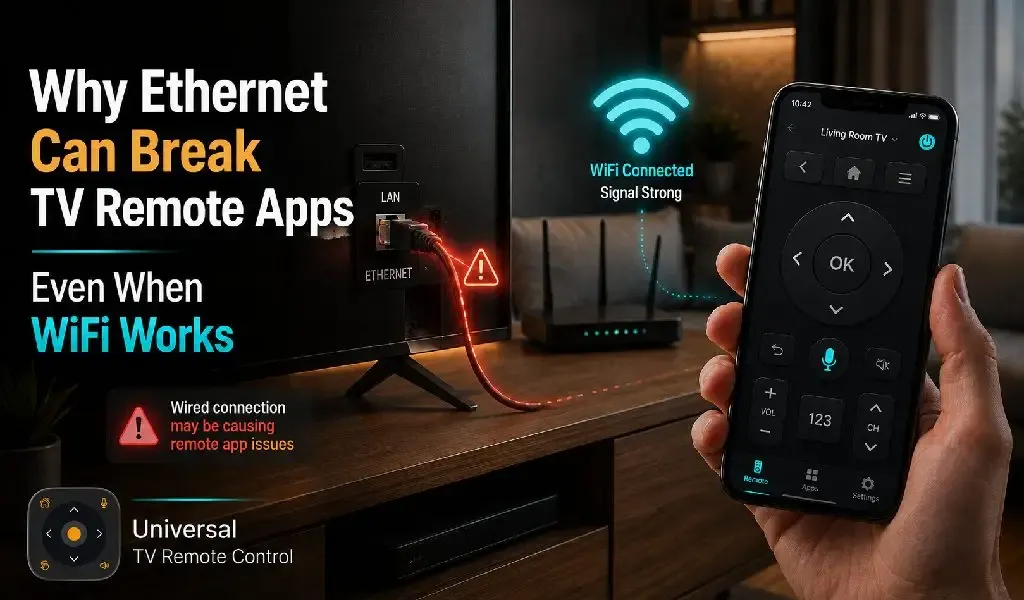
If your TV is connected with an Ethernet cable and your phone is on WiFi, your TV remote app should usually work. When it does not, the problem is often not the app itself. It is usually caused by how your home network handles communication between wired and wireless devices.
This can be confusing because both devices have internet access. Your TV streams movies without interruption, your phone browses the web normally, yet your remote app cannot find the TV. The missing piece is that internet connectivity and local device discovery are not the same thing.
In this guide, you'll learn why Ethernet can sometimes interfere with TV remote apps, what causes the issue, and how to fix it without replacing your router or television.
Why Your TV Remote App Needs Permissions on Android 15 and iPhone: Complete Guide
Why Does Ethernet Sometimes Stop a TV Remote App From Working?
Ethernet can stop a TV remote app from working because some routers separate wired and wireless devices even though they share the same internet connection.
Most TV remote apps communicate over your local network. Before sending commands such as volume, navigation, or keyboard input, the app must first discover your television.
That discovery depends on devices being able to see each other inside your home network.
When your TV is connected through Ethernet and your phone uses WiFi, some routers place those devices into different network segments. Internet traffic continues to work normally, but local discovery messages never reach the TV.
As a result, the app may display messages such as:
No TV Found
Searching for devices
Unable to connect
Device unavailable
The television is online. Your phone is online. They simply cannot introduce themselves to one another.
Why Does Streaming Continue Even Though the Remote App Cannot Connect?
Streaming continues because watching online content uses internet traffic, while remote apps depend on local network communication.
Services like YouTube, Netflix, Disney Plus, and Prime Video communicate with servers on the internet.
A TV remote app works differently.
Instead of contacting an online server, it tries to communicate directly with your television inside your home.
Think of it like this.
Streaming is similar to receiving a parcel from another city.
A remote app is like talking to someone sitting in the next room.
Both require communication, but they follow completely different paths.
How Does Your Phone Discover a Smart TV?
Your phone discovers a smart TV by searching your local network for compatible devices.
When you open a remote app, it sends small discovery requests across your home network.
If the television receives those requests, it replies with its identity.
The app then displays the TV in the available device list.
If the router blocks or filters those discovery requests between Ethernet and WiFi, the television never responds.
That is why manually entering the TV's IP address rarely solves the problem if discovery itself is being restricted.
Which Router Settings Usually Cause This Problem?
Router settings that isolate wired and wireless devices are the most common cause of Ethernet discovery problems.
Different manufacturers use different names for these settings.
You may encounter options related to:
Wireless Isolation
Wireless isolation prevents WiFi devices from communicating with other devices on the local network.
Some routers enable this for guest networks by default.
If your phone is connected to a guest WiFi network while your television uses Ethernet, the two devices usually cannot communicate.
Client Isolation
Client isolation separates devices even when they use the same router.
This feature improves security in public environments such as hotels, offices, and cafés.
Inside a home, however, it can prevent phones from finding smart TVs.
Separate Network Bands
Separate network bands can occasionally affect device discovery when the router handles them differently.
Modern routers often broadcast both 2.4 GHz and 5 GHz networks.
Most routers bridge these bands correctly.
Some older or heavily customised models may not.
If your TV and phone connect through different internal network paths, discovery can become unreliable.
What Is AP Isolation and Why Does Your TV Remote App Stop Working? Which Is Better in 2026?
How Can You Check Whether Ethernet Is the Problem?
The easiest way to test the issue is by temporarily moving the TV to WiFi.
Disconnect the Ethernet cable.
Connect the television to the same WiFi network as your phone.
Then reopen your remote app.
If the television appears immediately, the problem is likely related to how your router manages communication between wired and wireless devices rather than the TV itself.
This simple test often saves hours of unnecessary troubleshooting.
What Can You Do to Fix the Problem?
Most Ethernet related connection problems can be solved by adjusting your network rather than replacing your devices.
Start with these solutions:
First, make sure your phone and TV are connected to the same home network.
Second, avoid using guest WiFi.
Third, restart both the router and television after changing network settings.
Fourth, check whether your router has any isolation or access control features enabled.
Finally, install the latest software updates for both your router and television.
Many manufacturers quietly improve local networking through firmware updates.
When Is WiFi Actually Better Than Ethernet?
WiFi can be better than Ethernet when local device discovery matters more than maximum network speed.
Many people assume Ethernet is always superior.
For streaming large videos, that is often true.
For remote control, however, consistency matters more than raw bandwidth.
If your router handles wireless discovery more effectively than wired discovery, WiFi may provide a smoother experience for remote apps.
The difference is usually not speed.
It is compatibility.
How Does Universal TV Remote Control Handle Different Networks?
Universal TV Remote Control is designed to work with a wide range of smart TV environments while keeping setup simple.
The app supports more than 700 TV brands and is used by people in over 100 countries, with more than 130 million downloads worldwide.
Once your television becomes visible on the local network, the app provides a complete remote experience that includes:
D Pad navigation for comfortable menu control.
Voice Control for supported televisions.
Keyboard support for faster text entry.
A clean interface that reduces setup complexity.
Responsive customer support whenever additional help is needed.
Because the app supports such a broad range of televisions, it works well across many different home networking environments. When discovery problems occur, they are often caused by router configuration rather than compatibility with the app.
Is Ethernet Still Worth Using for Smart TVs?
Ethernet remains an excellent choice for many smart TVs, but it should not come at the expense of local device communication.
If your wired connection works perfectly with your remote app, there is little reason to change it.
If your router consistently prevents communication between wired and wireless devices, moving the television to WiFi may provide a better overall experience.
The goal is not simply having the fastest connection.
It is having a connection that allows every device in your home to work together reliably.
Final Thoughts
A TV connected through Ethernet should normally work with a phone on WiFi, but router configuration can sometimes prevent local discovery.
Understanding this difference helps explain why internet services continue working while remote apps fail.
Before assuming there is something wrong with your television or downloading multiple remote apps, spend a few minutes checking your home network.
In many cases, a small router setting is the only thing standing between your phone and your TV.
When your network is configured correctly, Universal TV Remote Control provides a reliable way to control hundreds of television brands with intuitive navigation, voice features, keyboard support, and a user friendly experience trusted by millions of users worldwide.
Frequently Asked Questions
Can Ethernet make a TV respond faster to remote commands?
Ethernet may reduce network latency slightly, but for most home users the difference is too small to notice during everyday remote control.
Does using a WiFi extender affect TV remote apps?
Yes. Some WiFi extenders create separate network segments that may prevent your phone from discovering the television correctly.
Should my phone also use Ethernet through an adapter?
No. A phone connected through WiFi should work perfectly as long as both devices can communicate on the same local network.
Do all smart TVs behave the same way with Ethernet?
No. Different TV manufacturers use different discovery methods, so some models are more tolerant of network restrictions than others.
Can changing routers solve this problem?
Yes. If your current router cannot properly bridge wired and wireless devices, replacing it with a modern router may permanently resolve discovery issues.