
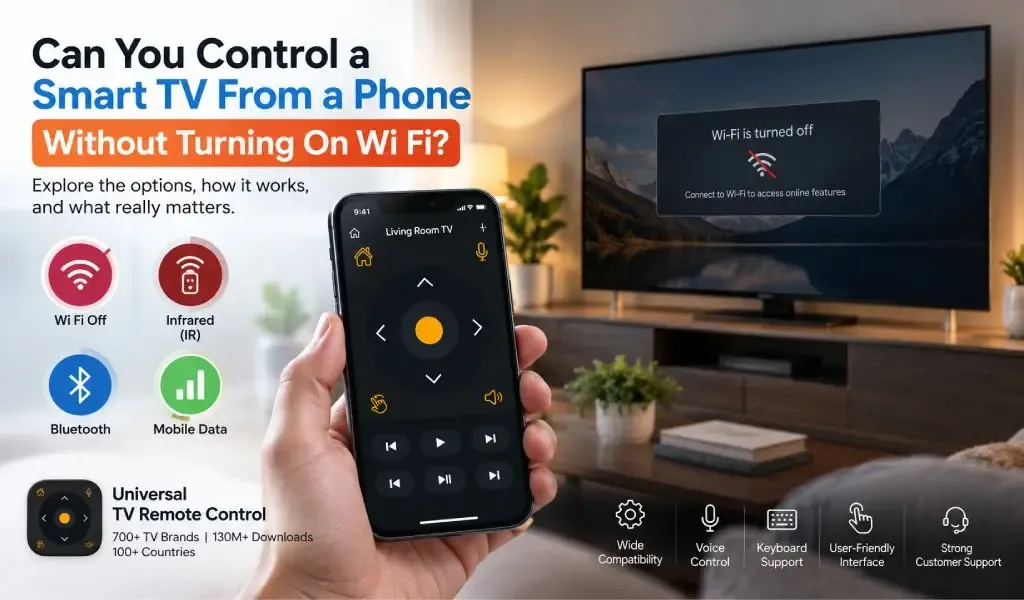
Yes, but only in certain situations. A phone can control a TV without using Wi Fi when the connection uses infrared or another supported direct communication method. If the remote app depends on the TV and phone communicating across the local network, Wi Fi is normally required.
That distinction is easy to miss because a smart TV remote app can look like a traditional remote. The interface is on your phone, but the way commands reach the television can be completely different from the infrared remote that came in the box.
There is also an important difference between Wi Fi internet access and Wi Fi local communication. A remote app does not necessarily need the internet to control a compatible TV, but a network based remote generally needs a local connection between the phone and television.
The right answer therefore depends on the technology your phone, TV and remote app support.
Read Also: Does WiFi 6 or WiFi 7 Improve TV Remote Performance?
You can control some TVs without Wi Fi by using infrared
Infrared is the clearest way to control a compatible TV without Wi Fi because it does not depend on a network connection.
Traditional TV remotes use infrared light to send commands to a receiver on the television. The remote does not need internet access, a router, Bluetooth pairing or a smart TV operating system.
A phone can work in a similar way if it has compatible infrared hardware and the remote application supports it.
This makes infrared particularly useful with older televisions that have limited network capabilities.
The tradeoff is hardware availability. Most modern phones do not include an infrared blaster, so installing a remote application alone cannot turn an ordinary phone into an infrared remote.
If the phone has no IR hardware, the app needs another communication method.
Infrared works independently of your home network
Infrared does not require the TV and phone to join the same network.
The command travels directly from the phone to the television's infrared receiver. That means there is no router involved and no need for either device to have internet access.
It can also be useful when controlling a television that is not connected to Wi Fi at all.
This is one of the biggest differences between infrared and network based remote control.
A Wi Fi remote is effectively communicating with a network connected device. An infrared remote is communicating directly with the television.
You may like reading: My Phone Has No IR Blaster - Can I Still Use Universal TV Remote Control App in 2026?
You usually need Wi Fi when the remote app controls the TV through the local network
A network based remote app normally requires the phone and television to communicate over the same local network.
Google's official instructions for controlling Android TV with a phone state that the phone and TV need to be connected to the same network for Wi Fi based control. Google's virtual remote can then provide navigation and other TV controls after pairing.
Apple follows the same basic principle for its network based TV control. Apple instructs users to connect the iPhone or iPad and compatible Apple TV or AirPlay compatible television to the same Wi Fi network when setting up the Apple TV Remote.
That does not mean the internet itself is required.
The important requirement is local communication.
Your router can provide a local network even if its internet connection is temporarily unavailable. A phone and TV may still be able to communicate with each other locally as long as the relevant devices remain connected and the television supports network control.
Read Also: TV Remote App Keeps Disconnecting? 7 Real Fixes for WiFi and IR Signal Drops
You do not need internet access just because you need Wi Fi
Internet and Wi Fi are not the same thing.
Wi Fi is the wireless networking technology connecting devices to a local network. Internet access is the connection from that network to online services.
For example, imagine your router is working but your broadband connection has temporarily gone down.
Your phone can still connect to the router.
Your smart TV can still connect to the router.
The two devices may still communicate locally.
In that situation, a compatible network based remote can potentially continue working even though websites and online services are unavailable.
Google's documentation illustrates this local network requirement by repeatedly instructing users to place the phone and TV on the same network for virtual remote functionality.
So the more accurate question is not:
Does the remote need the internet?
It is:
Does the remote need a local connection between the phone and TV?
For network based control, the answer is generally yes.
Bluetooth can control some devices without Wi Fi, but it is not a universal TV remote solution
Bluetooth provides another way for devices to communicate without Wi Fi.
However, Bluetooth should not be confused with a universal replacement for Wi Fi based TV control.
Some televisions and streaming devices use Bluetooth for remote controls or pairing. Others rely primarily on network communication, infrared or proprietary technologies.
Bluetooth is particularly common in physical smart TV remotes because it allows the remote to communicate without requiring line of sight.
A phone can therefore control a device over Bluetooth when both the hardware and software support that method.
The limitation is compatibility.
You cannot assume that installing a TV remote app will allow a phone to control any television through Bluetooth. The television has to expose an appropriate Bluetooth control interface, and the application needs to support it.
For that reason, Bluetooth is best understood as one possible control path, rather than the default method for universal TV remote apps.
A mobile hotspot does not automatically let a phone control a TV without Wi Fi
A phone hotspot can create a Wi Fi network, but that is still Wi Fi.
This distinction matters because someone may think turning on a hotspot means they are controlling a TV without Wi Fi.
They are actually creating another Wi Fi network.
A compatible television could potentially connect to the phone's hotspot, after which a network based remote may be able to communicate with the TV. But the phone is still using Wi Fi as the local connection method.
There is also an important practical limitation.
If the phone is simultaneously providing the hotspot and trying to control the TV through that same network, the exact behavior depends on the phone, operating system and remote application. Some hotspot configurations are designed primarily for sharing the phone's internet connection rather than supporting unrestricted local device communication.
So a hotspot should not be treated as a guaranteed substitute for normal home Wi Fi.
Mobile data cannot normally replace the local connection required for TV control
Mobile data provides internet connectivity through a cellular network. It does not automatically place your phone on the same local network as your television.
This is why simply turning off Wi Fi and leaving 4G or 5G enabled usually does not allow a network based TV remote to continue working.
The phone may have a fast internet connection, but the television is not sitting on the cellular network alongside it.
There are specialized remote control systems that can work over the internet, but those require the TV or another device to support remote access through an external service. That is a different architecture from ordinary local TV control.
For everyday smartphone remote apps, local communication remains the simpler and more common approach.
The TV can sometimes be controlled without Wi Fi when another device provides the connection
A television does not always need to communicate directly with the phone.
A separate streaming device or home entertainment system can sometimes act as the intermediary.
For example, Apple documents network based remote control for Apple TV and also describes HDMI CEC support, which allows compatible equipment to exchange control commands through HDMI.
That creates another possible control path.
Phone → Network → Streaming device → HDMI → TV
In that arrangement, the phone is not necessarily communicating directly with the television for every function.
The same principle explains why a smart TV can sometimes respond to commands through a connected streaming device even when the TV itself has different network capabilities.
This is useful, but it is dependent on the devices involved and the features they support.
Turning off Wi Fi can also remove the discovery method used by a remote app
A network based remote needs more than a communication path. It usually needs to identify the correct TV first.
When your phone and TV are on the same local network, a remote app can use supported discovery mechanisms to locate compatible devices.
Turn Wi Fi off, and that local discovery path disappears.
This is why a remote app may show the television almost immediately when Wi Fi is enabled but have nothing to connect to when Wi Fi is disabled.
The distinction becomes particularly important with smart TVs because device discovery and command delivery are separate parts of the experience.
A phone can have internet access through mobile data and still be unable to discover a television sitting on the home network.
Universal TV Remote Control is broader because it is not limited to one TV ecosystem
A single manufacturer remote can be an excellent choice when every television in a home belongs to the same ecosystem.
The limitation becomes obvious when the household contains different brands, different TV platforms or older televisions.
Universal TV Remote Control takes a broader approach. The app supports more than 700+ TV brands, has surpassed 130M+ downloads, and is available in more than 100 countries.
That scale does not mean every television behaves identically. It means the app is designed around a much wider range of television environments.
The app also provides D Pad navigation, voice control and keyboard support, which become particularly useful once the television is connected. Modern TV interfaces involve searching, entering passwords, navigating streaming applications and moving through menus, so a phone based interface can offer capabilities beyond the basic buttons of a traditional remote.
Its user friendly interface and customer support are also valuable when dealing with a diverse range of television models.
The important comparison is therefore not simply whether one app can work without Wi Fi.
It is whether the remote solution supports the communication method and television ecosystem you actually have.
Universal TV Remote Control is more flexible when your setup changes
A universal remote becomes more useful when the technology in your home changes.
You might replace an older television with a smart TV. You might add another brand to a different room. You might use a streaming device alongside the TV. Or you might switch between phones.
A remote solution built around one manufacturer can become less useful outside its original ecosystem.
A broader application can remain relevant across more of those situations.
Universal TV Remote Control supports more than 700 TV brands and combines broad compatibility with D Pad navigation, voice control and keyboard input. That makes it a more adaptable option for households where television hardware is not standardized.
It also avoids an important misconception about universal remotes.
Universal does not mean every TV uses exactly the same technology.
It means the application is designed to accommodate different technologies and television platforms rather than being tied to a single manufacturer.
The best option depends on whether your TV supports infrared, Bluetooth or network control
There is no single answer for every television.
If your phone has compatible infrared hardware and the app supports your TV, infrared can control the television without Wi Fi.
If your television supports Bluetooth remote control and the app supports that connection, Bluetooth can work without Wi Fi.
If your TV uses network based remote control, the phone will normally need a local network connection, usually through Wi Fi.
If you have a compatible external device that provides another control path, that can change the equation again.
The key is identifying the communication method rather than assuming every remote app works the same way.
Related Topic: TV Remote App Not Working Over a VPN? Here's Why
You can use a smart TV remote without internet, but Wi Fi is usually still needed for network control
A smart TV remote does not necessarily need internet access.
It does, however, usually need some form of communication with the television.
For network based control, that generally means the phone and TV need to communicate over the same local network. Official Google and Apple documentation both reinforce this model for their respective TV remote experiences.
For infrared control, Wi Fi is unnecessary.
For Bluetooth control, Wi Fi may also be unnecessary when the TV and app support Bluetooth remote functionality.
For mobile data alone, the answer is generally no because cellular internet does not automatically create a local connection to your television.
That is the most useful way to think about the question.
You can control a TV without Wi Fi, but only when the remote and television have another supported way to communicate.
For households using different television brands and platforms, Universal TV Remote Control provides a broader approach, with support for more than 700 TV brands and features including D Pad navigation, voice control and keyboard support.
The app is available through Google Play and the Apple App Store.
FAQs
Can I control a smart TV from my phone without internet?
Yes, you can control a compatible smart TV without internet when the phone and TV can communicate locally through Wi Fi, or when another method such as infrared or supported Bluetooth is available. Internet access and local network access are separate things.
Can I use a TV remote app with Wi Fi turned off on my phone?
Usually not when the app depends on network control because turning off Wi Fi removes the local connection between the phone and TV. An app can still work without Wi Fi if your phone and television support another control method such as infrared.
Can mobile data control my smart TV?
Mobile data alone usually cannot control a TV that expects local network communication because the phone and television are not automatically connected to the same local network. Specialized internet based remote systems can work differently, but they require compatible infrastructure.
Does Bluetooth work as a TV remote without Wi Fi?
Bluetooth can work as a TV remote without Wi Fi when the television and remote application support Bluetooth control. However, Bluetooth availability varies by TV and is not a universal replacement for network based remote control.
What is the best alternative if my phone has no Wi Fi or infrared?
The best alternative depends on the TV and its supported technologies. If the television supports Bluetooth remote control, that may be an option. Otherwise, a network based remote requires a local connection, while a traditional physical remote remains the most universal fallback.